

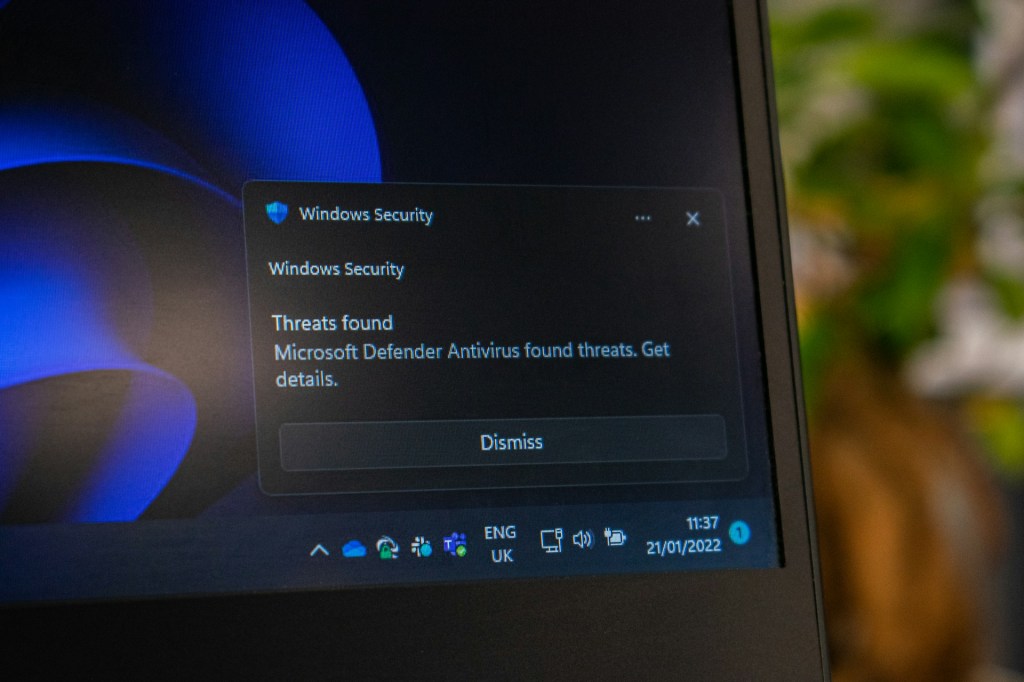
One of the most common questions I get asked in my computer repair and IT work is: “Do I really need antivirus software?” After all, most modern operating systems already come with built-in protection. If your computer already has something like Windows Defender or Apple’s XProtect, why spend extra money on third-party antivirus?
The short answer: Yes, antivirus software is still necessary. Built-in tools are helpful, but they aren’t enough on their own—especially with the increasing number of cyber threats targeting everyday users. Let’s break down why.
Built-In Antivirus: What You Already Have
Both Windows and macOS systems include some form of built-in antivirus protection:
- Windows Defender (Windows Security) – Comes with Windows 10 and Windows 11. It provides basic malware scanning, real-time protection, and automatic updates.
- Apple XProtect – Built into macOS, it checks for known malware and prevents harmful apps from running.
For casual users, these tools provide a baseline level of security without needing to install anything extra. They’re lightweight, free, and regularly updated.
⚠️ Important Note: Windows 10 is losing official support from Microsoft soon. If you haven’t upgraded to Windows 11 yet, now is the time. Unsupported systems not only miss security updates but also become prime targets for malware.
The Limitations of Built-In Protection
While Windows Defender and XProtect are useful, they are far from perfect. These tools are designed to catch known threats—but they often lag behind when it comes to detecting new or advanced malware.
Some of the key drawbacks include:
- Signature-based detection – They rely on virus databases. If a new virus hasn’t been added to that database yet, your system may be vulnerable.
- Basic feature set – They don’t include the advanced features of premium antivirus software, like phishing protection, ransomware shields, or secure browsing.
- Reactive, not proactive – Built-in tools often act after an infection attempt is detected, whereas third-party solutions tend to catch threats earlier.
In short, relying solely on built-in antivirus is like leaving your front door locked but forgetting to secure the windows.
Why Third-Party Antivirus Is Still Necessary
Cyber threats are more frequent, more sophisticated, and more damaging than ever. From ransomware attacks that lock your files, to phishing scams that steal your personal information, the risks go far beyond traditional viruses.
Here’s why third-party antivirus software is still worth it:
- Faster Updates – Many paid antivirus companies are quick to detect and patch new malware strains, sometimes within hours.
- Real-Time Protection – Unlike free or built-in tools, premium antivirus constantly monitors activity instead of relying on user-triggered scans.
- Comprehensive Coverage – Protection often extends beyond viruses, including spyware, ransomware, phishing, and even unsafe websites.
- Extra Features – Some plans include VPNs, password managers, parental controls, and identity theft protection.
No antivirus in the world can catch every single threat—but the right software can block the vast majority and give you peace of mind.
Free vs. Paid Antivirus: Which Should You Choose?
Another common question I hear: “Do I really need to pay for antivirus, or will the free version do?”
Here’s the breakdown:
- Free Antivirus – Provides basic protection, similar to built-in security. Great for cautious users who don’t download much, but limited in features.
- Paid Antivirus – Offers real-time scanning, faster updates, and a full suite of security features. Essential for users who browse often, download files, or handle sensitive data.
Think of free antivirus like a bicycle lock—it deters casual threats. Paid antivirus is like a full home security system—it keeps out more sophisticated intruders.
The Best Antivirus Software
Not all antivirus programs are created equal. Some are lightweight and effective, while others are bloated and barely perform better than free options.
Here’s what I recommend based on both personal experience and industry testing:
- ❌ Avoid Norton & McAfee – While they’re household names, they’re resource-heavy, slow down your system, and often score poorly in independent malware tests. Many users pay for the name rather than actual performance.
- ✅ Bitdefender – My top recommendation. In my own testing (and backed by independent reviews), Bitdefender consistently blocks malware effectively, offers excellent real-time protection, and includes useful extras like anti-phishing tools. The only drawback? It’s slightly pricier than some competitors, but the features justify the cost.
- ✅ Other Solid Options – Kaspersky, Trend Micro, and ESET also rank highly, but Bitdefender remains my personal go-to for reliability and ease of use.
When evaluating antivirus software, focus on detection rate, system impact, and features rather than just price. Sometimes paying a bit more saves you from much bigger headaches later.
Practical Tips for Staying Safe Online
Antivirus software is a strong line of defense, but it’s not the only one. Good habits go a long way in keeping your computer secure:
- Keep your OS updated – Updates patch security vulnerabilities.
- Use strong passwords – A password manager can help.
- Avoid suspicious links – Phishing emails are one of the biggest threats today.
- Back up your data – If ransomware strikes, backups can save you from disaster.
- Don’t ignore warnings – If your antivirus flags something, take it seriously.
Think of antivirus as a safety net, not a substitute for safe practices.
Final Thoughts: Do You Really Need Antivirus?
The answer is yes: antivirus software is still necessary in 2025.
Built-in protections like Windows Defender and Apple XProtect are helpful, but they’re not enough on their own. Cybercriminals are constantly creating new threats, and third-party antivirus solutions are faster, stronger, and more comprehensive.
If you value your personal data, online security, and peace of mind, investing in a quality antivirus program—like Bitdefender—is well worth it. It’s a small price to pay for avoiding a potentially life-changing malware infection.
Need Help With Your Computer?
If you’re in Los Angeles and have any questions, PC problems, or need computer repair, feel free to give us a call or stop by our shop. We’re here to help with everything from slow PCs to hardware repairs and upgrades.
 ITBrother
Leave a comment