

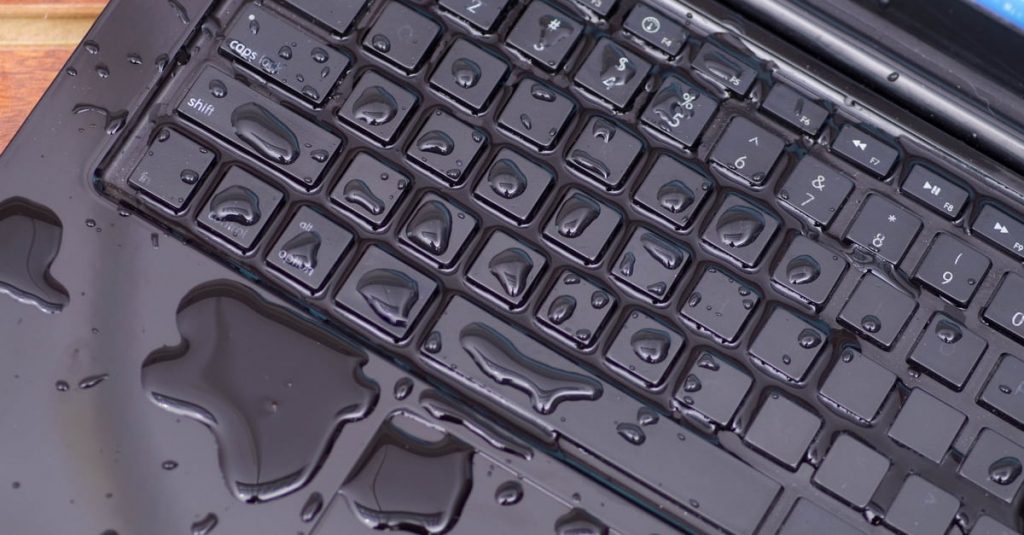
Accidents happen — and few are as stressful as spilling water (or any liquid) on your laptop. Since we rely on our computers for nearly everything — work, entertainment, messaging, and more — any damage can feel catastrophic. But what you do in the first few minutes after a spill can make the difference between a working laptop and a dead one.
In this post, we’ll go over what actually happens when water gets into a laptop, what to do immediately, and how professional repair services can help salvage your device (and your data).
Step 1: Power Down and Unplug Immediately
The most critical step — and the first thing you should always do — is shut the laptop down and disconnect it from power.
If your device is plugged into a charger, unplug it right away, then press and hold the power button until the system shuts off completely.
Even if the computer seems fine, leaving it on can cause a short circuit the moment water touches an internal component. A short circuit can permanently damage the motherboard, battery, or other critical parts.
Many people make the mistake of “checking” if the laptop still works by turning it back on — but this is the worst thing you can do. Electricity and moisture are a dangerous mix, and powering the system on again before it’s completely dry can make an otherwise repairable situation far worse.
Step 2: Flip the Laptop and Drain the Excess
After shutting down, the next step is to drain as much liquid as possible. Use paper towels or a clean, absorbent cloth to blot up any visible water on the keyboard, trackpad, or case.
Put the towel or cloth in between the keyboard and screen, close the laptop and flip the laptop. This position allows liquid inside the keyboard to drain away from the motherboard, which is usually located directly beneath it.
Avoid using a hair dryer or heat gun — the high temperature can warp plastic components or melt internal connectors. If you want to speed up drying, you can place the laptop in front of a cool fan to improve airflow.
Step 3: Call a Professional Repair Shop — Quickly
Once you’ve powered down and removed as much liquid as possible, the next step is to contact your local computer repair shop immediately. The faster you act, the better your chances of saving the laptop.
Even if the laptop seems to work after drying off, hidden corrosion can still form inside the device over the next few days or weeks. Getting your laptop inspected by a professional ensures that any moisture trapped inside is cleaned out before it causes lasting damage.
At this stage, time is the most critical factor. The sooner a technician can open the laptop, clean the affected components, and dry the internal parts properly, the higher the chances of recovery — both for the laptop and your data.
Step 4: Understand the Type of Liquid Matters
Not all spills are equal. The type of liquid plays a major role in how severe the damage will be.
- Plain water (tap or distilled): Causes damage more slowly but can still lead to corrosion if not cleaned quickly.
- Sugary drinks (soda, juice, coffee with sugar): Much worse, because sugar and acids accelerate corrosion and leave sticky residues that trap moisture.
- Alcohol or cleaning solutions: May evaporate faster but can still leave chemical residues that harm internal components.
If you spill anything other than plain water, the situation is more urgent. Sticky or acidic liquids can start corroding the motherboard and connectors within hours.
What Happens Inside When Water Meets Electronics
Everyone knows that water and electronics don’t mix — but the reason why is worth understanding.
Water on its own (pure H₂O) doesn’t actually conduct electricity very well. However, real-world water — like tap water, coffee, or soda — contains salts, minerals, and other impurities that make it highly conductive.
When these liquids touch electronic circuits that are still powered on, they can bridge connections between components, sending electricity where it’s not supposed to go. This causes short circuits, which can instantly fry sensitive chips or transistors.
But there’s another, slower form of damage called corrosion.
Corrosion happens when moisture remains on a circuit board and reacts with electricity and metal over time. It’s similar to rust forming on metal when exposed to oxygen and water.
Even if your laptop powers on after a spill, corrosion can silently eat away at internal components — weakening solder joints and damaging traces on the board. Weeks or months later, the laptop may suddenly fail to power on or exhibit strange issues like random shutdowns or non-functional ports.
What You Should Not Do
Here are some common mistakes people make after spilling liquid on their laptop:
- Don’t turn it back on to “see if it still works.”
- Don’t shake it aggressively — that spreads the liquid further inside.
- Don’t use rice. Rice doesn’t absorb moisture effectively and can introduce dust or starch particles into the device.
- Don’t delay. The longer the water sits, the higher the chance of corrosion or permanent failure.
If you’re unsure what to do, unplug it, power it off, and take it to a professional as soon as possible.
How We Handle Liquid-Damaged Laptops
When clients bring in a liquid-damaged laptop, our priority is to preserve data and prevent further damage. Here’s how we typically handle these cases:
- Immediate Disassembly – We open the laptop and inspect the internal components for moisture or residue.
- Data Backup – If the storage drive (SSD or HDD) is unaffected, we back up all user data right away to prevent data loss.
- Board Cleaning and Drying – We carefully clean the motherboard and connectors using professional-grade cleaning solutions to remove corrosion and residue.
- Component Testing – Once cleaned, we test individual components (RAM, SSD, battery, keyboard, etc.) to determine what needs replacement.
- Reinstallation or Replacement – If the motherboard or keyboard is damaged beyond repair, we can replace the affected parts and reinstall the operating system.
Even if the device cannot be fully revived, in many cases, the data can still be recovered, which is often the most important part for the user.
Preventing Future Accidents
While spills are often accidental, there are a few habits that can help reduce the risk:
- Keep drinks on a separate table or shelf, away from your laptop.
- Use a keyboard cover or spill-resistant laptop if possible.
- Avoid eating or drinking directly over your device.
- Store your laptop in a dry area when not in use.
Even small precautions can go a long way toward preventing a repeat of the same stressful situation.
How We Can Help You Recover From Liquid Damage
If you’ve spilled water or any liquid on your laptop, don’t panic — we specialize in helping customers recover their devices and data safely.
Our liquid damage recovery service includes:
- Data Backup and Recovery – We’ll safely extract and back up your files, even from damaged drives.
- Motherboard Cleaning and Restoration – We clean and treat corroded areas to extend the life of your device.
- Keyboard and Battery Replacement – If certain components are beyond repair, we can replace them using high-quality parts.
- Operating System Reinstallation – Once repairs are complete, we reinstall and configure the OS for a fresh, stable experience.
- Preventive Maintenance Tips – We’ll show you how to reduce the risk of future damage and protect your investment.
Whether it’s water, coffee, or soda, the faster you act, the better the outcome.
Contact us right away if your laptop has suffered a spill — and we’ll do everything possible to bring it back to life or recover your important data safely.
 ITBrother
Leave a comment