

One of the most common questions I hear is:
“How long should my computer last?”
Unfortunately, there’s no exact answer. The lifespan of your computer depends on many factors—your environment, usage habits, maintenance routine, and the type of work you do.
But here’s the good news: with a few simple PC maintenance habits, you can help extend the life of your desktop or laptop and keep it running smoothly for years.
1. Shut Down Your Computer Regularly
It may sound small, but regularly shutting down your PC is one of the easiest ways to improve computer longevity. Many users keep their systems in sleep mode for convenience, but this still uses power and keeps components partially active. Over time, that constant low-level activity can cause wear.
A complete shutdown:
- Powers off all components
- Allows the system to cool fully
- Resets certain background processes
Best practice: Shut down at least once every day or two unless you have a specific reason to keep it running.
2. Use a Surge Protector to Prevent Electrical Damage
Power surges—caused by outages, lightning, faulty wiring, or grid issues—can instantly damage or destroy your computer’s internal components.
A surge protector absorbs these spikes, keeping your desktop or laptop safe. This is a small investment that can save you hundreds (or thousands) in repairs.
Pro Tip: Use surge protection for all electronics—PCs, laptops, TVs, gaming consoles, and phone chargers.
3. Keep Your Computer Clean and Cool
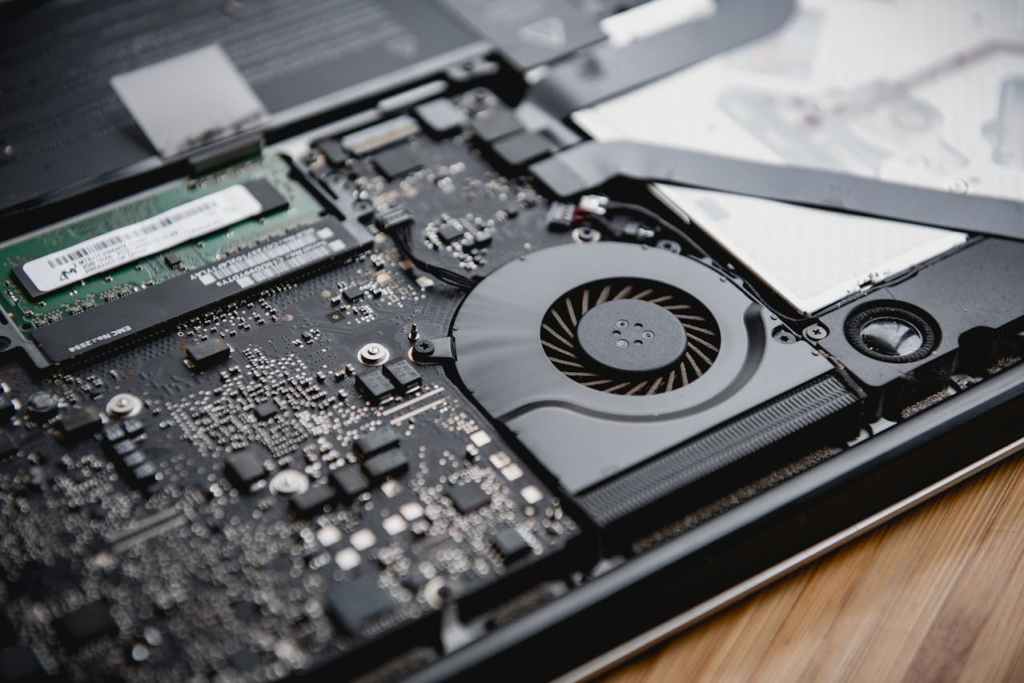
Dust buildup is one of the most common causes of overheating and hardware failure. When dust clogs fans and air vents, your system can’t cool itself properly. Heat is the #1 killer of electronics.
Maintenance tips:
- Have your computer professionally cleaned every 1–2 years
- Clean more often if you have pets or a dusty workspace
- Ensure your PC has good airflow and isn’t pushed up against a wall
Laptop-Specific Care Tips
While the above advice applies to both desktops and laptops, portable systems require a few extra habits for maximum battery life and performance.
4. Charge Your Laptop Battery Only When Needed
Keeping your laptop plugged in 24/7 can reduce battery health over time due to heat buildup. While modern batteries have safeguards, constant charging still accelerates capacity loss.
Best practice:
- Let your battery discharge to around 20% before recharging
- Stop charging at around 80% for better long-term health
- Keep it plugged in only when doing heavy tasks like gaming or video editing
5. Avoid Using Your Laptop on Beds or Soft Surfaces
Soft surfaces like beds, couches, and blankets block your laptop’s cooling vents, trapping heat inside. Overheating shortens the lifespan of both the CPU and battery.
Solution:
Use a flat, hard surface like a table, tray, or laptop stand. For extra protection, consider a cooling pad with built-in fans.
Final Thoughts on PC & Laptop Longevity
You can’t make a computer last forever, but you can extend its lifespan by following these simple habits:
- Shut it down regularly
- Use a surge protector
- Keep it clean and dust-free
- Avoid overheating
- Protect battery health on laptops
By practicing these computer care tips, you’ll save money on repairs and enjoy better performance for years to come.
Looking for professional PC cleaning or maintenance?
I offer local computer repair and tune-up services with no unnecessary upsells—just honest, practical advice to keep your system running at its best.
 ITBrother
Leave a comment