

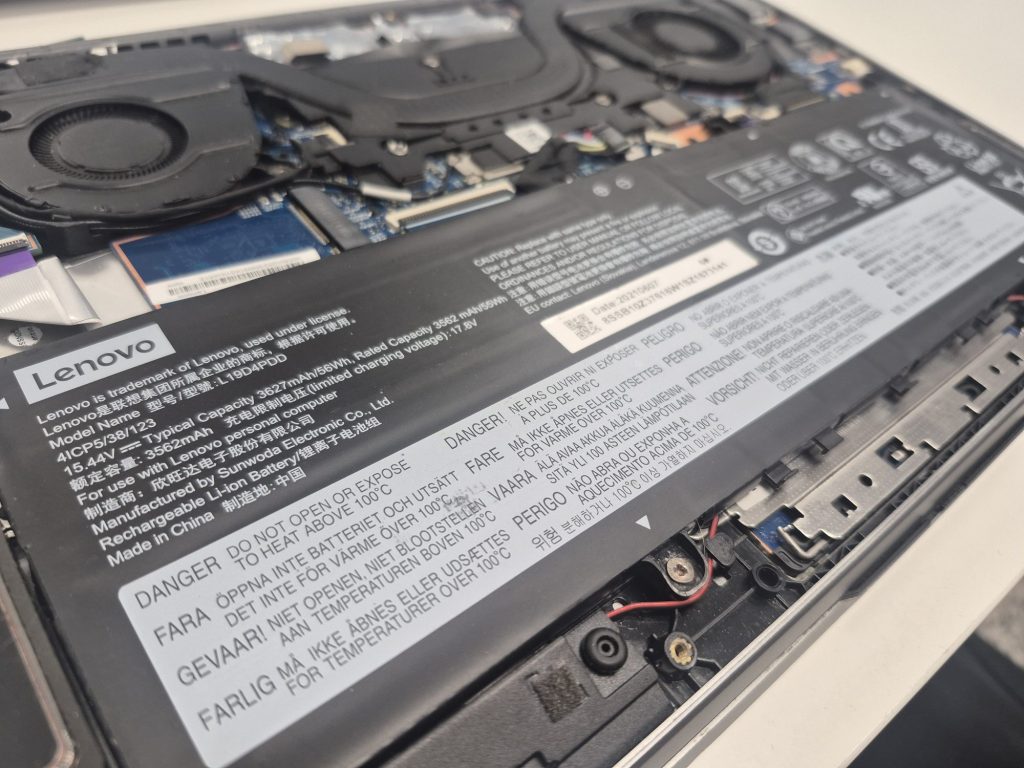
We’ve all experienced it: your laptop used to last hours on a single charge, but now it barely makes it through a meeting or a class before dying. You plug it in constantly, the battery percentage jumps unpredictably, and sometimes it even shuts off without warning.
This isn’t unusual. Every rechargeable battery — whether in a laptop, smartphone, or tablet — eventually loses its ability to hold a charge. It’s not a design flaw, it’s simply how batteries age.
The only real solution when your laptop battery wears out is to replace it. But when that time comes, most people are faced with a common question:
“Should I buy an original (OEM) battery or an aftermarket replacement?”
While OEM batteries are often the best choice, they can also be expensive or unavailable — especially for older models. Aftermarket batteries, on the other hand, are far more affordable and widely accessible.
But here’s the problem: some aftermarket laptop batteries work great and last for years, while others barely last a few months or even fail right out of the box.
So, what causes such inconsistency? After years of working with laptops and replacing countless batteries, I’ve found that it usually comes down to two main factors — battery cell quality and battery age.
1. Battery Cell Quality — The Hidden Difference Maker
When it comes to batteries, not all cells are created equal.
A laptop battery pack is made up of several smaller lithium-ion cells, all working together to provide the total power your device needs. These cells are the heart of the battery — and their quality determines how long the battery lasts, how safely it charges, and how much power it can store.
OEM vs. Aftermarket Quality
- OEM (Original Equipment Manufacturer) batteries are made under strict quality control. They use high-grade cells from reputable manufacturers (like LG, Panasonic, or Samsung) and are designed specifically for each laptop model.
- Aftermarket batteries, however, come from third-party companies that often use a mix of different cell suppliers. Some use good-quality cells, but many use lower-grade or recycled cells to keep costs down.
This difference can lead to issues like:
- Shorter battery life even when brand new
- Faster degradation after a few months of use
- Inconsistent charge levels or sudden power drops
Unfortunately, it’s almost impossible for consumers to tell what kind of cells are inside an aftermarket battery just by looking at it.
One practical clue, though, is runtime performance. If your new battery drains noticeably faster than the original one did — even under light use — it’s often due to lower-quality cells or mismatched internal balancing.
2. Battery Age — The Problem No One Talks About
The second major factor is something most people never consider: how long the battery has been sitting unused before you bought it.
Even if you order a “new” battery online, that doesn’t mean it was recently manufactured.
There are thousands of different laptop models on the market, and it’s unrealistic for suppliers to produce fresh batteries for every single one continuously. So what often happens is this:
- A manufacturer produces a large batch of batteries for a certain laptop model.
- Those batteries are stored in warehouses — sometimes for years — before being sold.
This is where the issue begins. Lithium-ion batteries degrade even when they’re not in use. If they sit for too long without periodic charging or maintenance, the internal chemistry starts to break down.
Think of it like a car battery: a car that’s left unused for months often struggles to start because the battery slowly loses its charge and health. The same principle applies here.
Even “new” aftermarket batteries that have been sitting on a shelf for years may already have reduced capacity the moment you open the box.
The Harsh Reality of Battery Replacements
It’s important to set realistic expectations:
Even the best replacement battery won’t perform exactly like the one your laptop had when it was brand new.
That’s because the rest of your system — the power circuitry, charging controller, and internal calibration — has also aged. Combined with differences in how aftermarket batteries communicate with your laptop’s firmware, it’s normal for some variation in performance.
That said, a good aftermarket battery can still dramatically improve your laptop’s portability and reduce the need to stay plugged in all the time.
What You Can Do to Get the Most Out of a Replacement Battery
Here are a few simple ways to make your replacement battery last longer — whether it’s OEM or aftermarket:
- Avoid keeping your laptop plugged in 24/7.
- Once fully charged, let it drain to around 30–40% before recharging.
- Once fully charged, let it drain to around 30–40% before recharging.
- Keep your laptop cool.
- Heat is a major battery killer. Clean your cooling system and don’t block air vents.
- Heat is a major battery killer. Clean your cooling system and don’t block air vents.
- Avoid deep discharges (0%).
- Fully draining a lithium battery too often stresses the cells and shortens lifespan.
- Fully draining a lithium battery too often stresses the cells and shortens lifespan.
- Use the correct charger.
- Mismatched voltage or wattage can cause long-term harm or make the battery behave unpredictably.
- Mismatched voltage or wattage can cause long-term harm or make the battery behave unpredictably.
- If storing a laptop long-term, keep it half-charged.
- This helps preserve the battery’s chemistry while inactive.
- This helps preserve the battery’s chemistry while inactive.
How I Handle Battery Replacements Professionally
At ITBrother, I take a thorough approach to every laptop battery replacement because I know how much reliability matters for people who depend on their laptops daily.
Here’s how I ensure every replacement is safe and effective:
- Battery Health Testing – Before installing a new battery, I check the old one’s cycle count, voltage levels, and condition to confirm replacement is truly necessary.
- Sourcing Reliable Parts – I only source batteries from verified suppliers with consistent quality standards and performance records.
- Installation and Calibration – Each battery is installed carefully, tested for stable charging and power output, and calibrated to work properly with your laptop’s system.
- System Power Check – I verify that the laptop’s charging circuit and power adapter are working correctly, ensuring that the new battery won’t be stressed unnecessarily.
- Post-Service Tips – After installation, I give each client simple maintenance tips to help maximize their new battery’s lifespan.
In cases where OEM batteries are no longer available, I always inform the client about the pros and cons of using an aftermarket replacement so there are no surprises down the road.
When a Battery Replacement Isn’t Enough
Sometimes, when a battery fails repeatedly or won’t hold charge despite replacement, it may not actually be the battery’s fault. Other possible causes include:
- A faulty charging port or power circuit on the motherboard
- A damaged charger or cable providing inconsistent voltage
- Firmware calibration issues causing misread battery data
In these situations, proper diagnostics are essential before replacing more parts unnecessarily.
Final Thoughts
Battery wear is inevitable — but how you replace and maintain your battery makes a big difference in how long your laptop stays usable.
Aftermarket batteries can absolutely be a cost-effective and practical solution, but their performance depends heavily on cell quality, battery age, and installation care.
At ITBrother, I focus on helping clients find the most reliable replacement options available and ensuring every installation is done safely and correctly. Whether you just need a new battery or a full charging system check, I’ll make sure your laptop runs efficiently again without unnecessary upsells or guesswork.
If your laptop battery doesn’t last like it used to — or won’t charge at all — feel free to reach out for a diagnostic. In most cases, it’s a simple, affordable fix that can bring your laptop’s mobility back to life.
 ITBrother
Leave a comment