

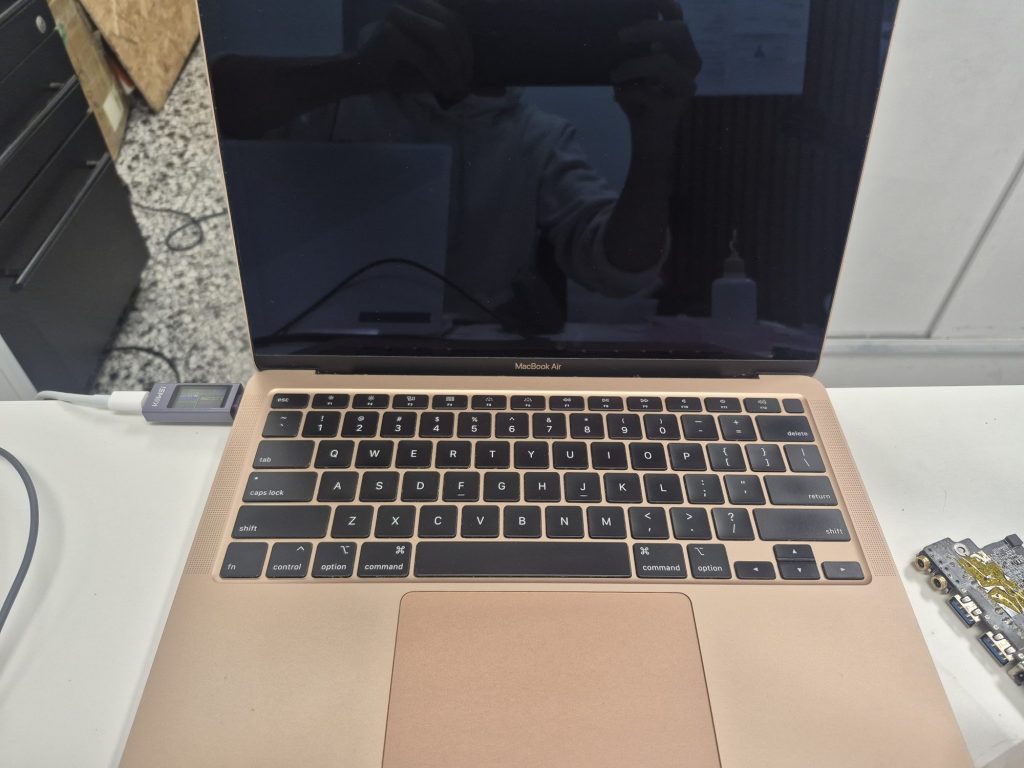
This repair log covers a MacBook Air A2179 (EMC 3302) that came in completely not powering on, which was later confirmed to be caused by liquid damage. This kind of job is a good example of the type of real-world repairs I see on a regular basis—especially with laptops that have been quietly damaged over time.
Initial Issue: MacBook Air Not Turning On
The client brought in the MacBook Air and explained that it belonged to his wife and had been in this non-working state for a while. Pressing the power button did nothing, and plugging in the charger didn’t change the behavior either. The laptop showed no signs of life from the upon initial inspection.
However, when I connected my power meter to the charger, I could see that there was some internal activity. It was drawing some voltage and amperage meaning that it was trying to power itself on. That told me the system wasn’t completely dead, which is usually a good sign and worth investigating further.
Internal Inspection: Signs of Liquid Damage
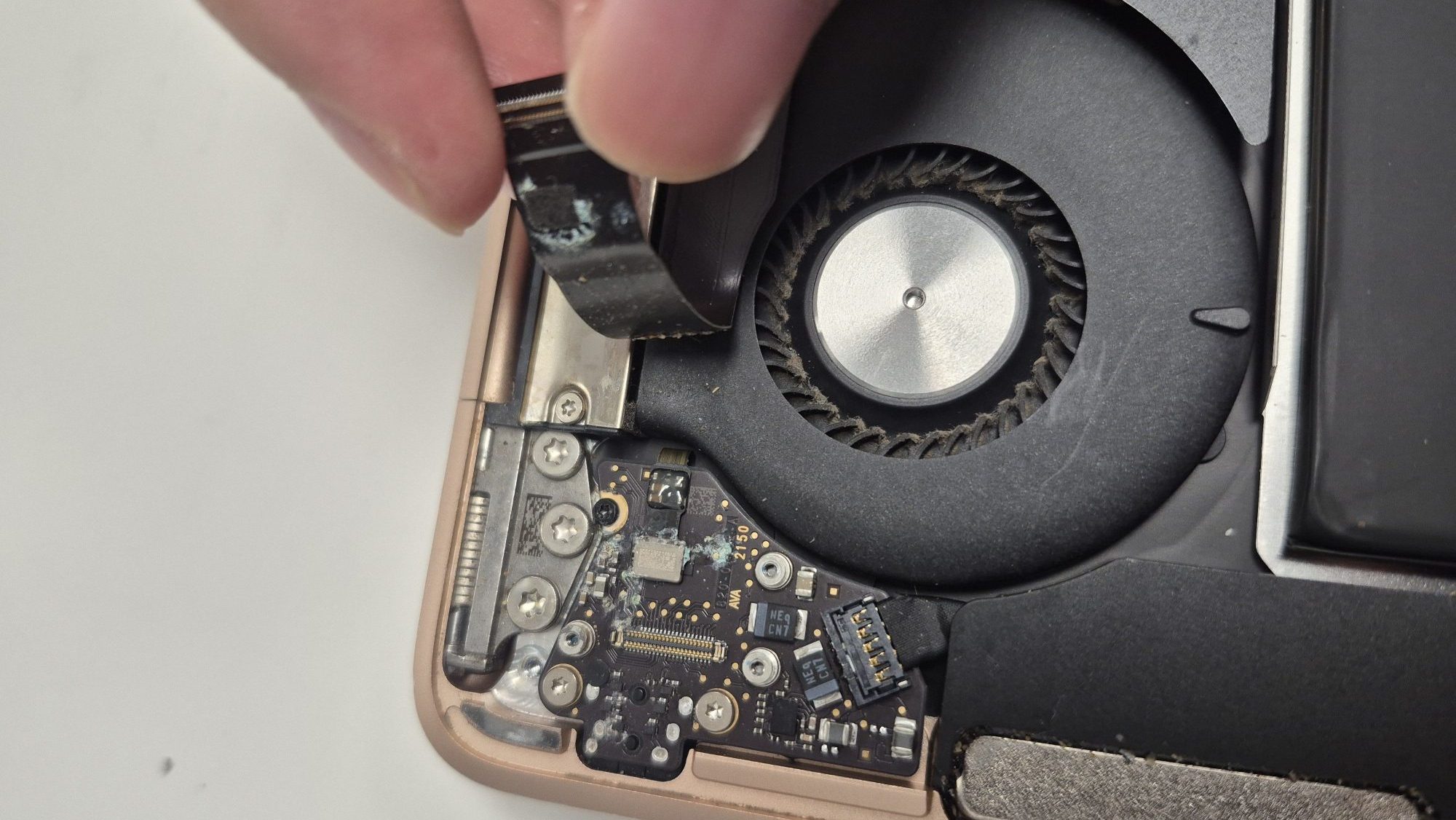
After opening the MacBook Air, the cause of the problem became clear. The daughter board, which controls the power button and audio jack, was heavily corroded. This type of corrosion almost always points to liquid exposure.
Most likely, liquid was spilled near the power button area at some point. The laptop probably continued working afterward, which is why it wasn’t addressed immediately. One of the most dangerous things about liquid damage in electronics is that failure doesn’t always happen right away—it can be slow and silent, depending on where the liquid is spilt.
For example, if liquid spills directly onto the keyboard or main logic board, the laptop often shuts off immediately or fails catastrophically. But when liquid reaches smaller boards or connectors, it can take weeks or even months before symptoms appear.
Cleaning the Corrosion
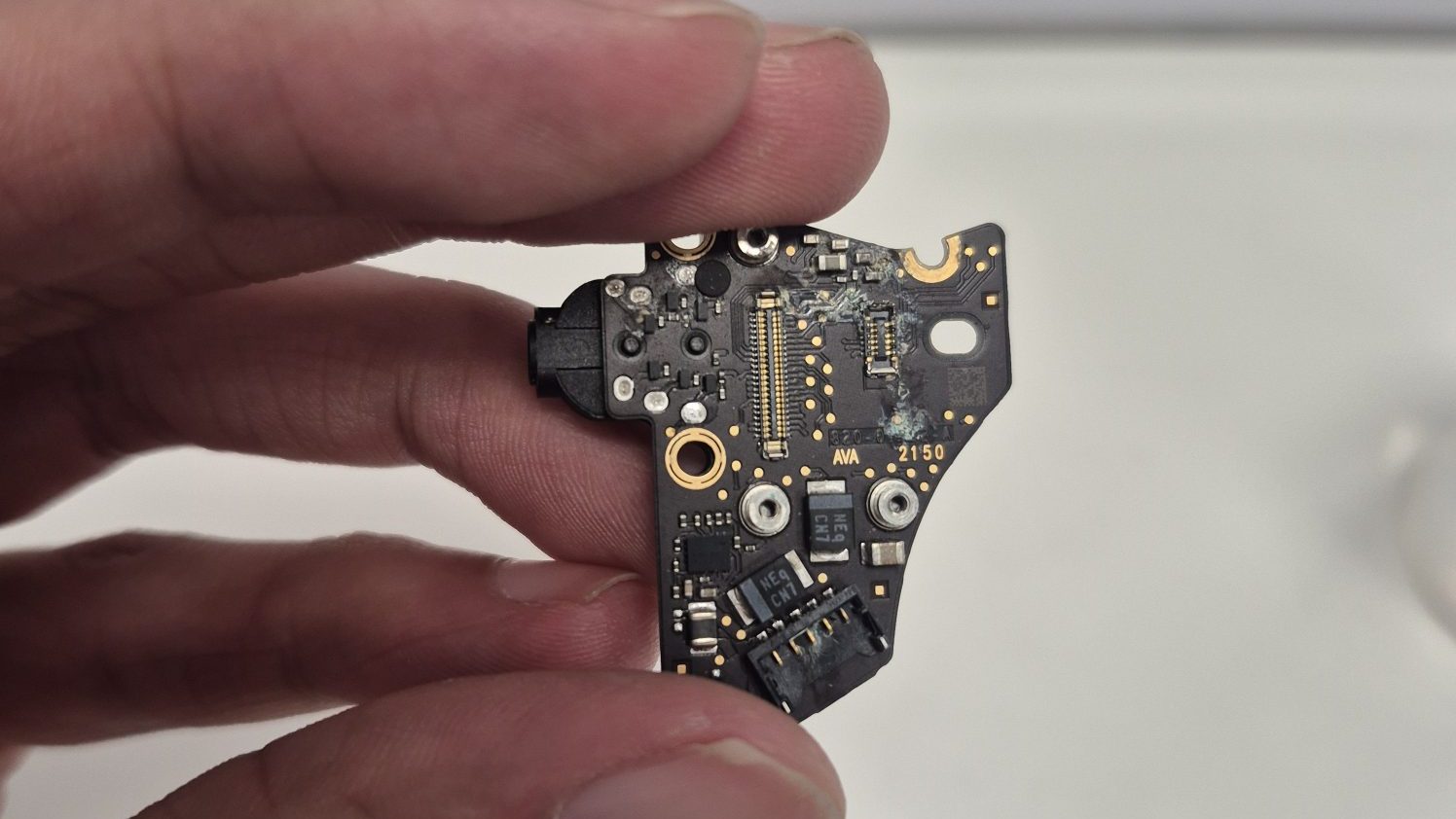
Given the condition of the daughter board, it was no surprise the MacBook Air wasn’t powering on. The corrosion had affected the connections for the power button, and nearby components were also in rough shape. At that point, it wasn’t guaranteed that cleaning alone would fix the issue—but it was worth trying.
I carefully cleaned the board using 95% isopropyl alcohol and a soft toothbrush, making multiple gentle passes to remove as much corrosion as possible. When dealing with liquid damage, using too much force can actually make things worse. Severe corrosion can weaken solder joints and circuit traces, so aggressive cleaning can cause components to come loose entirely.
After cleaning both sides of the daughter board, I moved on to the power button itself. Given how corroded it was, I didn’t have high expectations—but again, it was worth testing before recommending part replacement.
Checking the Main Logic Board
Next, I inspected the main logic board for any additional corrosion or moisture damage. Fortunately, there were no visible signs of liquid exposure on the main board. That’s an important finding because it greatly reduces the likelihood of major power rail or logic board issues, which can quickly make a repair uneconomical.
Reassembly and Power Test
Once everything was cleaned and inspected, I reassembled the MacBook Air and tested the power button. Liquid-damaged devices can be unpredictable, and even if they turn on, underlying issues often remain.
In theory, replacing the daughter board and power button would almost guarantee a fix—as long as no other damage exists. However, part replacement isn’t always the best recommendation, especially when factoring in the age of the device and how it’s used.
This MacBook Air is about five years old, and based on the client’s usage, replacing multiple parts might not provide enough long-term value. I did explain that replacement was an option, but it wasn’t something I strongly pushed.
Final Outcome and Recommendation
To my surprise, the laptop powered on successfully after reassembly. Unfortunately, that success didn’t last long. The power button worked intermittently—sometimes responding, sometimes not. While the MacBook Air was technically operational, the power button issue was still present.
At this point, the repair accomplished its primary goal: getting the laptop back on from a completely dead state. I tested the keyboard, trackpad, speakers, Wi-Fi, and other core functions, and everything else worked properly.
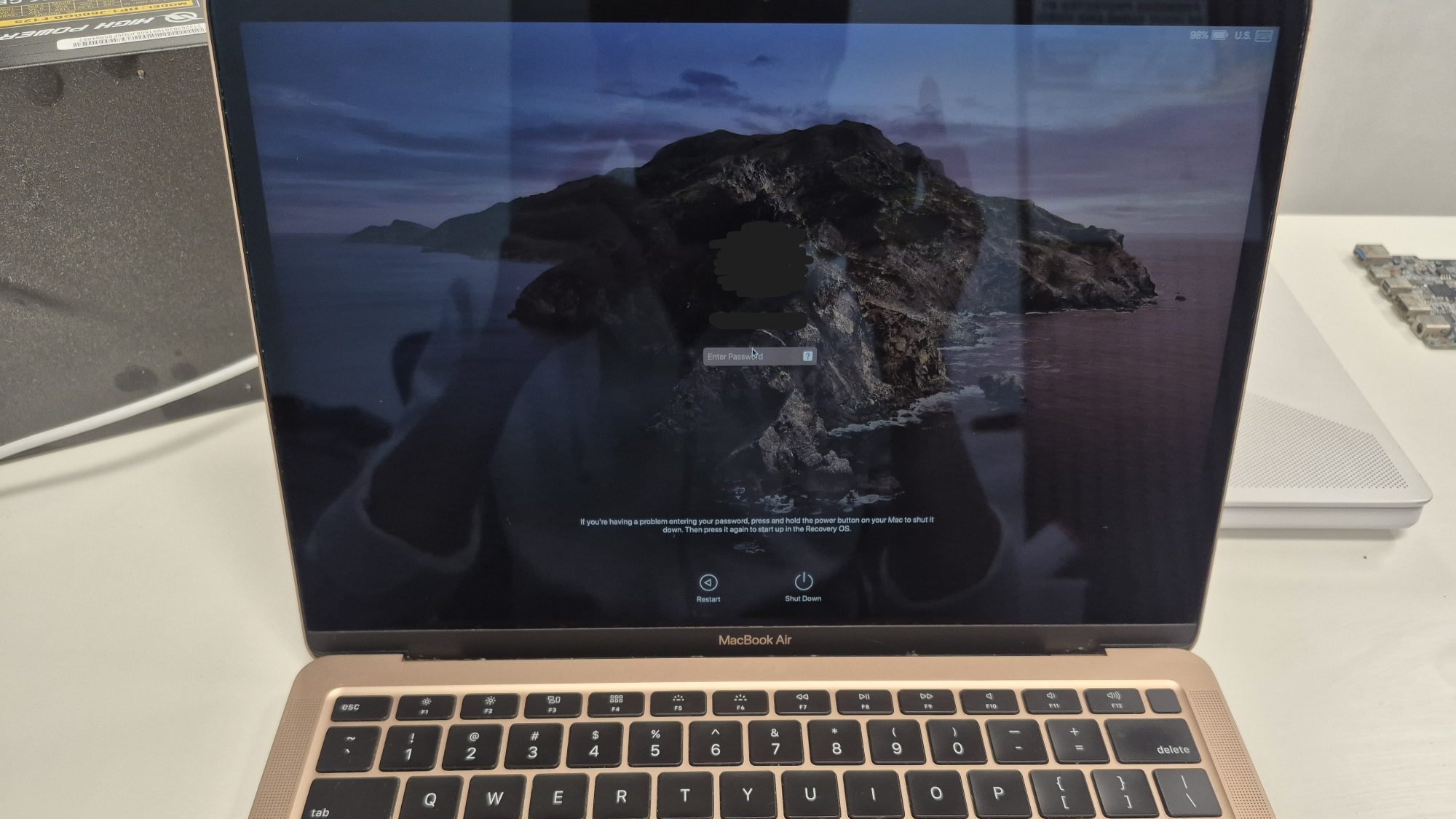
Given the cost already spent, the age of the laptop, and the remaining issue, my personal recommendation was to use the MacBook Air as-is and see if the power button behavior is manageable. For many users, simply putting the laptop to sleep instead of shutting it down is a perfectly workable solution.
If the client decides they want to move forward with further repairs, I would recommend replacing both the power button and the daughter board, since both were heavily corroded. Otherwise, continuing to use the laptop in its current state is a reasonable and cost-effective option.
 ITBrother
Leave a comment