

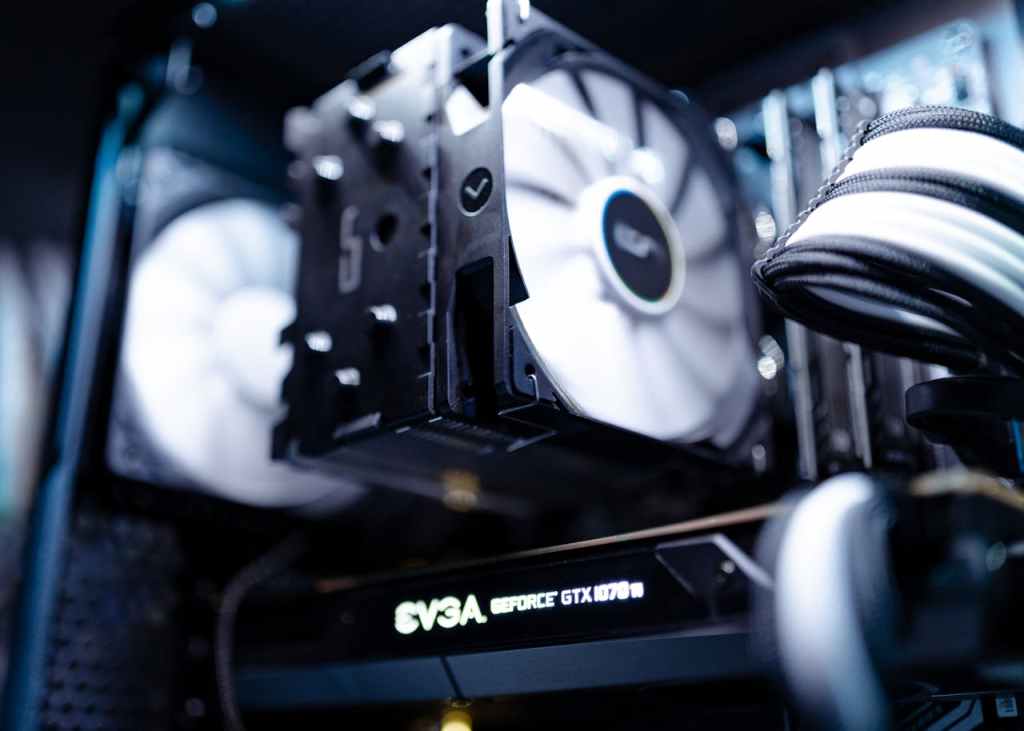
Loud fan noise combined with poor computer performance is one of the most common warning signs that something is wrong with a system’s cooling. In many cases, the cause is straightforward: dried-out thermal paste. Over time, thermal paste loses its ability to efficiently transfer heat from the CPU or GPU to the cooling system, leading to higher temperatures, aggressive fan behavior, and noticeable performance throttling.
However, thermal paste is not the only possible culprit. While far less common, a failing or damaged heatsink—specifically the heatpipe inside it—can produce the same symptoms, even if the thermal paste has been freshly replaced. This is an often overlooked issue that can lead to repeated misdiagnoses and unnecessary repairs.
This article explains how laptop cooling systems work, why loud fans and poor performance occur together, and how heatsink failures—though rare—can completely undermine cooling efficiency.
Why Loud Fans and Poor Performance Happen Together
Modern computers constantly monitor internal temperatures. When the CPU or GPU begins to overheat, the system responds in two ways:
- Fans ramp up to try to remove excess heat
- Performance is reduced (thermal throttling) to prevent hardware damage
This is why users often notice that their computer sounds louder while simultaneously becoming slower. The system is working harder to cool itself but is unable to dissipate heat efficiently.
In most cases, degraded thermal paste is the root cause. Thermal paste fills microscopic gaps between the processor and the heatsink, allowing heat to transfer efficiently. When it dries out or becomes uneven, heat remains trapped at the processor, forcing the fans to compensate.
But when replacing thermal paste doesn’t improve temperatures or performance, the next component to evaluate is the heatsink assembly itself.
What a Heatsink and Heatpipe Actually Do
A heatsink is designed to pull heat away from the processor and distribute it across a larger surface area so that airflow can cool it down. In laptops, heatsinks almost always include heatpipes, which are sealed metal tubes filled with a small amount of internal coolant.
Inside a heatpipe, the coolant evaporates when exposed to heat from the CPU or GPU. That vapor moves toward the cooler end of the pipe, where it condenses and releases heat into the fin array. The fan then pushes air across those fins, carrying the heat out of the system. The condensed coolant flows back toward the heat source, and the cycle repeats.
This process is extremely efficient—when the heatpipe is functioning correctly.
When Thermal Paste Isn’t the Problem
If thermal paste has been recently replaced and temperatures remain high, there are typically only two heatsink-related failure scenarios to consider:
- Physical damage to the heatpipe
- Failure or depletion of the internal coolant
Both issues prevent proper heat transfer, causing the system to behave as if the cooling system is working—fans spinning at full speed—while temperatures continue to rise.
Heatpipe Damage: The Most Common Heatsink Failure
The most frequent heatsink-related issue is physical damage, especially in laptops. Laptop heatsinks are thin, lightweight, and far more fragile than desktop cooling solutions.
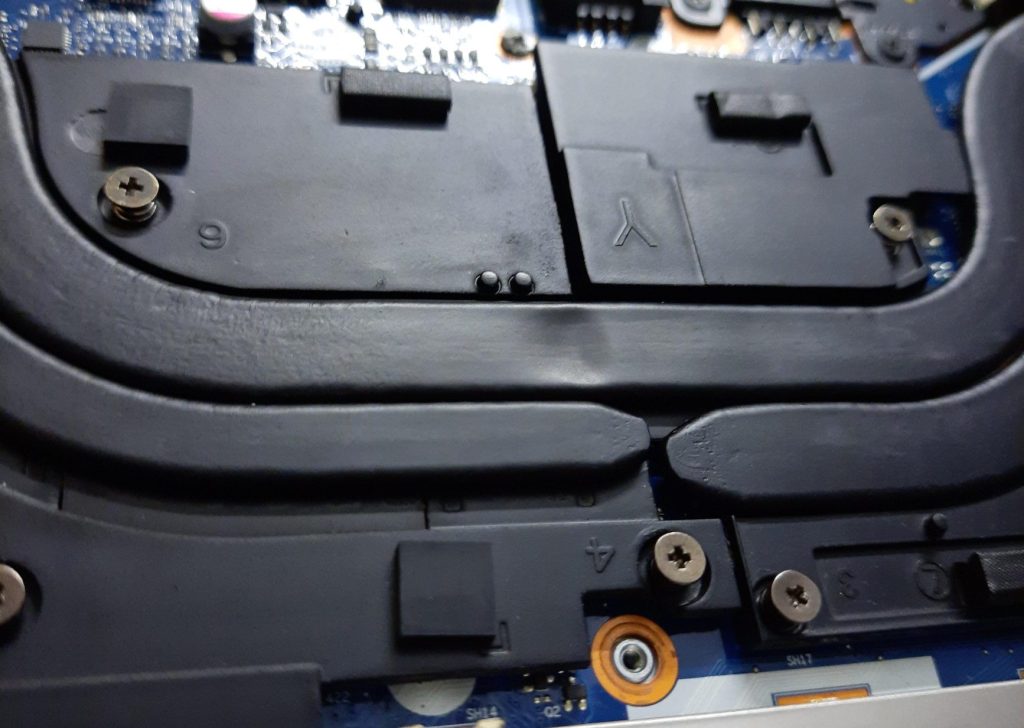
Damage often occurs during improper disassembly. Users unfamiliar with laptop internals may apply uneven pressure when removing the heatsink, accidentally bending or kinking the heatpipe. Even a slight bend can restrict or completely block the internal coolant’s movement.
Once the coolant can no longer circulate, the heatpipe effectively stops functioning. Heat remains concentrated near the CPU, temperatures spike rapidly, and the system compensates by increasing fan speed and throttling performance.
Desktop systems rarely experience this issue because:
- Many desktop coolers use rigid heatpipes or solid heatsinks
- Water cooling systems operate on different principles
- Desktop components are less tightly packed and easier to service safely
In laptops, however, tight tolerances and delicate materials make heatsink damage much more likely during amateur repairs.
Coolant Failure Inside the Heatpipe
The second potential failure—loss or degradation of the heatpipe’s internal coolant—is extremely rare, but it does happen.
Heatpipes are sealed systems, and under normal circumstances, the coolant should last the lifetime of the device. However, manufacturing defects, long-term thermal stress, or microscopic leaks can eventually render the heatpipe ineffective.
When this happens, the heatsink may look completely normal from the outside. Fans spin, air flows, and the system appears mechanically sound—but heat simply does not move away from the processor efficiently. This makes coolant failure difficult to diagnose without temperature monitoring or comparative testing with a known-good heatsink.
Because of its rarity, coolant failure is often only considered after all other possibilities—dust buildup, fan failure, thermal paste, and physical damage—have been ruled out.
Symptoms of a Failing Heatsink
A bad heatsink often presents with consistent and repeatable symptoms:
- Fans run at high speed shortly after boot
- CPU or GPU temperatures spike rapidly under light workloads
- Performance drops suddenly, even on basic tasks
- Thermal paste replacement provides little or no improvement
- System may shut down to prevent overheating
When these symptoms persist despite proper maintenance, replacing the heatsink assembly is often the only effective solution.
Why Systems Can’t Detect a Bad Heatsink
One of the more frustrating aspects of heatsink failure is that the system has no way to identify it directly. Temperature sensors can detect overheating, but they cannot determine why heat is not being dissipated.
As a result, the computer continues to ramp up fans and reduce performance, assuming airflow is the solution—even when the real problem is internal heat transfer failure.
Final Thoughts: Diagnosing Cooling Problems Correctly
While dried thermal paste remains the most common cause of loud fan noise and poor performance, it is not the only explanation. A damaged or failing heatsink—especially in laptops—can mimic the exact same symptoms and lead to repeated, ineffective repairs if overlooked.
Understanding how heatsinks and heatpipes work makes it easier to identify when a system’s cooling problem goes beyond basic maintenance. In rare cases, replacing the heatsink entirely is the only way to restore normal temperatures, quiet operation, and full performance.
Proper diagnosis saves time, money, and unnecessary frustration—and ensures that cooling problems are fixed correctly the first time.
 ITBrother
Leave a comment