

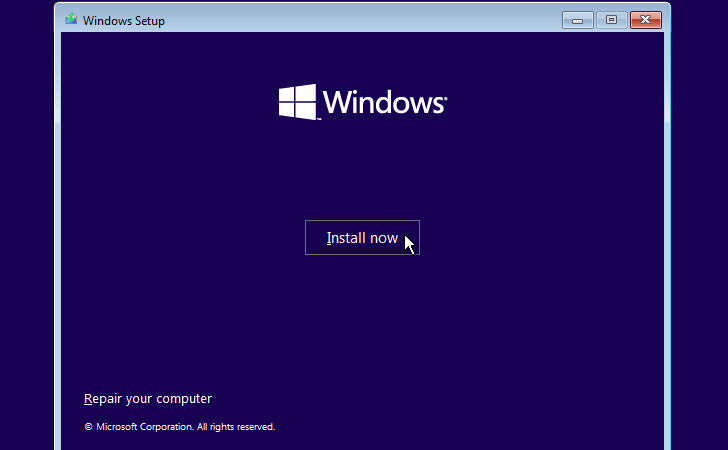
For many repair shops, reinstalling the operating system is the standard starting point when diagnosing computer issues. While it may not always be strictly necessary, it provides something extremely valuable: a controlled reset of the software environment.
When we reinstall the operating system, we remove nearly every software-related variable from the equation. If the issue disappears, we know it was software. If it remains, we can begin investigating hardware with much greater confidence.
And contrary to what some people assume, when a reinstall doesn’t fix the problem, that’s not a failure — it’s useful diagnostic information.
Why Repair Shops Start With Software Before Hardware
Hardware replacement is expensive. It involves purchasing parts, opening the system, carefully installing components, and then running tests to ensure stability. Labor and part costs can escalate quickly.
Because of that, most repair shops begin by ruling out software causes.
A clean operating system reinstall eliminates common software-related problems such as:
- Corrupted system files
- Broken Windows updates
- Driver conflicts
- Malware infections
- Registry corruption
- Background services interfering with hardware
If the problem was caused by any of these, reinstalling Windows will usually restore normal operation. However, if it didn’t then we’ve narrowed the scope significantly — and that’s where the real value lies.
Why Software Issues Are So Common
Modern operating systems are complex. Windows, for example, receives constant updates, security patches, driver adjustments, and feature expansions. While these updates improve performance and security, they also introduce the possibility of conflicts.
Over time, a system can accumulate:
- Outdated drivers
- Partially installed updates
- Conflicting third-party programs
- Corrupted background services
In many cases, these software-layer problems can mimic hardware failure. A system may freeze, lose connectivity, or stop recognizing devices — all without any physical damage occurring.
This is why reinstalling the operating system is such a powerful first step. It wipes the slate clean and resets the system to a known-good state.
When a Reinstall Doesn’t Resolve the Issue
If the operating system has been completely wiped and freshly installed and the problem still exists, this strongly suggests a hardware fault.
At that point, we can confidently rule out:
- Software corruption
- Persistent malware
- Update-related instability
- Driver conflicts within the old installation
This diagnostic checkpoint is essential as it shifts the focus from software troubleshooting to physical component evaluation. Instead of assuming we know have more concrete evidence that this issue is inline with hardware.
The Components Most Often Involved
In our experience, the issues that most frequently lead to an operating system reinstall involve peripheral or external components. These are devices that rely heavily on drivers and communication between hardware and software.
Common examples of these include:
- WiFi adapters
- Sound devices
- Bluetooth modules
- Keyboards and mice
Unfortunately with these components, they can fail due to software glitches and they can also fail due to physical damage or internal degradation.
Because of that dual possibility, reinstalling the OS becomes a logical diagnostic step in determining the type of fault. Whether it is caused by software or hardware.
A Real-World Example: Sudden WiFi Failure
One of the most common scenarios we encounter is sudden WiFi failure.
A customer might say, “The WiFi was working perfectly last night, but this morning it’s gone.” There was no drop, no visible damage, and no hardware changes.
In cases like this, we follow a structured approach.
First, we reinstall the WiFi driver. Driver corruption or miscommunication with Windows is common and sometimes easily fixed. If that resolves the issue, the repair remains simple and affordable.
If reinstalling the driver does not solve the problem, the next step is a full operating system reinstall. This eliminates every possible software variable that could be interfering with the network adapter.
If, after a complete system wipe and fresh Windows installation, the WiFi still does not appear or function, the conclusion becomes clear: the WiFi card itself is faulty. Then at this point, we would just replace the faulty component and system should be back up and running.
Why Major Components Present Differently
Core components like the CPU, RAM, GPU, and motherboard usually create more dramatic symptoms when they fail.
Typical hardware-failure indicators include:
- Blue screen errors
- Random shutdowns
- Failure to boot
- No display output
- Persistent crashing under load
While software can sometimes imitate these problems, hardware failure in these areas is often more severe and consistent. Peripheral devices tend to blur the line between software and hardware. That ambiguity is exactly why operating system reinstallation serves as such an important diagnostic divider.
How This Process Protects Customers From Unnecessary Costs
There is a practical reason repair shops follow this progression.
If the issue is software-related and resolved early, the repair remains relatively inexpensive. No parts need to be ordered. No internal disassembly is required.
Costs rise significantly when:
- Replacement components are required
- The system must be opened
- Testing and validation extend repair time
- Multiple components need evaluation
By ruling out software first, we avoid replacing hardware unnecessarily. This saves customers money and prevents wasted labor. Only after software causes have been eliminated do we move confidently toward part replacement.
Reinstallation as a Diagnostic Checkpoint, Not a Shortcut
Some people assume reinstalling the operating system is simply a default solution or a lazy fix. In reality, it serves as a structured diagnostic tool.
It answers one of the most important questions in computer repair:
Is the issue caused by software instability, or is it a hardware failure?
If the reinstall resolves the issue, we’ve identified the root cause. If it does not, we’ve narrowed the possibilities dramatically. Either outcome brings something to the table.
Final Thoughts
Reinstalling the operating system doesn’t fix every problem — and it isn’t meant to. Its true purpose in a repair environment is diagnostic separation.
It separates software issues from hardware issues.
When a reinstall solves the issue, the system returns to normal with minimal cost. When it doesn’t, we gain certainty that the problem exists beyond the operating system itself.
That certainty allows us to move forward intelligently, instead of replacing parts blindly or chasing software errors that no longer exist.
In repair work, clarity reduces guesswork. And reinstalling the operating system remains one of the most effective tools for achieving that clarity.
 ITBrother