

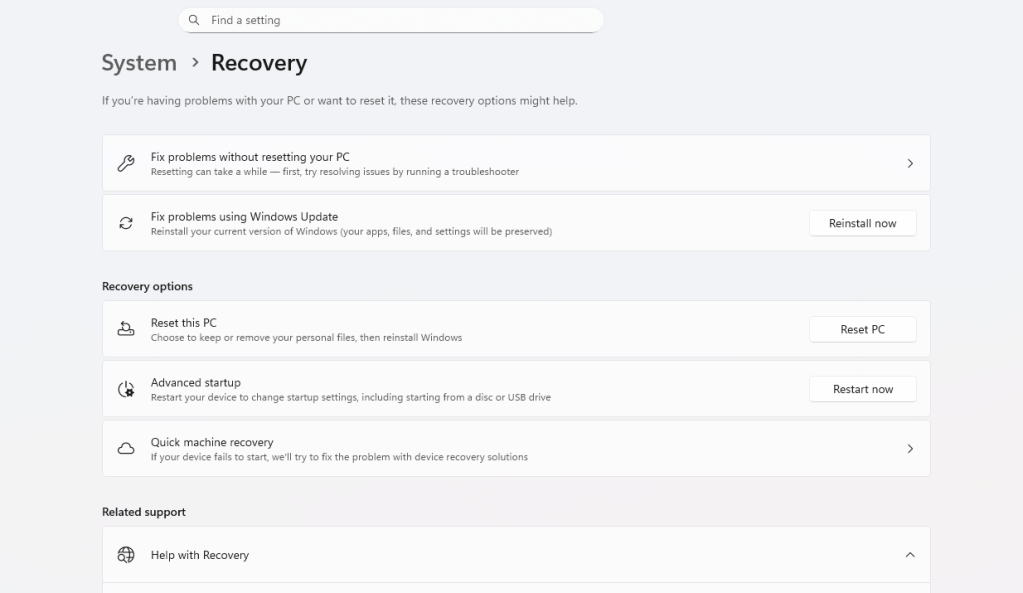
If you’ve ever brought a device into a repair shop — or searched online for help with a sluggish phone or a crashing laptop — you’ve probably been told at some point: “Just do a factory reset.” It sounds simple. It sounds powerful. And honestly, it sounds like it should fix just about anything.
But here’s the truth: a factory reset is not a universal fix. It’s a valuable tool, but it’s one specific tool — and like any tool, it only works for the right job. Using it for the wrong problem doesn’t just fail to help; in some cases, it can make things worse or cause you to lose data unnecessarily.
As a repair shop that works on devices every day, we want to be transparent with you about what a factory reset actually does, when it helps, and when you need something more.
What a Factory Reset Actually Does
A factory reset wipes the software on your device back to its original state — the way it was when it left the manufacturer. That means your personal files, apps, settings, accounts, and saved data are erased, and the operating system is restored to its default configuration.
Think of it like moving out of a house and leaving it completely empty and freshly cleaned for the next owner. The house itself — the walls, the plumbing, the electrical wiring — stays exactly the same.
That last part is critical. A factory reset only affects software. It does nothing to hardware.
When a Factory Reset Actually Works
Now there are real situations where a factory reset is the right move:
- Persistent software glitches or freezing caused by corrupted system files or a bad app that can’t be uninstalled cleanly
- Malware or virus infections that have embedded themselves into apps or system settings
- Performance issues on older devices bogged down by years of accumulated apps, cache, and background processes
- Preparing a device to sell or give away, so your personal data is removed
- An unresponsive lock screen or forgotten PIN/password on certain Android devices
In these situations, starting fresh with clean software genuinely solves the problem. We recommend it regularly for these cases.
When a Factory Reset Will NOT Fix Your Problem
Here’s where a lot of people get confused..
1. Hardware Failures
If your phone’s screen is flickering, your laptop randomly shuts down, your charging port isn’t working, or your device won’t turn on at all — these are hardware problems. No amount of software wiping will fix a failing battery, a damaged logic board, a cracked display connector, or a worn-out charging port. Performing a factory reset in these cases just means you’ve lost your data and still have a broken device.
2. Water Damage
Water damage is one of the most common issues we see, and it’s also one of the most misunderstood. When moisture gets inside a device, it can corrode components, short circuits, and cause intermittent failures. A factory reset does absolutely nothing to address corrosion or component damage. The fix here involves opening the device, cleaning the board, drying components properly, and sometimes replacing affected parts.
3. Storage Drive Failures
If your phone or computer has a failing internal storage chip or SSD, you may notice apps crashing, files disappearing, or the device struggling to boot. A factory reset requires writing to that same storage — which can be nearly impossible on a failing drive, and can accelerate its deterioration. This is a situation where data recovery needs to happen first, before any reset is attempted.
4. Problems Caused by a Bad Update
Sometimes a software update from the manufacturer introduces bugs — your device slows down, your battery drains faster, or certain features stop working. A factory reset installs the same problematic update fresh, which means you’re right back where you started. The real fix is either waiting for a patch update or rolling back the OS version, which often requires professional tools.
5. Network or Account-Based Issues
If your apps aren’t syncing, your email isn’t loading, or your device can’t connect to certain services, the problem may have nothing to do with your device at all. It could be a server-side issue, an expired password, or a configuration problem with your account. A factory reset won’t touch any of that — and you’ll spend hours setting your device back up for nothing.
6. Motherboard or Logic Board Issues
Devices that randomly restart, overheat, fail to charge despite a good port and cable, or display graphical glitches often have a damaged logic board. This is the brain of your device, and resetting the software that runs on it doesn’t repair the component itself. These repairs require board-level diagnostics and, in many cases, microsoldering — not a reset.
The Real Risk: Losing Your Data for Nothing
One of the biggest problems with defaulting to a factory reset is unnecessary data loss. We regularly see customers who reset their devices trying to fix a problem, lost years of photos, contacts, and messages — and then came to us only to find out the issue was an inexpensive hardware fix.
Before you reset anything, ask yourself:
- Do I have a backup? If not, do not reset without talking to a professional first.
- Is the problem actually software-related? If your device won’t turn on or has physical damage, a reset isn’t the answer.
- Have I tried simpler software fixes first? A restart, a single app uninstall, or a settings adjustment might solve the problem without wiping everything.
What You Should Do Instead
If your device is acting up, here’s a better approach before reaching for the factory reset option:
- Restart the device first. Obvious, but effective for many temporary glitches.
- Check for software updates. A pending update may already contain the fix.
- Isolate the problem. Did it start after installing a specific app? Try uninstalling it.
- Back up your data. If a reset does become necessary, you want to be prepared.
- Bring it in for a professional diagnosis. A good repair shop can tell you in minutes whether you’re looking at a software or hardware issue — and save you from unnecessary data loss.
The Bottom Line
A factory reset is a legitimate tool — and in the right situation, it works well. But it’s one solution among many, and it’s only effective when the problem is actually software-related. Reaching for it as a first instinct, especially without a backup, can cost you your data without solving anything.
The bottom line: “factory reset” is not a universal fix. Knowing when it applies — and when it doesn’t — is the difference between a quick solution and an unnecessary headache. If you’re not sure which category your problem falls into, that’s exactly what we’re here for.
Have a device that’s acting up? Bring it in or give us a call — we’ll point you in the right direction.
 ITBrother