

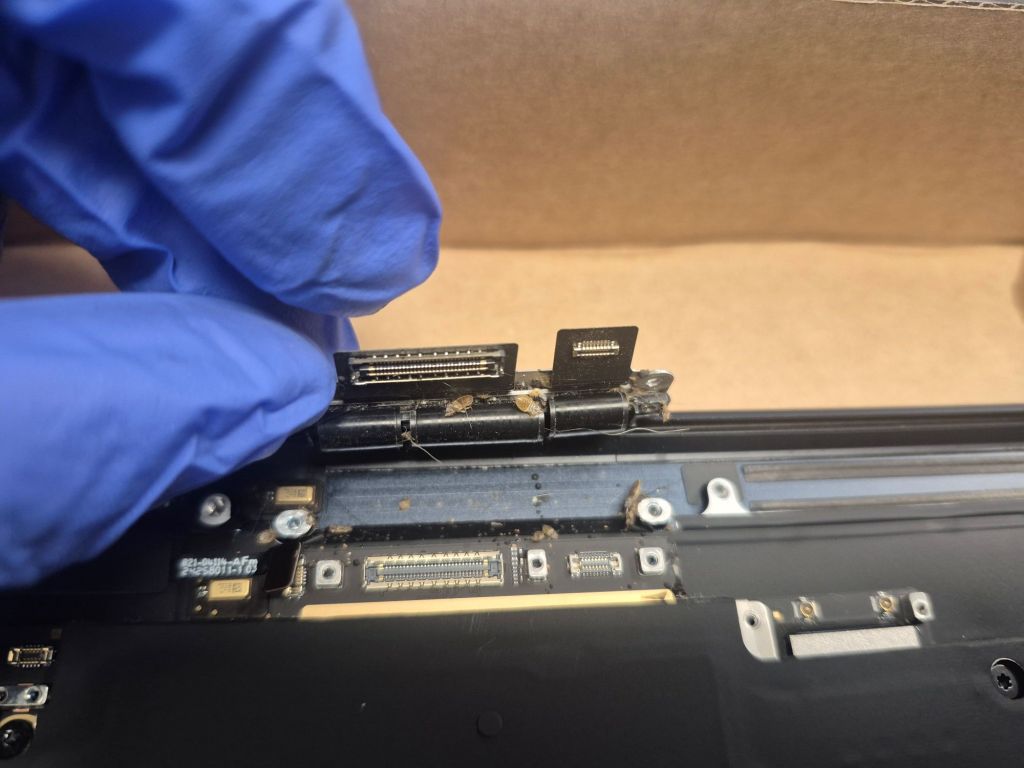
I had a MacBook Air come in weeks ago with a very unique issue. The customer told me the MacBook would turn on, but after they signed in, the system would shut down. They also told me that had already taken it to the Apple Store, where the Geek Squad staff informed them that there were bugs inside the laptop and refused to service it. So then they brought it to me.
I’ve worked on thousands of computers in my career, and this is one I figured was worth writing about. Here’s what I found, how I handled it, and what was going through my head along the way.
Why Most Repair Shops Won’t Work on Laptops With Bugs
Whenever I hear “bugs in a laptop,” it usually means one of two things: they’re either crawling about or dead, both can be a problem for the system and for the shop that decides to clean or service the device. People don’t realize that the bugs that hunker down in laptops and other electronics are usually pests like roaches, bed bugs, and ants. Because of that, most repair shops won’t work on a device with bugs in it, especially if they’re alive.
There’s real risk for a shop owner here. If you’re not careful, an infestation can start or spread in your shop. When we do decide to take one on, we go by two questions: are the bugs dead, and if not, how many are in there? The type of bug matters too, but we also have a general procedure we follow and an isolated workspace where we can clean the bugs out of a device safely.
Inspecting the MacBook Air: What I Found Inside
Going back to this customer’s MacBook Air, the bugs in question were bed bugs, which are one of the worst ones to work on, right alongside roaches. Luckily, the customer told me what kind of bugs they were ahead of time, so I was prepared for what I was getting into. It also made sense why Geek Squad turned them away.
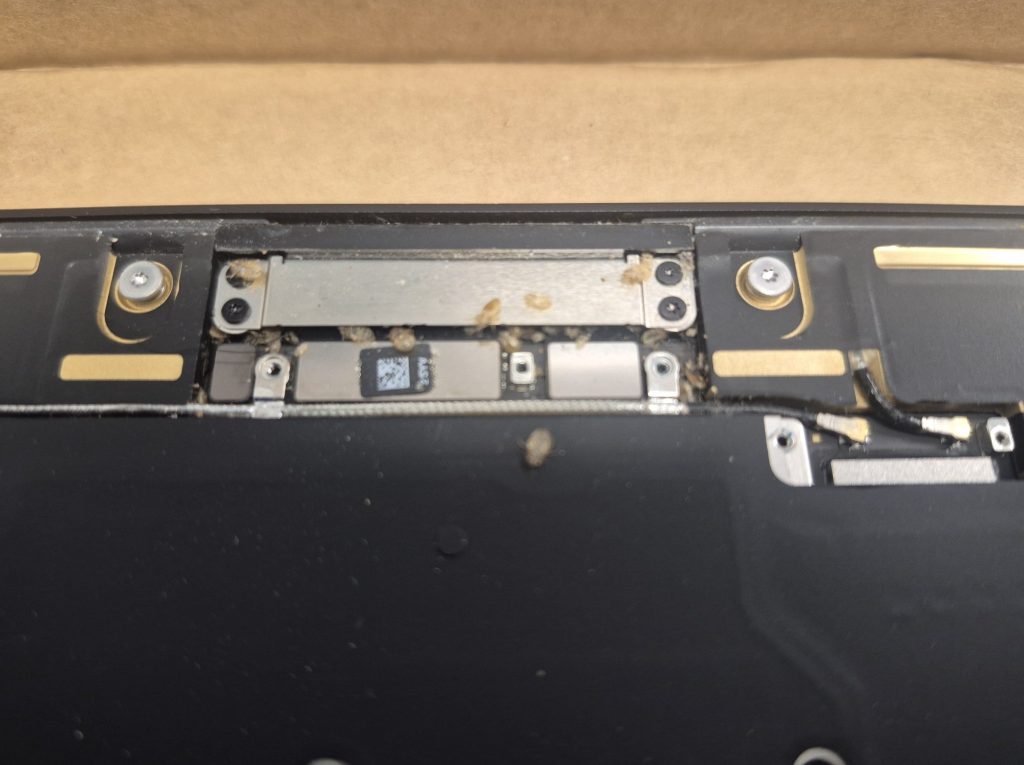
I opened the back plate cafeully and started looking for where the bugs were. Sure enough, I could see where they were concentrated. The design of the MacBook Air actually helps here, since it limits the number of places bugs can hide, and it looked like they were all packed into the top area of the laptop. When I removed the two metal plates over the display connector, I found a graveyard of dead bed bugs and removing the speaker module revealed more dead ones underneath it.
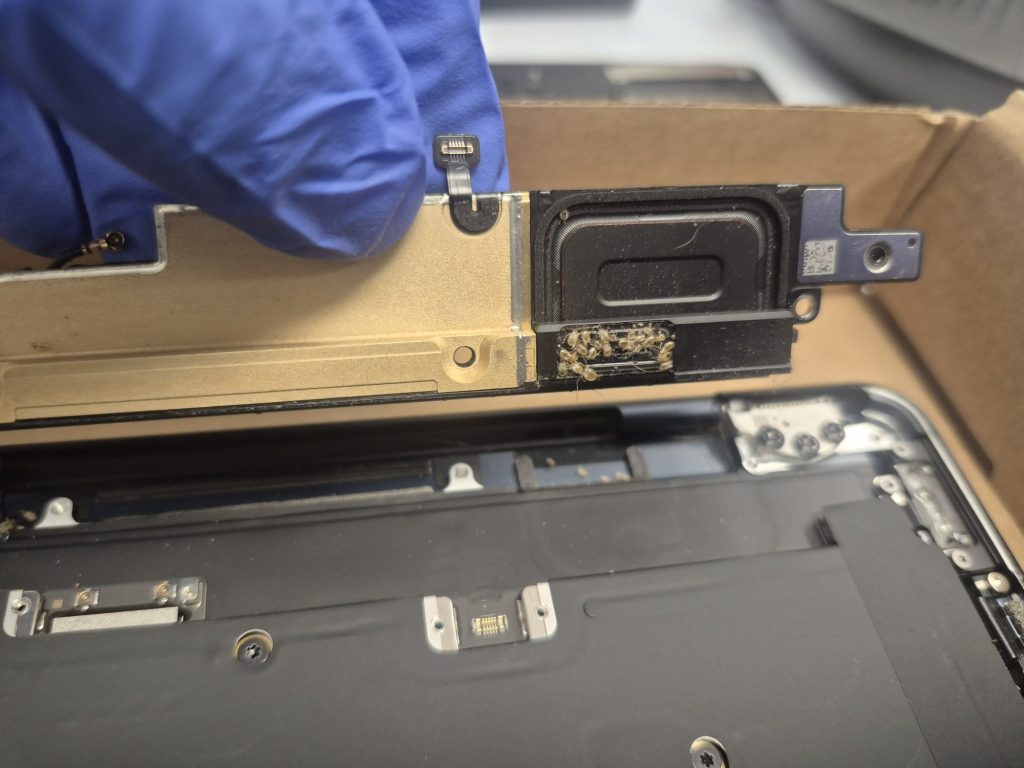
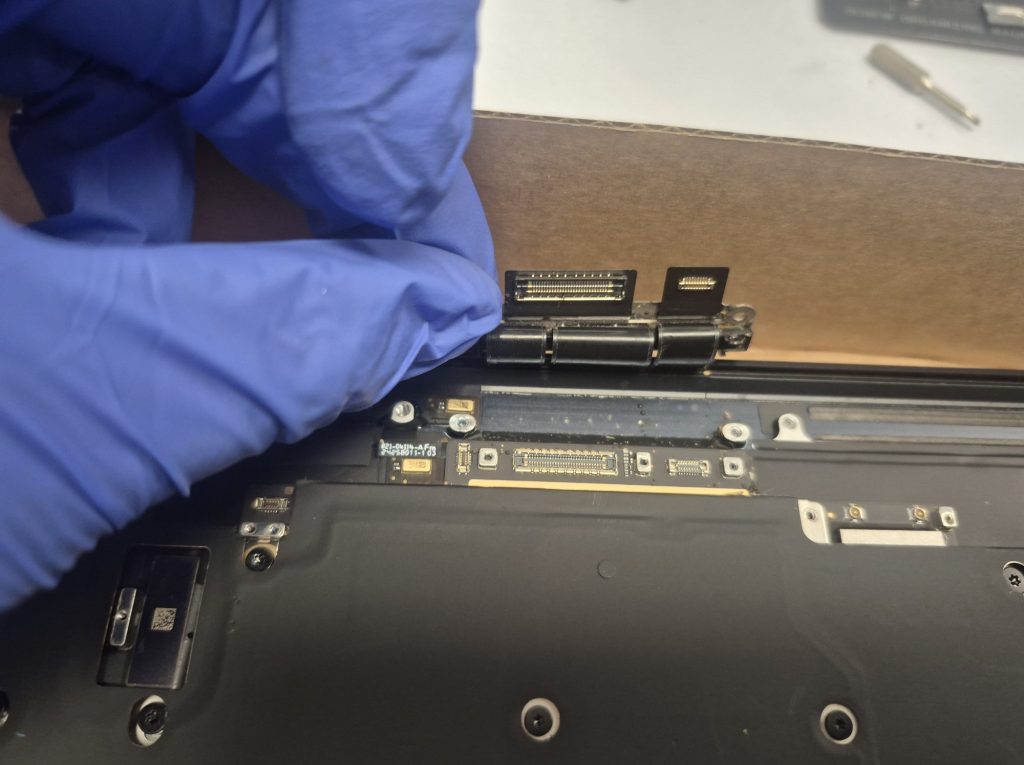
At that point I was just hoping they hadn’t made it to the motherboard. Fortunately after lifting one side of the heatsink shield and checking underneath, there weren’t any bedbugs that made it inside.
How I Safely Cleaned Bed Bugs Out of a MacBook
Unfortunately, there were some live bed bugs in there too, which made it tricky to be sure none of them escaped. Most of them were dead, though, so I took the laptop to an empty lot and used compressed air to blow all the bed bugs out, well away from the shop. That did the trick.
Once the carcasses were blown out, I started cleaning up the residue the bed bugs left behind. I scrubbed any marks with a brush and 90% isopropyl alcohol, then let everything dry for a couple of hours. I also scanned the entire board to make sure there were no stragglers hiding anywhere. But I knew this was only half of the problem.
The Second Problem: The MacBook Shutting Off After Login
The second half was the original complaint. The MacBook would go to the sign-in screen, but after the password was entered, the system would shut off. I still had no idea why that was happening, and based on my board inspection, nothing looked out of the ordinary besides the bed bugs.
Since we had gotten rid of the most glaring problem, I figured it didn’t hurt to partially put the MacBook back together and see if it was still acting up. After reconnecting the screen, the I/O board, and the touchpad, I powered it on. It went through the same process as before: the Apple logo popped up, the loading bar filled in, and I got to the sign-in screen. I put in the customer’s password, and to my surprise, it didn’t shut off.
After seeing that, I fully reassembled the MacBook and powered it back on to run some tests.
What Caused the MacBook to Shut Down?
If you asked me how or why this happened, I wouldn’t have a concrete answer. I can speculate, but figuring out the exact cause isn’t something I need to spend time on. At the end of the day, if the laptop is working normally after my tests without any weird quirks, I can say the bed bugs were probably shorting something out internally. It wasn’t a catastrophic short, just a minor one that caused a very annoying problem.
How Often Do I See Bugs in Laptops?
After dealing with thousands of computers in my career, I can tell you that finding bugs in a system is not a common occurrence. It heavily depends on your area and the type of people you do business with, but for me it’s been a handful of cases. In many of them we’re dealing with dead bugs rather than live ones, so I can be a little less wary about them potentially settling into the shop.
The biggest issue is live bugs, especially when most of the bugs in a system are alive. We also have limits, and there have been cases where we refused to service a device because of how many bugs were inside. When we have to turn someone away, it’s never anything against the customer. We weigh the risk, and if there’s even a shred of uncertainty that we can keep all the bugs contained, we usually don’t proceed with the cleaning or removal.
Does Your Laptop Have Bugs? Here Is What to Do
If you think there might be bugs in your laptop, be upfront with the repair shop about it. It lets us prepare and decide whether we can safely take the job. If a shop turns you down, please don’t take it personally. It’s about protecting the shop, not judging you, so keep looking for a shop that has a proper process for handling devices like this.
Having trouble with a laptop that won’t behave, whether it’s shutting off, won’t boot, or just acting strange? Bring it by the shop in Downtown, Los Angeles or give us a call. We’ll take a look, tell you exactly what we find, and walk you through your options before any work begins.
