


A broken laptop keyboard isn’t something I see every day, but whenever one lands on my bench, it’s a thorn in my side. The repair itself isn’t difficult. The problem is that laptop keyboard replacement depends heavily on the brand and model of the device, and that can drastically change how the job gets done.
In this post, I’ll walk you through why laptop keyboards fail, whether you can replace a single key, why keycaps are so hard to find, why so many keyboards are surprisingly difficult to swap out, and the two ways a keyboard can be replaced. I’ll also be upfront about what I do in the shop and where the trade-offs are.
Why Do Laptop Keyboards Fail?
Laptop keyboards are thin, tightly packed, and sit right on top of the components that produce heat. They also take a beating every single day. Here are the most common reasons I see them stop working:
- Spills and moisture: Even a small amount of liquid can seep under the keys, leave residue, and cause keys to stick or stop registering.
- Dust, crumbs, and debris: Particles lodged under a key can keep it from pressing down properly or from bouncing back up.
- Everyday wear: Years of typing wear out the contacts under the keys, which leads to keys that only work some of the time.
- Physical damage: Drops, pressure on the lid, or something sitting on the keyboard can damage the internal layers.
- Connection issues: In some cases, the ribbon cable that connects the keyboard to the motherboard is loose or damaged.
The tricky part is that the symptoms often look the same. A key that doesn’t respond could be a bit of debris, or it could be a failing keyboard. That’s why a proper diagnosis matters before anyone spends money on a repair.
Can You Replace a Single Key on a Laptop?
This is the question I get asked the most: “Only one key is acting up. Can you just replace that one?”
Unfortunately, the honest answer is no. Laptop keyboards are built as a single unit, so if there is a problem with one key, the entire keyboard needs to be replaced. There is simply no way to swap out one key’s internal components on its own.
There is one exception. If something is physically lodged or stuck under the key, cleaning it out may fix the problem. But if the key doesn’t register at all, or only registers from time to time, the problem is internal and will almost certainly come back. I’d rather tell you that up front than have you pay for a quick fix that doesn’t last.
What About Replacing Just the Keycap?
The same limitation applies to keycaps. Unless it’s a very popular model, you generally can’t swap in a replacement keycap from another laptop. It isn’t impossible, but finding a replacement keycap set is close to it unless you have the exact same laptop model with the exact same keycap mounting.
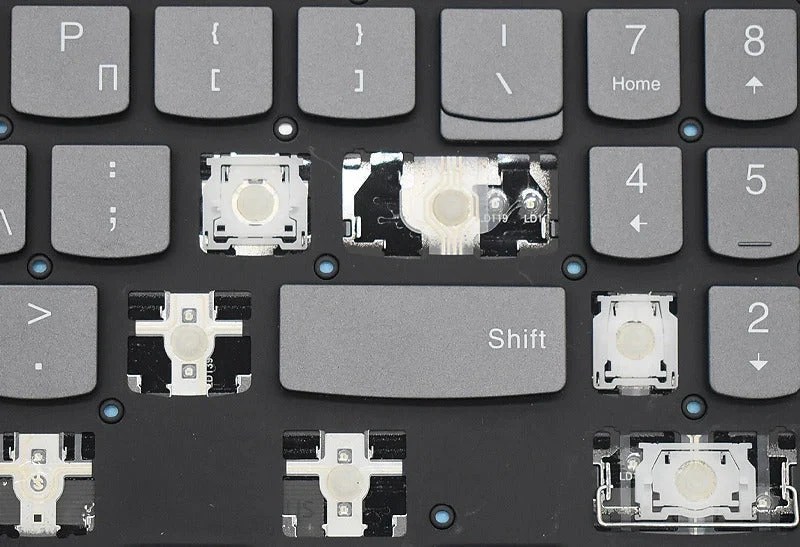
Every laptop brand has its own way of attaching keycaps. Some are held in place by plastic tabs, and others use a mix of plastic tabs and adhesive. Those tabs are small and fragile, so a keycap that has been pulled off too aggressively can be damaged beyond repair. If a keycap pops off on your laptop, my advice is to stop and avoid forcing it back on, since that’s a common way for a simple problem to become a bigger one.
Why Is Replacing a Laptop Keyboard So Difficult?
Once a full replacement is necessary, the biggest pain point is how the keyboard is mounted. Most modern laptop keyboards are not secured in a conventional way. Instead of standard screws, many are attached to the palm rest with rivets.
There are exceptions. Some models, such as the Dell XPS series and, I believe, certain ThinkPad models, use a keyboard that can be swapped out fairly easily. But for nearly everything else I’ve seen come through the shop, the keyboard is riveted on.
The Rivet Problem
Removing the rivets is relatively simple. The real issue comes afterward. Once the rivets are broken and the new keyboard is in hand, there’s no obvious way to mount it back in place. The original fasteners were designed to be used once.
Two Ways to Replace a Laptop Keyboard
Once you know the keyboard is the problem, there are two ways to fix it. Both work, but they differ in cost and in how the new keyboard gets mounted.
Option 1: Replace the Keyboard Module
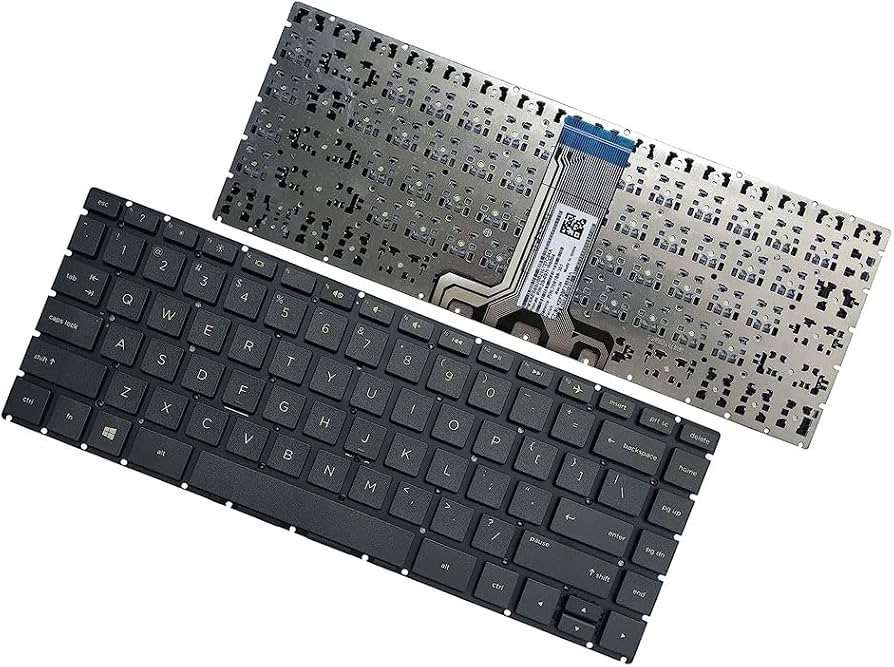
This swaps out only the keyboard. It’s the more affordable option, and if your laptop’s keyboard is mounted with screws, it’s without a doubt the way to go: the new keyboard simply screws back into place and feels just like the original. On a riveted laptop, though, you still have the mounting problem described above.
The simplest workaround is tape. I’ll be honest with you: tape is a temporary solution, and it can create a slightly mushy feel when typing. There may be other methods out there, but in my experience paper tape is the least risky option and gives acceptable results. I’d rather explain this trade-off now than have you discover it after the repair. A keyboard module replacement on a riveted laptop will work, but personally, I would not recommend it, because the keyboard will feel noticeably different from the original.
Option 2: Replace the Entire Palm Rest
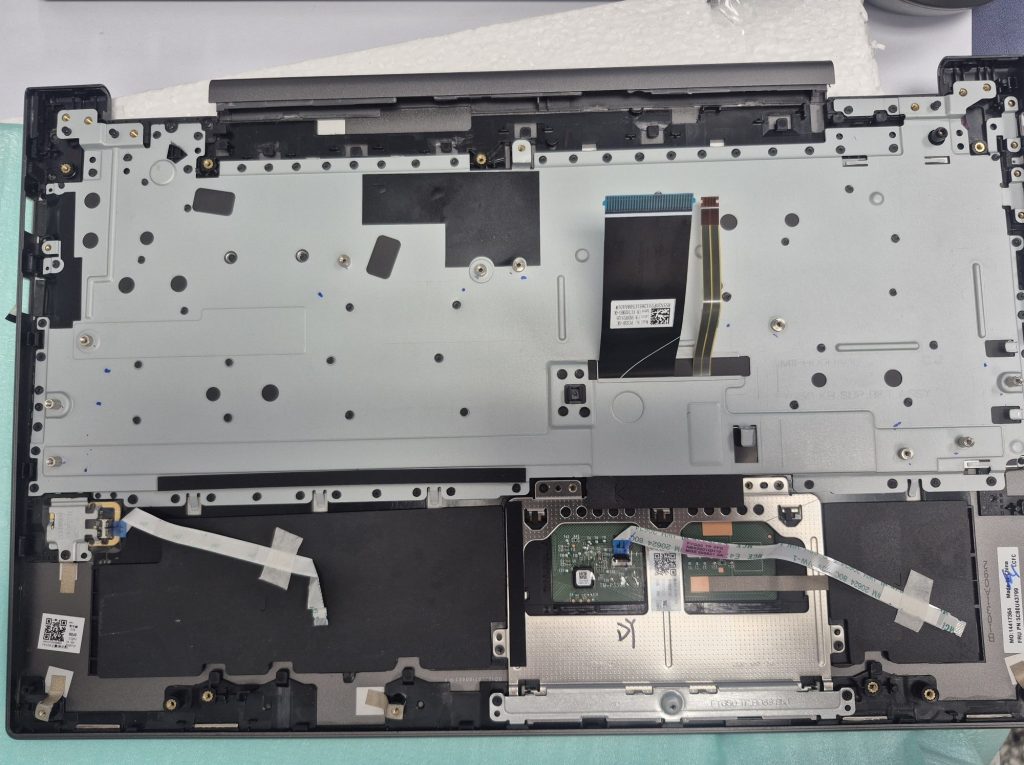
On many laptops, the keyboard comes already attached to the palm rest as one assembly. Replacing the whole palm rest is the more expensive of the two options, but it eliminates the rivet problem completely. The new keyboard is already mounted, so there’s nothing to re-fasten and no tape-related mushy feel. If your keyboard is riveted on, this is the option I highly recommend.
Which Option Is Right for You?
The deciding factor is how your keyboard is mounted. If it’s held in with screws, go with the keyboard module, without a doubt. If it’s riveted on, I highly recommend the palm rest and keyboard combo. It costs more, but the keyboard module route on a riveted laptop will leave you with a keyboard that feels noticeably different. Your budget and how much the laptop is worth to you still matter, of course. I’m happy to walk you through both so you can decide with the full picture.
Should You Repair or Replace the Keyboard?
Before deciding, it helps to weigh a few things:
- How many keys are affected? If it’s one stuck key with visible debris, cleaning may be enough.
- How old is the laptop? On an older machine, the cost of a replacement keyboard plus labor may not make sense.
- Is the keyboard riveted? If so, I recommend the palm rest and keyboard combo, since a keyboard-only replacement means the tape-mounted approach and a noticeably different typing feel. If it’s screwed in, the keyboard module is the clear choice.
- Is an external keyboard an option? If you mostly use your laptop at a desk, a USB or Bluetooth keyboard is an inexpensive way to keep working without any repair.
Sometimes the most honest recommendation I can give is the cheapest one, and an external keyboard is often exactly that.
Final Thoughts
Keyboard failures may be uncommon, but they come with more complications than most people expect. You can’t replace a single key, keycaps are hard to source, and many keyboards are riveted in place. That leaves two options: replacing the keyboard module, which is the clear choice for screwed-in keyboards, or replacing the entire palm rest, which costs more but is the one I recommend for riveted keyboards.
If your laptop keyboard is acting up, don’t rush into a repair. Stop by our shop in Downtown Los Angeles and we’ll take a look first. I’ll tell you what’s wrong, what your options are, and what each one realistically costs.
Frequently Asked Questions
Can I replace just one broken key on my laptop?
No. Laptop keyboards are built as a single unit, so a problem with one key usually means replacing the whole keyboard.
Why do some of my laptop keys work only part of the time?
Intermittent keys are usually caused by worn internal contacts or liquid residue, and they tend to return even after a temporary fix.
Can I buy replacement laptop keycaps?
Sometimes, but only if you can match your exact laptop model and keycap mounting. For many models, replacements are very hard to find.
Why are laptop keyboards riveted in place?
Most modern laptops attach the keyboard to the palm rest with rivets rather than screws, which makes removal easy but reinstallation more difficult.
