


This guide reflects today’s laptop market as of April 2026, including current pricing, component costs, and the recent release of the MacBook Neo in March 2026. Laptop prices and availability shift frequently — especially right now, with PC component shortages expected to push Windows laptop prices up by as much as 17% this year. We’ll keep this guide updated as things change.
Shopping for a laptop in 2026 is a different experience than it was even a year ago. Between ongoing component shortages, rising PC prices, and Apple shaking up the budget market with their new MacBook Neo, there’s a lot more to consider before you buy.
That said, the fundamentals haven’t changed: the best laptop for you is the one that fits your actual needs — not the one with the biggest marketing budget or the flashiest spec sheet.
Before anything else, ask yourself what you’ll actually use this laptop for. Are you gaming and working from the same machine, or do you mainly browse the web and reply to emails? It’s easy to overspend on a laptop that’s way more powerful than you need — and just as easy to underspend and end up frustrated six months from now.
In this guide, we’ll break down the five most important specs to look at before buying, plus give you an honest take on how the MacBook Neo changes things for budget and mid-range shoppers specifically.
Quick Answer: What specs should I look for in a laptop in 2026?
Focus on: Processor (CPU), RAM, Storage (SSD), Ports, and Graphics (GPU). In 2026, also factor in whether a Windows laptop or the new MacBook Neo ($599) makes more sense for your use case — the answer isn’t as obvious as it used to be.
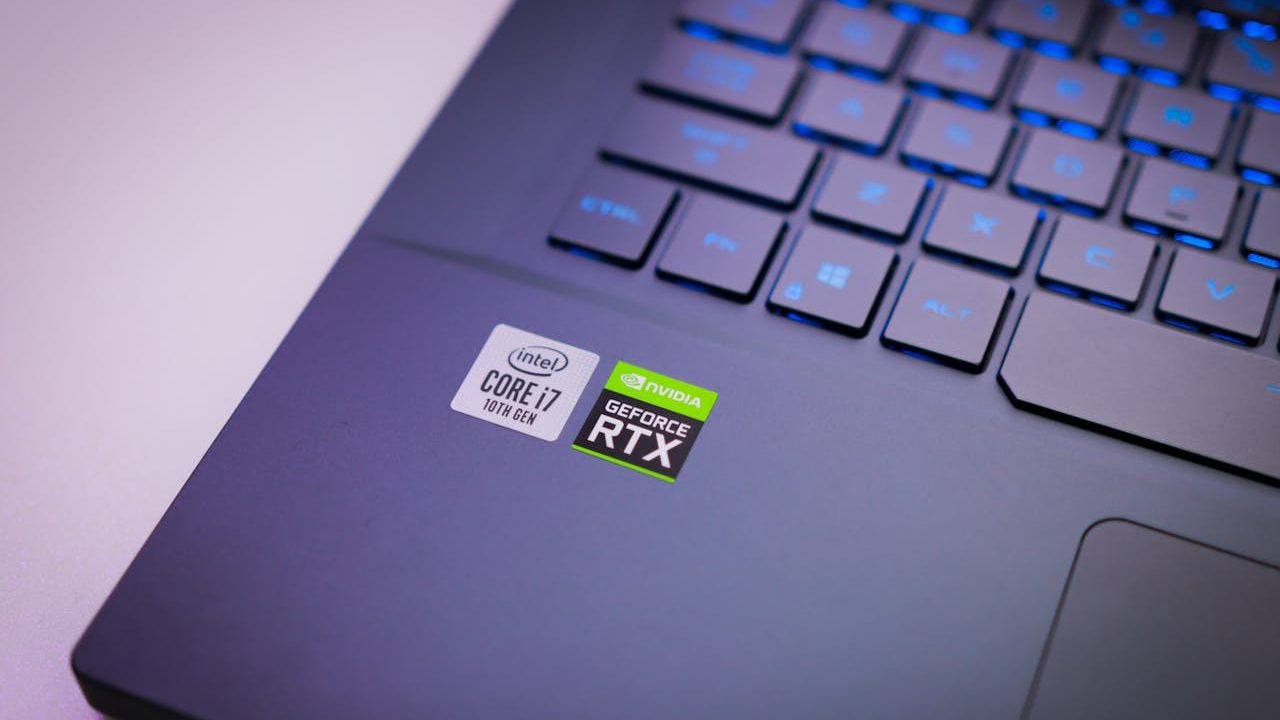
1. Processor (CPU) — The Brain of Your Laptop
The CPU handles everything your laptop does — from opening browser tabs to running software. With so many brands and naming conventions out there, picking the right one without doing research is genuinely difficult.
Here’s the simple breakdown we share with our customers:
- Everyday use, web browsing, light productivity: Intel Core i5 / Core Ultra 5, or AMD Ryzen 5. These mid-tier chips handle daily tasks without the premium price tag. You really can’t go wrong with any of them for general use.
- Heavier multitasking, software development, moderate creative work: Step up to a Core i7 / Core Ultra 7 or Ryzen 7 for a noticeable performance bump.
- Gaming or professional creative work: A Core i9 or Ryzen 9 may be worth it — but only if your workload truly calls for it.
2026 Note — The MacBook Neo Factor
If you’re in the everyday-use category above, the MacBook Neo is now a legitimate option to compare against. It runs Apple’s A18 Pro chip (the same one in the iPhone 16 Pro), which outperforms most Intel Core Ultra 5 Windows laptops in benchmark tests — and starts at $599. For casual users who live in a browser and basic apps, that’s hard to ignore. The catch: it runs macOS. If you’re a lifelong Windows user, factor in the learning curve of a new operating system.
2. RAM (Memory)— How Much Multitasking Can You Handle?
RAM determines how many tasks your laptop can juggle at once. Too little and your system starts feeling sluggish — especially with Windows 11, which is more memory-hungry than older versions.
Our current recommendations:
- 8GB: The minimum for Windows 11. Workable for light, focused use — but you’ll feel it if you have a lot of tabs or apps open simultaneously.
- 16GB: The sweet spot for most people. Handles multitasking, productivity apps, and moderate workloads comfortably. This is what we recommend to most of our customers.
- 32GB+: Only worth it if you’re running virtual machines, editing large video files, or doing heavy software development.
2026 Note — MacBook Neo’s 8GB Unified Memory
The MacBook Neo ships with 8GB of unified memory — and it’s not upgradeable. On paper that sounds like a limitation, but Apple’s unified memory architecture is more efficient than traditional RAM. In real-world use, 8GB on the Neo will be more than enough for any office work or schoolwork. However, as Apple updates their MacOS adding new features and changes, the 8GB may struggle with operating later versions of MacOS. That said, if your work is genuinely memory-intensive, the MacBook Neo is probably not the right fit. Look at a MacBook Air (M4) or a Windows laptop with 16GB instead.
3. Storage (SSD vs. HDD)— Speed and Capacity
Storage is where your files, apps, and operating system live. Two types exist: Solid State Drives (SSDs) and Hard Disk Drives (HDDs). The difference is significant.
- SSDs: Faster, quieter, lighter, and more reliable. They make your laptop boot in seconds and apps open almost instantly. Always choose this if given the option.
- HDDs: Cheaper per gigabyte but noticeably slower — and more prone to failure over time. We see a lot of HDD failures in our shop. They’re not worth the savings.
As for how much storage you need, ask yourself:
- Will you download movies, shows, or large files locally?
- Do you store large photo or video libraries on the device?
- Are you installing large programs or games?
If yes to any of these, aim for at least 500GB — ideally 1TB. If you work mostly in the cloud (Google Drive, OneDrive), 256GB can work, but you’ll need to stay on top of what’s stored locally.
2026 Note — MacBook Neo Storage Limitation
The base MacBook Neo comes with 256GB of storage. For a $599 laptop that’s understandable, but it’s tight by 2026 standards — especially with macOS taking up a chunk of that space. If you go the MacBook Neo route, we’d recommend the 512GB model ($699) for most users. It also includes Touch ID, which is worth having.
4. Ports— Don’t Overlook This
This is the spec most people regret ignoring. Modern thin laptops — both Windows and Mac — are dropping traditional ports in favor of USB-C only, which sounds sleek but can cause real headaches if you rely on older accessories.
Before you buy, check the spec sheet for:
- USB-A ports: For flash drives, mice, keyboards, and standard accessories.
- HDMI output: Essential if you regularly plug into an external monitor or projector.
- SD card slot: A bonus for photographers or content creators.
- Ethernet jack: Helpful if you work somewhere Wi-Fi is unreliable.
If a laptop you love is missing these, factor in the cost of a quality USB-C hub — typically $25–$60. We do want to flag that we see a fair number of port and hub-related damage in our shop. Cheap hubs can overheat or cause connectivity issues. It’s worth spending a little more on a reputable brand.
2026 Note — MacBook Neo Has Only Two USB-C Ports
This is probably the MacBook Neo’s biggest real-world limitation. It has two USB-C ports and a headphone jack — and only the left port supports DisplayPort for connecting an external display. No USB-A, no HDMI, no SD card slot. If you rely on a lot of peripherals or regularly connect to an external monitor, you’ll need a USB-C hub — and you’ll be limited to one external display. For users who just need a laptop for browsing and basic work, this is fine. For everyone else, weigh it carefully.
5. Graphics Card (GPU)— Do You Actually Need One?
Most everyday laptops use integrated graphics — meaning the GPU is built into the processor. For casual use, web browsing, video streaming, and light productivity, integrated graphics are completely fine.
A dedicated GPU becomes important if you:
- Game regularly (even at medium settings)
- Edit video or photos professionally
- Use 3D design or rendering software
- Run machine learning or AI tools locally
If you do need a dedicated GPU, look for an NVIDIA RTX 50 ,40, or 30-series 60-class GPU (e.g. RTX 5060, RTX 4060, RTX 3060). These offer the best balance of performance and price. Anything below the 60-series tends to underperform for what you pay, and anything above may be overkill for most people.
One heads-up: Gaming laptops with dedicated GPUs generate more heat and have significantly shorter battery life. If you’re mostly gaming at home, a desktop PC will almost always outperform a gaming laptop for the same — or lower — price.
2026 Note — MacBook Neo Has No Dedicated GPU
The MacBook Neo uses integrated graphics only (5-core GPU built into the A18 Pro chip). For everyday tasks and casual use this is perfectly capable. But if gaming or creative GPU work is part of your plan, the MacBook Neo is not the right tool — look at a MacBook Pro or a Windows laptop with a dedicated GPU instead.
So… Should You Consider the MacBook Neo?

The honest answer is: it depends — and that’s not a cop-out. The MacBook Neo genuinely changes the laptop ecosystem when it comes to price, build quality, and internal specs. However, it is not the go to laptop for everyone.
Here’s how we’d break it down:
The MacBook Neo makes strong sense if you:
- Mainly use your laptop for browsing, email, video calls, streaming, and light productivity
- Are already in the Apple ecosystem (iPhone, iPad) and want seamless device integration
- Value battery life — the Neo gets up to 16 hours of real-world use
- Are buying for a student or first-time Mac user (this is a big one)
- Want a quiet, fanless machine — the Neo runs completely silently
Stick with a Windows laptop if you:
- Rely on Windows-specific software for work or school
- Need more than 8GB RAM for memory-intensive tasks
- Game regularly or do GPU-heavy creative work
- Need USB-A ports, HDMI, or multiple display outputs without an adapter
- Prefer to customize or upgrade your hardware over time
From a repair shop perspective, we’ll add one thing: the MacBook Neo is Apple’s most repairable laptop in over a decade. It has a screwed-down battery, modular ports, and no parts pairing — meaning repairs are more straightforward and parts are easier to source. That’s genuinely good news for longevity.
That said, Windows laptops still give you more flexibility, more price points, and more hardware choices overall. If you need something specific — a touchscreen, a particular form factor, or a dedicated GPU — Windows still has far more options.
What About Gaming Laptops?
Gaming laptops are powerful, but they come with real trade-offs worth knowing about before you buy:
- Performance vs. Value: A desktop PC with the same specs will almost always outperform a gaming laptop and cost less. Laptops throttle performance due to heat and power constraints.
- Portability vs. Power: The only real reason to buy a gaming laptop over a desktop is if you need to game or do creative work on the go.
- Battery Life: Expect significantly shorter battery life compared to standard laptops. Gaming hardware is power-hungry.
If portability is your primary driver, a gaming laptop makes sense. If you’re mostly at a desk, a desktop will serve you better — more performance, easier to repair, and easier to upgrade over time.
Final Thoughts
2026 is a genuinely interesting time to buy a laptop. Prices on Windows machines are climbing due to component shortages, and Apple has introduced real competition at the entry-level price point for the first time. That doesn’t make the decision simple — it just means there’s more to weigh.
To recap the five specs that matter most:
- CPU: Mid-tier (i5 / Ryzen 5, or A18 Pro on the MacBook Neo) for everyday use. Step up if your workload demands it.
- RAM: 16GB is the sweet spot for Windows; the MacBook Neo’s 8GB unified memory punches above its weight for light use.
- Storage: Always SSD. Aim for at least 500GB — go 512GB or more on the MacBook Neo.
- Ports: Check before you buy. The MacBook Neo’s two USB-C ports are a real limitation for some users.
- GPU: Integrated is fine for most. Dedicated only if you game or do serious creative work — and the MacBook Neo won’t cut it for that.
If you’re still unsure after reading this, stop by our shop in Downtown, Los Angeles or reach out. We help customers sort through options all the time. Our goal is always to make sure we lead you down the right decision path when considering a new laptop.
 ITBrother