

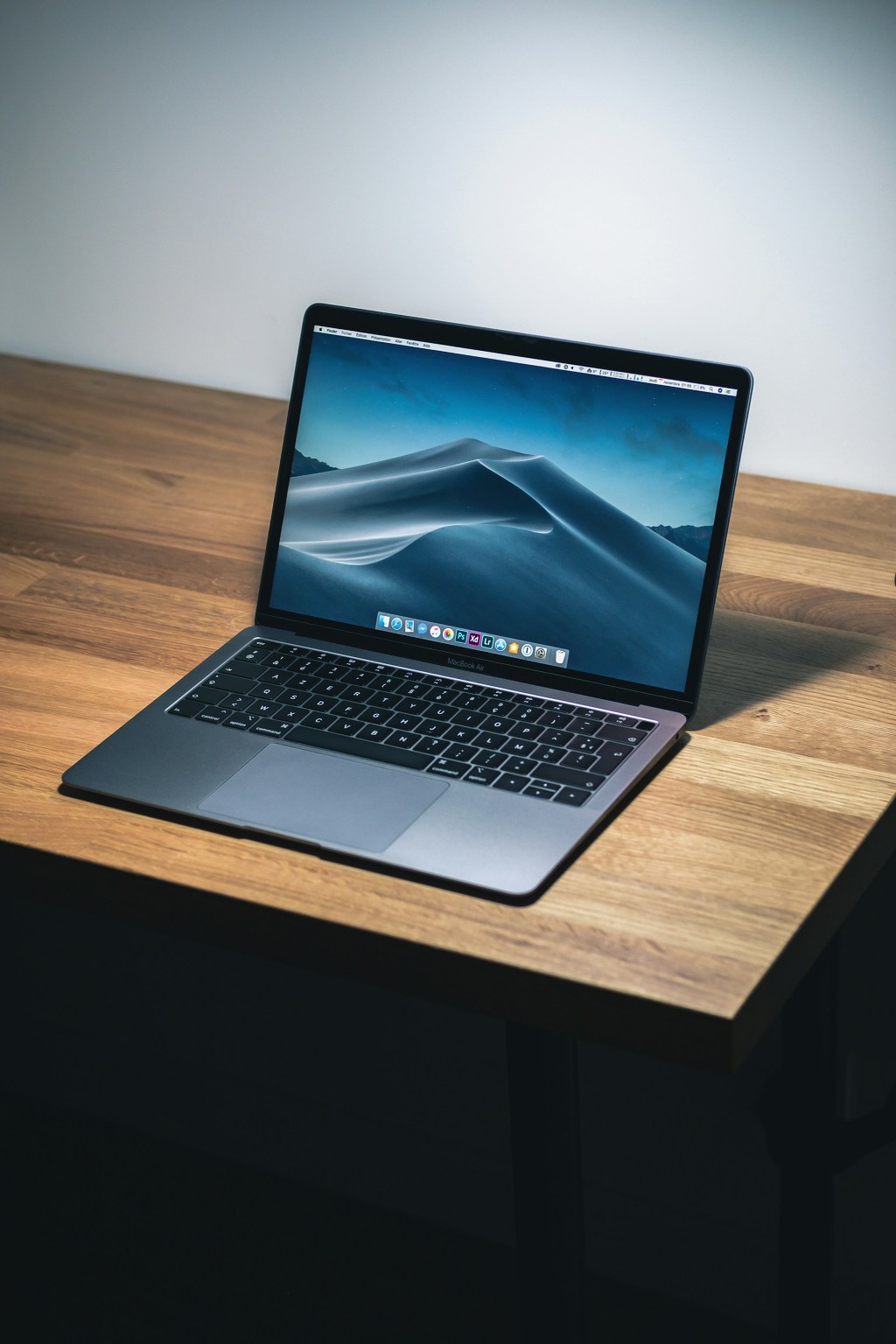
MacBook Screen Damaged? Here’s Why We Replace the Full Top Case — Not Just the Display Panel
Accidents happen — one minute your MacBook is fine, and the next you’re staring at a cracked display, strange flickering lines, or a screen that just won’t turn on. A damaged MacBook display is one of the most common repairs we see at our shop, and also one of the most misunderstood.
A lot of customers come in expecting a straightforward screen panel swap. And yes — technically, that’s possible. But after years of doing these repairs, we almost always recommend replacing the entire top case (the full lid assembly) instead. In this post, we’ll explain exactly why, what the process looks like, what it costs, and how to decide what’s right for your MacBook.
Signs Your MacBook Display Needs to Be Repaired
Not every display issue means the screen itself is damaged — sometimes it’s a cable, a software glitch, or a GPU problem. That’s why we always diagnose first. But here are the most common signs that point to the display assembly:
- Cracks or visible physical damage — Even a hairline crack can spread and worsen over time.
- Flickering or horizontal/vertical lines — Usually indicates panel damage rather than a software issue.
- Black or very dim screen — If your MacBook boots (you can hear it) but nothing shows on screen, the backlight may have failed.
- Discoloration or dark blotches — Often caused by water damage or physical impact pressing against the LCD layer.
- Ghosting or image burn-in — When remnants of previous images stay visible on the display, the panel is failing.
Display Panel Replacement vs. Full Top Case Replacement: What’s the Difference?
This is the conversation we have with almost every customer who comes in with a damaged MacBook screen. Let us break it down honestly.
Option 1: Display Panel Replacement (Screen Only)
This involves carefully separating the broken LCD/display panel from the existing lid assembly and installing a new one in its place. On paper, it’s the cheaper option. In practice, it’s one of the most delicate repairs on any laptop.
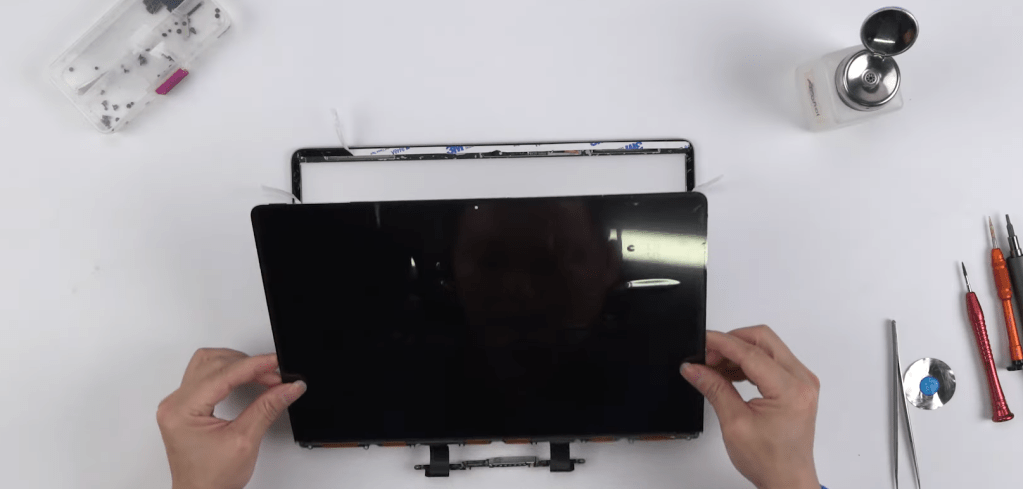
MacBook displays are bonded with strong adhesive and packed extremely tightly. Getting the panel out without damaging the surrounding frame, the webcam, the antennas, or the display cables requires a significant amount of time, heat, and precision. Even experienced technicians face a higher margin for error on this repair — and if something goes wrong during disassembly, you’re now looking at a much more expensive fix.
Option 2: Full Top Case (Lid Assembly) Replacement — What We Recommend
The top case is the entire upper half of your MacBook — the lid, display, webcam, hinge covers, and all associated cables, all as one pre-assembled unit. Instead of trying to surgically extract a single panel from a tightly bonded assembly, we swap out the whole thing.
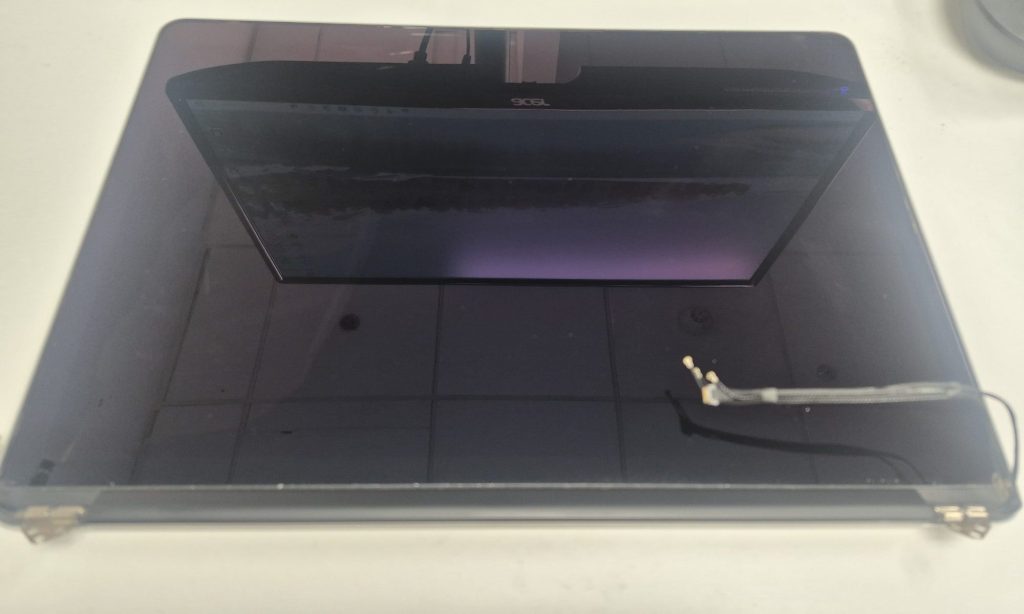
Yes, it costs more than a panel-only repair. But here’s why we almost always recommend it:
- Far less room for error. We’re replacing a complete, pre-tested assembly rather than trying to pry apart a glued display under heat — which significantly reduces the chance of accidental damage to your MacBook.
- Faster turnaround. A top case swap is a cleaner process. Panel-only repairs take much longer due to the careful disassembly required.
- More reliable result. You’re getting an assembly where all the components — screen, camera, cables, hinges — are already properly fitted and tested together.
- Better value in the long run. A panel repair that goes sideways can end up costing you more than a top case replacement would have from the start.
Our honest take: We’ll always present both options and let you make the call. But based on our experience, the top case replacement gives customers the most reliable outcome with the least risk to their machine. That peace of mind is worth a lot.
How Much Does a MacBook Top Case Replacement Cost in 2026?
Cost depends on your MacBook model — MacBook Air vs. Pro, Intel vs. M-series, screen size, and whether you go through Apple or an independent shop.
Apple Authorized Repair (Apple Store or AASP)
Apple’s service guarantees OEM parts and certified work. For a display assembly replacement, expect to pay anywhere from $500 to $900+ depending on model. If you’re under AppleCare+, accidental damage coverage will significantly reduce your cost.
Independent Repair Shops (Like Us)
A trusted independent shop will typically offer top case replacements at a more affordable price point — generally in the range of $350 to $650 in 2026, depending on your specific model. While this is higher than a panel-only repair quote you might see elsewhere, it reflects the quality of the part and the reliability of the outcome.
Is It Worth Fixing Your MacBook Display?
We get this question a lot, and we always give the same honest answer: it depends on the age and overall condition of the machine.
- Under 2–3 years old and running well? A top case replacement is almost always worth it. You’re spending a fraction of what a new MacBook would cost.
- Older machine with other issues? If the battery is shot, it’s running slowly, and other components are aging, putting $400–$600 into it may not make sense. We’ll tell you that ahead of time.
- Display is the only problem? If everything else is working great, repairing it is almost certainly the smarter financial decision.
We’ll give you a straight assessment when you come in — including if we think repair isn’t the right call for your situation.
What to Expect During a MacBook Top Case Replacement
Here’s what the process looks like at our shop:
- Free diagnosis. We confirm the display assembly is the issue and rule out other causes like the logic board or GPU.
- Part sourcing. We source a compatible top case assembly for your specific MacBook model.
- Assembly swap. The damaged lid assembly is carefully disconnected and removed, and the new one is installed and secured.
- Full testing. We verify brightness, color, resolution, webcam, microphone, and Wi-Fi antenna function before the MacBook leaves our hands.
Should You Try to Fix a MacBook Screen Yourself?
We understand the appeal of a DIY repair — there are kits and tutorials available online. But we want to be real with you about what’s involved, especially with MacBooks:
- Panel removal is extremely high-risk. MacBook displays are bonded with strong adhesive. Without the right tools and experience, it’s easy to crack the replacement panel, damage the chassis, or sever a delicate display cable.
- Part quality is inconsistent. Aftermarket panels sold online vary widely. Some have poor color reproduction, dim backlights, or fail within a few months.
- No safety net. If something goes wrong with a DIY repair, you’re absorbing that cost entirely.
If you’re not already experienced with laptop-level electronics repair, we genuinely recommend having a professional handle it — not because we want the business, but because we’ve seen too many DIY attempts turn a $400 repair into a far more expensive problem.
How to Protect Your MacBook Display After Repair
Once your MacBook is back in action, a little care goes a long way toward keeping it that way:
- Use a padded sleeve or hard-shell case when carrying your MacBook.
- Never close the lid with anything resting on the keyboard — pens, earbuds, even thick cables. This is the single most common cause of cracked MacBook screens.
- Don’t carry or lift your MacBook by the display.
- A screen protector can help minimize scratches over time.
MacBook Display Repair FAQs
How long does a MacBook top case replacement take?
In most cases, a full top case swap takes between 1 and 3 hours at our shop. Because we’re replacing the whole assembly rather than carefully extracting just the panel, the process is actually faster than a panel-only repair in many situations. Same-day service is often available when parts are in stock.
Why is a top case replacement more expensive than a screen panel repair?
The top case assembly includes the display, frame, webcam, antennas, hinges, and all associated cables — it’s a complete pre-built unit. You’re paying for more components, but also for a more reliable and lower-risk repair. In the long run, it’s often better value than a cheaper panel repair that carries higher risk of something going wrong.
Will this repair void my Apple warranty?
If your MacBook is still under Apple’s limited warranty or AppleCare+, repairs at an Apple Authorized Service Provider won’t affect coverage. Third-party repairs may impact your Apple warranty, though consumer protection laws provide some protections. We’re happy to walk through your specific situation when you come in.
Do you warranty your repairs?
Yes — we stand behind our work. Ask us about our warranty when you bring your device in.
MacBook Display Damaged? We’re Here to Help.
If your MacBook screen is cracked, flickering, or not turning on, don’t wait — these issues tend to get worse over time. Bring it in to our shop located in Downtown, Los Angeles and we’ll diagnose it for free, explain your options clearly, and give you our honest recommendation on the best path forward.
