

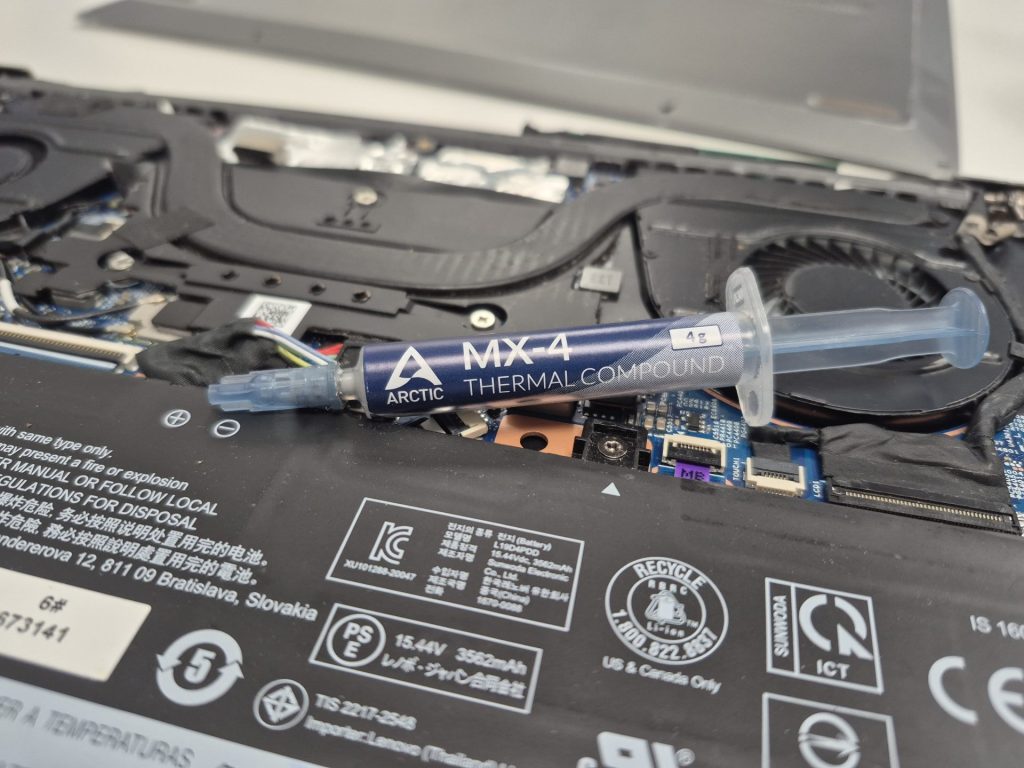
Your laptop used to run cool and quiet. Now the fans sound like a jet engine, it gets hot to the touch, and it slows down the moment you push it. You might assume it’s just “old” — but in most cases, the real culprit is something much simpler: dried-out thermal paste.
We see this every week at the shop. A customer brings in a laptop that “just isn’t running like it used to,” and after opening it up, the thermal paste looks like cracked mud. Ten minutes of cleaning and a fresh application later, temperatures drop by 20–30°C and the machine feels new again.
Here’s what’s actually happening inside your device, and how to know when it’s time to get it serviced.
What Is Thermal Paste, and Why Should You Care?
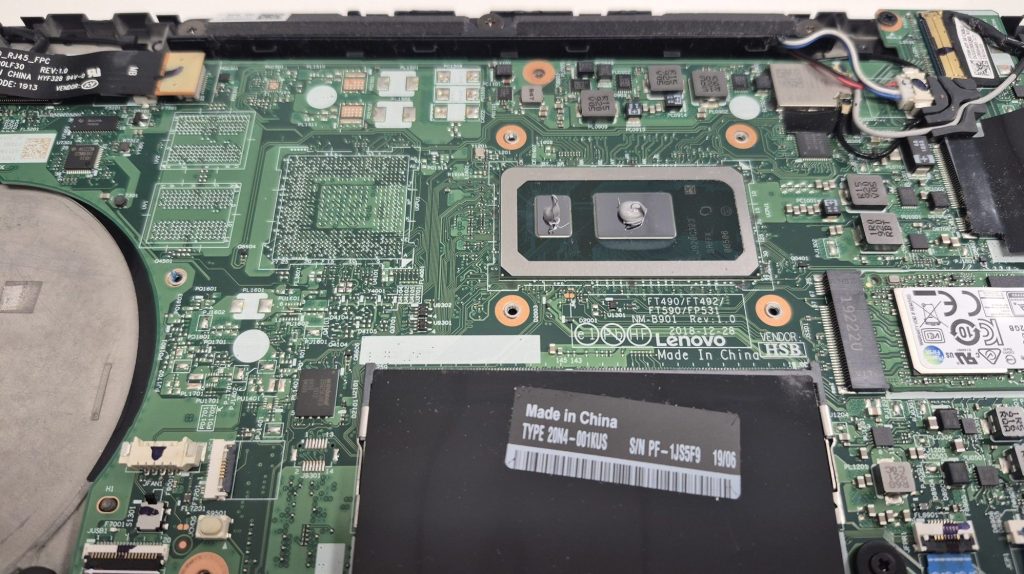
Thermal paste (sometimes called thermal compound or thermal grease) is a small but critical part of your computer. It sits between your processor (CPU or GPU) and its heatsink — the metal component responsible for pulling heat away from your chips.
The surfaces of your processor and heatsink look smooth, but under a microscope they’re full of microscopic peaks and valleys. Air gets trapped in those gaps, and air is a terrible conductor of heat. Thermal paste fills those gaps and creates direct thermal contact between the chip and the cooler.
Without it, your CPU would overheat within seconds. With it working properly, your cooling system efficiently moves heat out of the system and into the air.
Why Thermal Paste Dries Out Over Time
Thermal paste isn’t permanent. Every time your computer heats up and cools down — which happens every single time you turn it on — the paste goes through what’s called a “heat cycle.” Over hundreds or thousands of these cycles, it gradually:
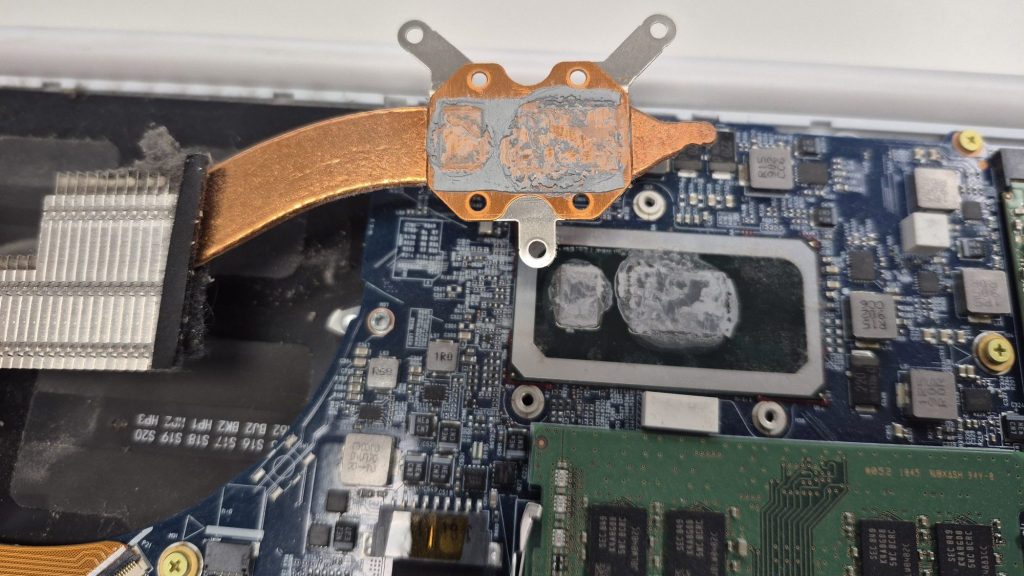
- Dries out and hardens — losing the soft, gap-filling consistency it needs to work
- Cracks — creating air pockets that block heat transfer
- Shrinks — pulling away from the edges of the chip
The result: your cooler is still spinning, but it’s not actually doing much — because the thermal link between the chip and the heatsink has broken down.
Signs Your Device Needs a Thermal Paste Service
These are the most common symptoms we see in the shop. If you’re experiencing one or more of them, thermal paste degradation is the likely cause:
- Fans running loud constantly — especially during tasks that used to be quiet (web browsing, video calls)
- Device is hot to the touch — particularly around the vents or bottom panel on laptops
- Performance slowdowns — your processor throttles itself to avoid damage, making everything sluggish
- Random shutdowns or crashes — the system protecting itself from overheating
- High idle temperatures — above 50°C at rest is a red flag on most laptops
Any one of these symptoms alone could have other causes. But when you see two or three of them together in an older device, thermal paste is almost always involved.
How Long Does Thermal Paste Last?
Laptops: 1.5–2 Years
Laptops run harder and hotter than desktops in a smaller space. Combined with dust accumulation in tight airflow paths, laptop thermal paste degrades faster. We typically recommend a repaste every 1.5–2 years for laptops that see regular use.
Desktops: 2–3 Years
Desktops have better airflow and more room for heat to dissipate. A quality thermal paste on a well-maintained desktop can last 3–5 years before needing replacement.
After Any Major Disassembly
If your device has been opened for any repair — a screen replacement, battery swap, or motherboard work — the cooler was likely removed and reseated. If no fresh thermal paste was applied, this is a common source of post-repair overheating.
What a Professional Thermal Paste Service Includes
When you bring a device into our shop for a thermal paste service, we don’t just swap the compound. We do a full thermal maintenance pass:
- Complete disassembly to access the heatsink and processor
- Thorough cleaning of the old thermal paste using isopropyl alcohol (no residue left behind)
- Inspection of the heatsink, fan bearings, and thermal pads
- Full dust cleaning of heatsink fins, fan blades, and air vents
- Application of fresh, quality thermal compound using the correct method for your chip
- Reassembly and temperature testing before and after to confirm the improvement
We’ll show you the before-and-after temperature readings so you can see exactly what changed. That’s something a generic guide can’t give you.
Can You DIY It?
On desktops, yes — it’s a manageable task for someone comfortable working inside a PC. The process isn’t complicated, but it does require care: wrong paste quantity, improper cleaning, or an accidentally bent CPU pin can create new problems.
On laptops, we strongly recommend professional servicing. Laptop disassembly varies significantly by model, and some require removing 15–20+ screws and navigating fragile ribbon cables just to reach the heatsink. The cost of a thermal paste replacement job is almost always lower than the cost of fixing a DIY mistake.
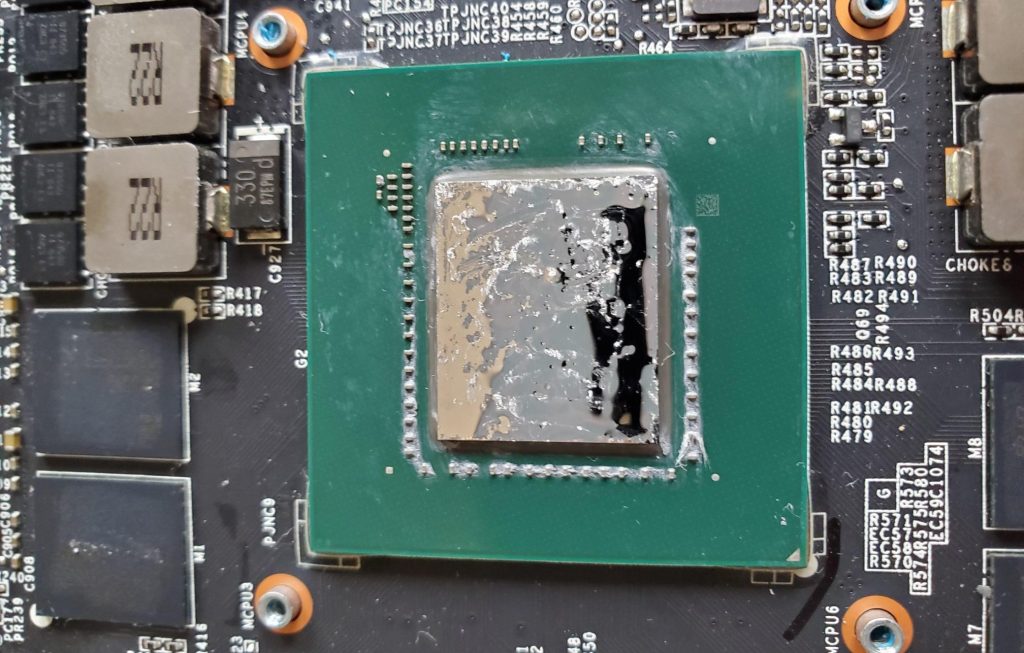
A note on liquid metal: Some higher-end gaming laptops (notably certain ASUS ROG and Razer models) use liquid metal instead of standard thermal paste from the factory. Liquid metal conducts heat significantly better, but it’s also electrically conductive and corrosive to aluminum — a botched application or spill can permanently damage your motherboard. If your gaming laptop uses liquid metal, please don’t attempt a DIY repaste unless you fully understand what you’re working with. Bring it in and we’ll handle it safely.
The Dust Factor
Thermal paste and dust buildup are a package deal. In almost every overheating case we handle, the heatsink fins are clogged with a layer of dust that’s choking airflow. Replacing the thermal paste without cleaning the heatsink only solves half the problem.
This is especially true for laptops, where a thin layer of dust across the fins can cut airflow dramatically. On desktops, the larger case helps — but they still benefit from a cleaning every 12–18 months.
The Bottom Line
Thermal paste replacement is one of the most cost-effective maintenance services you can do for an aging device. It’s not glamorous, but the difference it makes is real — lower temps, quieter fans, better performance, and a longer lifespan for your hardware.
If your laptop or desktop has been running hot and you’ve never had the thermal paste replaced, there’s a good chance it’s overdue. We’re happy to take a look, give you an honest assessment, and only proceed if it’s going to make a noticeable difference.
Stop by our shop in Downtown, Los Angeles or give us a call — most thermal paste services can be turned around the same day.
