

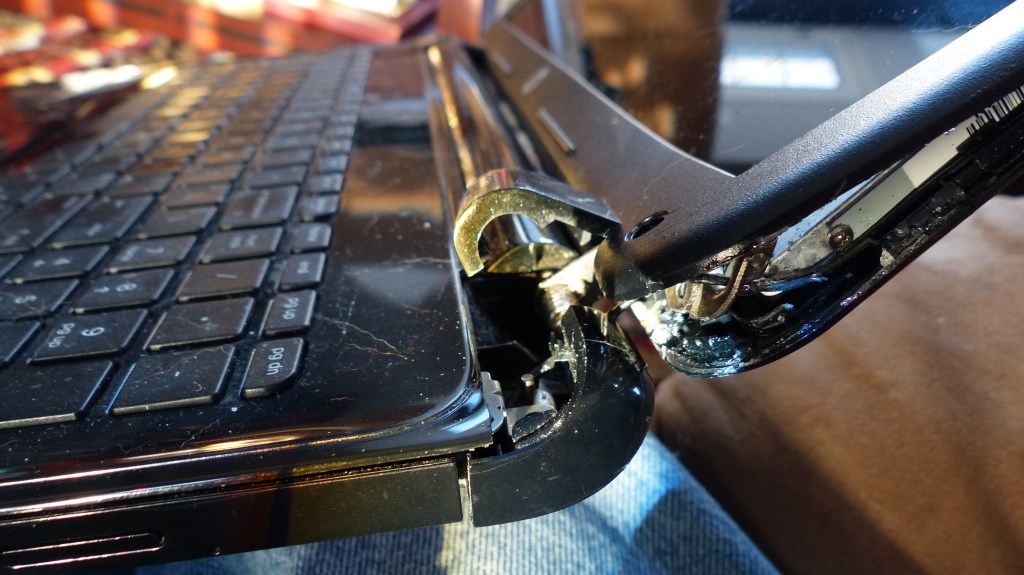
A loose or cracking laptop hinge might seem like a minor annoyance — but left unrepaired, it can turn into a screen replacement, a damaged motherboard, or worse. Here’s what you need to know.
When most people think about laptop problems, they jump straight to the obvious ones — cracked screens, dead batteries, or slow performance. But one of the most overlooked issues we see at our repair shop is the broken laptop hinge. It’s small, it’s easy to ignore, and it can quietly cause thousands of dollars in damage if you let it go too long.
In this post, I’ll break down why laptop hinges fail, which devices are most at risk, when to repair versus when to walk away, and what happens if you wait too long.
Why Do Laptop Hinges Break?
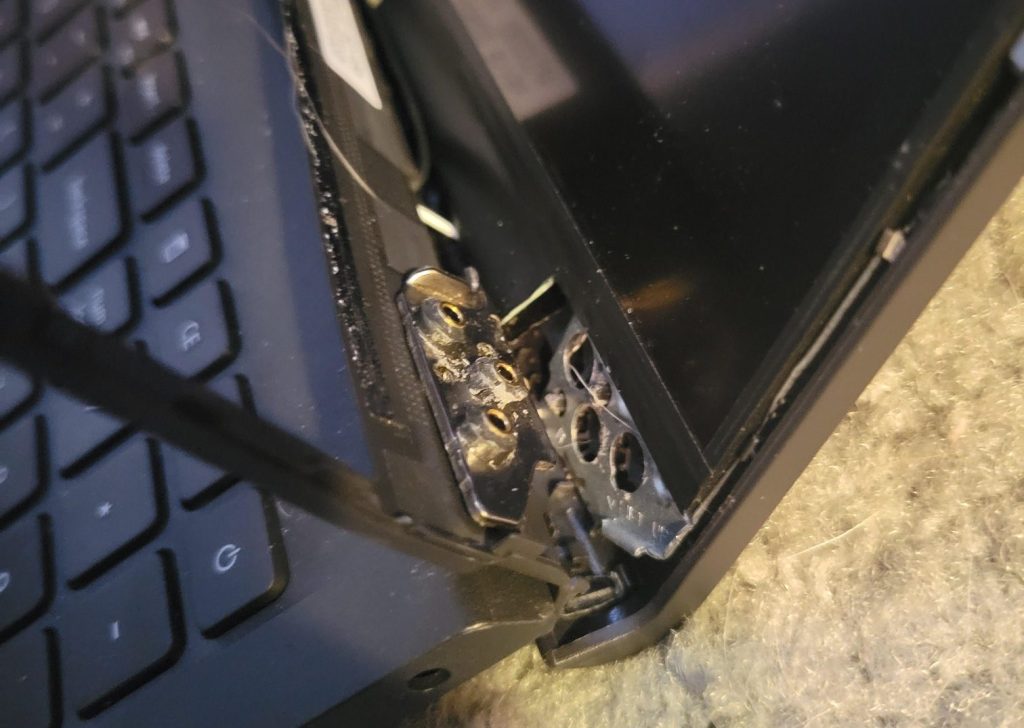
Every laptop has a hinge mechanism that connects the display to the base. The metal hinge itself is usually pretty tough — it’s built to handle thousands of open-and-close cycles. The problem isn’t the hinge. It’s the plastic housing or frame that holds the hinge in place.
Over time, this plastic becomes brittle from heat, age, and repeated stress. The small screws anchoring the hinge into the chassis slowly strip their plastic mounts. Eventually those mounts crack — and once they do, every time you open or close your laptop, you’re putting direct stress on components that were never designed to handle it.
Which Laptops Are Most Affected? (Mostly Budget Windows Laptops)
From years of working on laptops at our shop, I can tell you this pattern is extremely consistent: hinge failures are most common on budget-oriented Windows laptops — think entry-level Lenovos, Acers, and HPs in the $300–$700 range. These devices use thinner, lighter plastic frames that simply aren’t built to handle years of repeated stress.
Chromebooks are also prone to hinge issues — the same cost-cutting on plastic applies — but here’s the truth: we rarely end up repairing Chromebook hinges. Most Chromebooks are inexpensive enough that by the time a hinge fails, buying a replacement device is often the smarter financial move. A hinge repair on a $150–$200 Chromebook usually doesn’t make economic sense. So while we do see Chromebook hinge damage, the repair shop work almost always ends up being on Windows machines.
In the interest of Apple and their lineup: I have personally never seen a MacBook come in with a hinge failure. In all my years doing repairs, not once. Apple’s all-aluminum unibody construction handles hinge stress in a completely different way, and it shows. I’m not saying it’s impossible — I’m just saying I haven’t seen it, and it’s worth acknowledging when you’re comparing build quality across price points.
Why Ignoring a Loose or Cracked Hinge Is a Mistake
I get it — if the screen still opens and the laptop still works, it’s easy to just live with it. But a failing hinge doesn’t stay at “minor inconvenience” for long. Here’s what can go wrong when you leave it unaddressed:
- Display cable damage: The video cable runs through the hinge area. Once the hinge starts pulling away from its mount, that cable gets pinched or stretched — leading to screen flickering, dead pixels, or a completely black display.
- Case separation: The frame starts to pull apart, creating gaps that let dust, crumbs, and debris into the internals.
- Chassis damage: In severe cases, the hinge literally rips chunks of plastic out of the chassis, which can damage the motherboard or antenna connections underneath.
- Screen cracking: A hinge that’s lost its mount will torque the display unevenly — and screens don’t bend well. We’ve seen screens crack entirely from hinge pressure alone.
Signs Your Laptop Hinge Is Failing
Catch it early and you’ll save yourself a lot of money. Watch for these warning signs:
- Cracking or popping sounds when opening or closing the lid
- Visible gaps or lifting near the hinge corners
- Uneven or stiff resistance when moving the screen
- Warped or bulging plastic around the hinge area
- Screen flickering or display issues when you adjust the lid
If you’re noticing any of these, stop forcing the lid and bring it in for an inspection. The sooner, the better.
Repair Options: What Actually Works
Option 1: Full Part Replacement (What We Recommend)
The right fix is replacing the damaged component that the hinge mounts into — whether that’s the top display cover, keyboard frame, or bottom chassis. This restores the laptop to factory-grade stability. Yes, it costs more upfront. But it’s a one-time fix, and it protects everything else inside your machine.
Option 2: Epoxy or Adhesive Reinforcement (Short-Term Only)
Sometimes we’ll use industrial epoxy to reinforce a cracked hinge mount — usually when the right part isn’t available or the customer needs a quick fix to get by. I’ll be upfront: this is not a permanent solution. The plastic is already compromised, and it will likely crack again. When it does, we have to remove the adhesive and do the proper replacement anyway — adding labor time and cost.
Bottom line: if the part is available, replace it properly the first time.
Why DIY Hinge Repairs Usually Make Things Worse
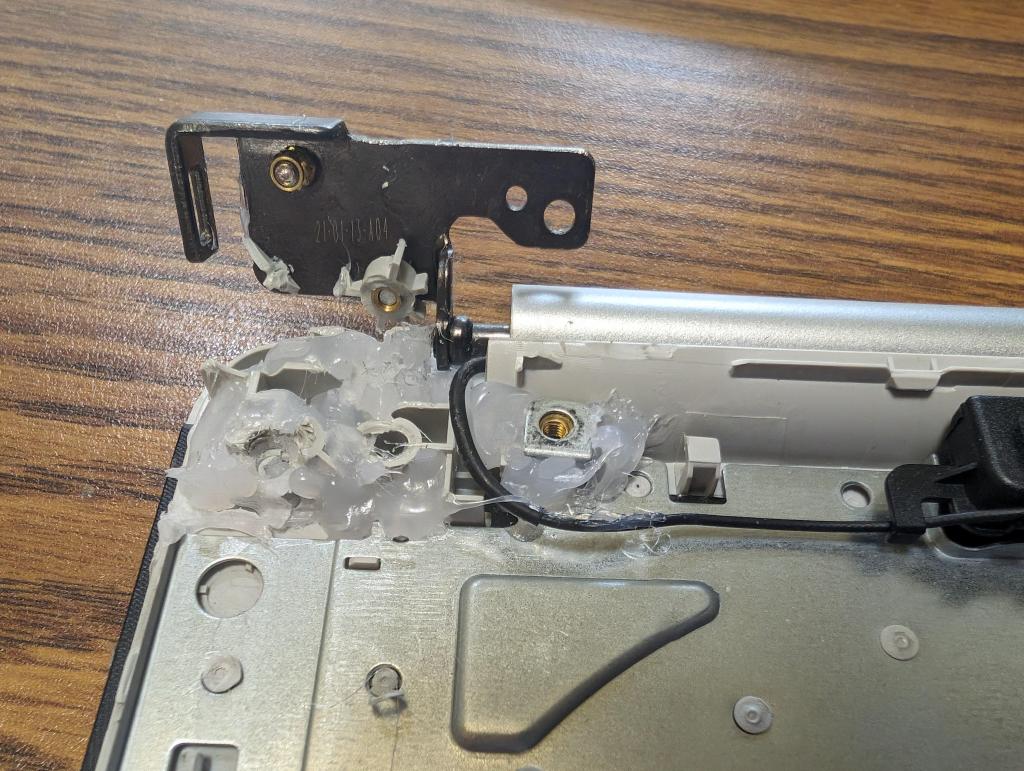
YouTube is full of hinge “fixes” involving duct tape, hot glue, random screws, or zip ties. I’ve seen customers come in after trying all of these, and without exception, the repair is harder and more expensive than it would have been otherwise.
Glue seeps into the hinge mechanism and locks it up. Improper screws strip into the wrong spots or hit internal cables. Excess adhesive has to be carefully cleaned off before a real repair can happen — and that takes time. If you’re thinking about a DIY fix to save money, it almost always ends up costing you more.
The Real Cost of Waiting Too Long
A hinge frame replacement typically runs $100–$200 depending on the device. That same device with a damaged screen because of a neglected hinge? $250–$400+. Add motherboard or cable damage into the mix and you’re looking at a repair bill that might not even make financial sense for the laptop’s value — especially on an entry-level Windows machine.
The math is simple: fix the hinge early, or risk paying for a screen, a cable, and possibly a whole new laptop.
Final Thoughts
Your laptop hinge is one of those “don’t ignore it” problems. It’s not dramatic. It doesn’t set off any alerts. But every time you open and close that lid with a broken hinge mount, you’re rolling the dice on your screen and your internals.
If you have a budget Windows laptop that’s cracking or popping near the hinge — or you can see the casing starting to separate — get it looked at before it turns into something much bigger. And if you’ve got a Chromebook with a bad hinge, bring it in too — we’ll give you an honest take on whether it’s worth repairing or if a replacement makes more sense.
Need a Laptop Hinge Repaired in Los Angeles?
We handle hinge repairs on all types of laptops — budget Windows machines, ultrabooks, and more. If you’re in Los Angeles and your laptop is showing signs of hinge damage, bring it in or give us a call. We’ll take a look, give you an honest assessment, and let you know what it’ll actually cost to fix it properly.
