

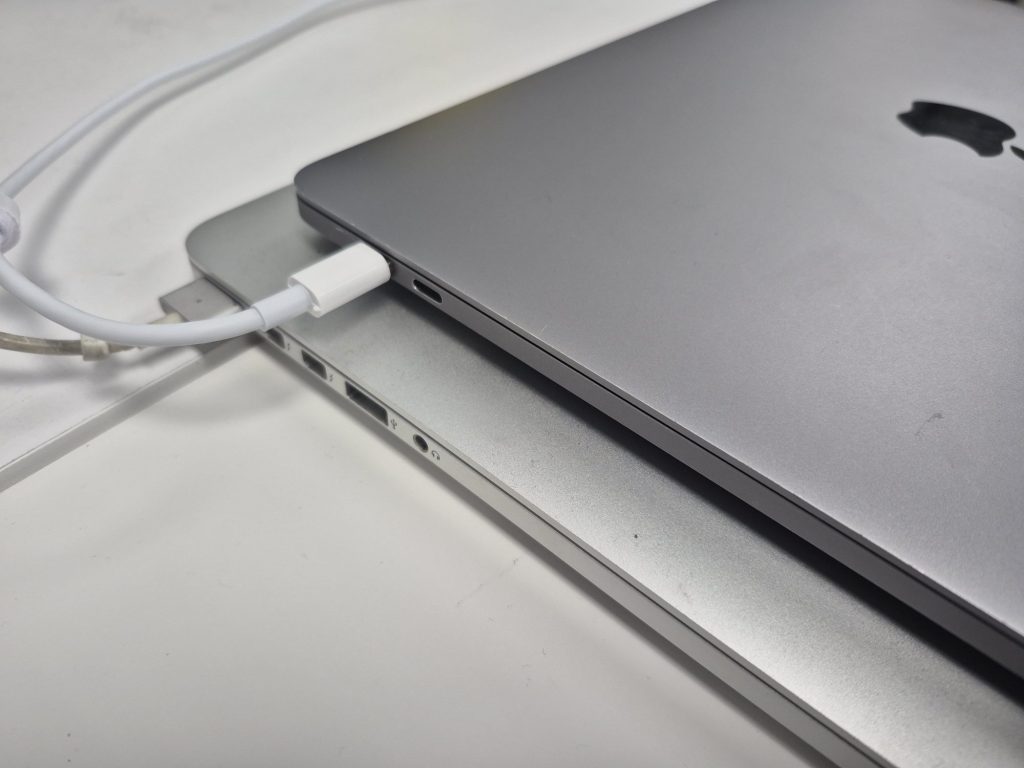
Charging problems are one of the most common issues MacBook users experience — and they can be surprisingly tricky to diagnose. For something that seems as simple as plugging in a cable, a lot can go wrong, both externally and internally. Whether your MacBook refuses to charge, charges intermittently, or shows the “Not Charging” message despite being plugged in, understanding why it’s happening is the first step toward a proper fix.
In this post, we’ll go over the most common causes of MacBook charging problems, how technicians like us diagnose them, and the repair services we offer to resolve the issue safely and effectively.
1. Physical and External Causes
The most frequent reason behind charging issues comes down to the hardware that handles the connection between your charger and the MacBook: the charging port or the charger itself. Every time you plug and unplug your charger, a small amount of wear occurs on both ends of the connection. Over time, this can cause the connector pins or contacts to loosen, bend, or become dirty — preventing a solid electrical connection.
If you often use your MacBook while charging, you may also be unintentionally stressing the port. Moving the laptop around while the cable is plugged in, or yanking the cord at an angle, can damage the internal pins of the charging port or even break solder joints on the logic board.
For older models using MagSafe connectors, this was somewhat less common thanks to the magnetic breakaway design — though the cable tips and power bricks could still fail with age. On USB-C–based MacBooks, however, the ports handle data transfer, video output, and power delivery all through the same small connector. This design, while convenient, also means more wear over time and a higher risk of port failure if the cable is twisted, forced, or used with heavy adapters.
In short: the more a charging port is used, the more likely it will eventually fail — especially if the MacBook is often used plugged in on uneven surfaces or while cables are tugged around.
2. The Charger and Cable
Before assuming your MacBook itself is the issue, it’s important to rule out the charger and cable.
With MagSafe chargers, damage is usually visible — frayed cables near the tip, discoloration, or a flickering LED indicator. Apple stopped making MagSafe 1 and 2 chargers for older models, which means many replacements today are aftermarket. Some of these work fine, but others deliver inconsistent voltage that can harm the logic board over time or fail to charge at all.
With USB-C chargers, the situation is even more complex. A USB-C power adapter must communicate digitally with your MacBook’s power management system to negotiate voltage and current safely. If the cable or adapter is low quality or incompatible, the system may refuse to charge or show “Not Charging” even though it’s plugged in. Sometimes, the issue is the cable rather than the adapter — which is why technicians always test with known-good parts first before assuming an internal fault.
3. Internal and Liquid Damage
External causes account for most charging issues, but internal failures can also occur. The most common internal cause is liquid damage. Even small spills near the charging port or battery connector can corrode power lines or trigger short circuits that prevent charging.
When liquid damage is involved, charging problems are usually just the tip of the iceberg — other symptoms like the system refusing to power on, random shutdowns, or keyboard malfunctions often accompany it. However, if the spill was localized near the charging area, the charging circuitry itself might be the only thing affected.
Internally, the charging system on a MacBook is managed by a power management integrated circuit (PMIC) located on the logic board. If this chip fails — due to power surges, corrosion, or component wear — it can prevent the battery from charging even when the port and charger are fine. Unfortunately, PMIC replacement or board-level repair is one of the most complex and time-intensive repairs we perform, requiring micro-soldering and detailed circuit diagnostics.
4. Diagnosing the Problem
When a MacBook with a charging issue comes into our shop, our diagnostic process typically follows this order:
- Check for physical damage or debris. We inspect the port for any signs of bent pins, corrosion, or burnt areas.
- Test with known-good chargers and cables. We use original Apple USB-C or MagSafe adapters that we know function properly. If the laptop charges fine with our equipment, the client’s charger is usually the culprit.
- Test all ports. On USB-C MacBooks, there are usually two or four ports. If one side charges but the other doesn’t, that indicates a port-specific failure rather than a system-wide problem.
- Inspect for liquid exposure. Even a faint sign of corrosion or sticky residue near the port or on the logic board can confirm liquid-related damage.
- Board-level testing. If all else fails, we measure voltage along the board’s charging circuitry to locate a fault in the PMIC, battery connector, or related power line.
This structured approach prevents unnecessary part replacements and helps pinpoint the true cause of the failure.
5. Repair Solutions We Offer
Because every charging issue is unique, our repair approach depends on what we find during diagnosis. Here’s how we typically resolve these cases:
- Port Replacement:
If the charging port is damaged or worn, we replace it with a high-quality OEM or equivalent part. For MagSafe systems, this often fixes 90% of physical charging issues. For USB-C models, we replace the port board or connector assembly as needed. - Charger and Cable Replacement:
When it’s the charger or cable at fault, we recommend either an original Apple charger or a verified third-party model that meets Apple’s USB-PD (Power Delivery) standards. - Liquid Damage Cleaning
If we find liquid corrosion, we perform a deep board cleaning and assess whether components like the PMIC or charging controller need replacement. - Board-Level Component Repair:
For advanced cases where the charging circuitry on the logic board is damaged, we offer component-level board repair. While labor-intensive, this can be more cost-effective than replacing the entire logic board or buying a new MacBook.
Our goal in every case is to restore the MacBook’s ability to charge reliably without unnecessary part swaps or inflated costs.
6. Preventing Future Charging Problems
While no charging system lasts forever, you can extend the life of your MacBook’s charging components by following a few best practices:
- Avoid moving your MacBook while it’s plugged in.
- Keep the charging port clean and free of debris.
- Use genuine or certified Apple chargers and cables.
- Avoid charging near liquids or in humid environments.
- If you notice intermittent charging, address it early — ignoring it can cause more severe damage over time.
7. Final Thoughts
Charging issues can range from something as simple as a bad cable to something as complex as a failing logic board. The good news is that with proper diagnosis and professional repair, most cases can be fixed — often for far less than replacing the laptop outright.
At our repair shop, we specialize in identifying the exact cause of your MacBook’s charging failure and offering the most practical and transparent solution possible. Whether it’s a straightforward port replacement or an intricate board repair, we handle every step carefully to ensure your system runs like new again.
 ITBrother
Leave a comment