

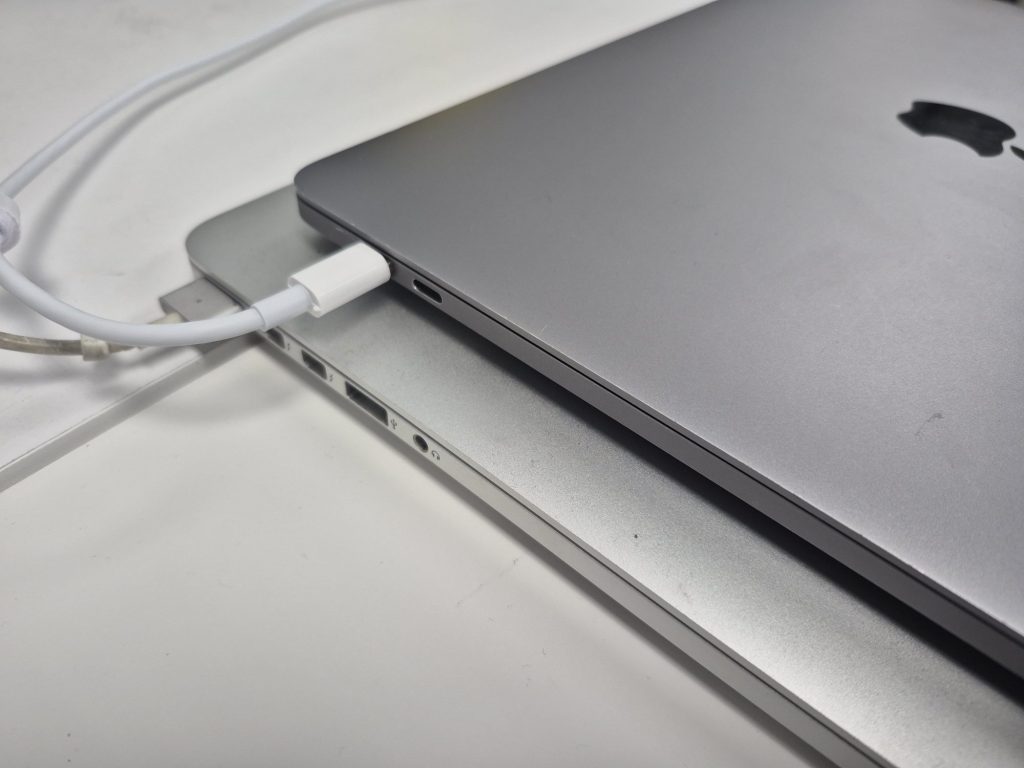
If your MacBook won’t charge, charges intermittently, or shows “Not Charging” even when plugged in, you’re not alone. Charging issues are one of the most common MacBook problems we see in our shop — and the cause isn’t always obvious. This guide walks you through the most likely reasons your MacBook isn’t charging, how we diagnose it, and what a real repair looks like.
Why Is My MacBook Not Charging?
Before jumping to conclusions, it’s worth knowing that “not charging” can mean several different things. Your MacBook might be getting power but not registering it, it might charge on one side but not the other, or it might not power on at all. Each of those points to a different root cause. Here are the most common culprits.
1. The Charging Port Is Worn or Damaged
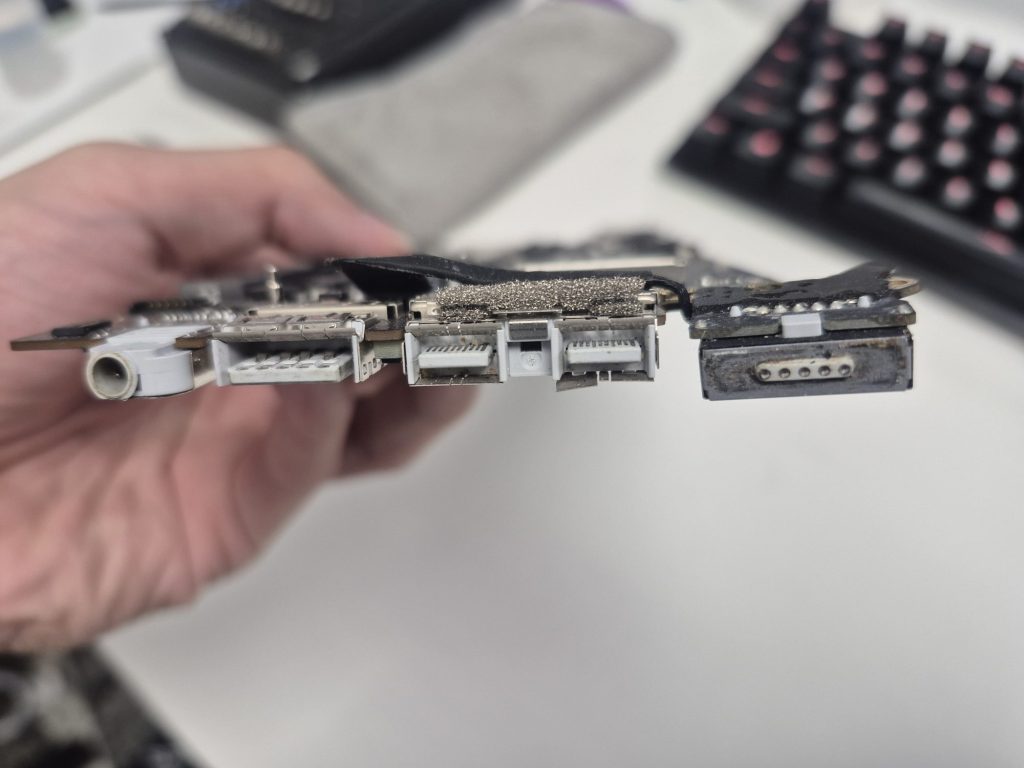
Every time you plug in your charger, there’s a small amount of wear on the port and connector. Over months and years, the pins inside the charging port can loosen, bend, or collect debris — any of which can break the electrical connection needed to charge.
This is especially common on USB-C MacBooks (which includes most models from 2016 onward). The USB-C port does a lot of heavy lifting: it handles power delivery, data transfer, and video output all through the same connector. That versatility comes at the cost of durability over time — especially if cables are often plugged in at angles or yanked out forcefully.
Older models with MagSafe connectors were a bit more forgiving thanks to the magnetic breakaway design, but those ports and cables could still fail with enough wear or age.
2. The Charger or Cable Is the Problem
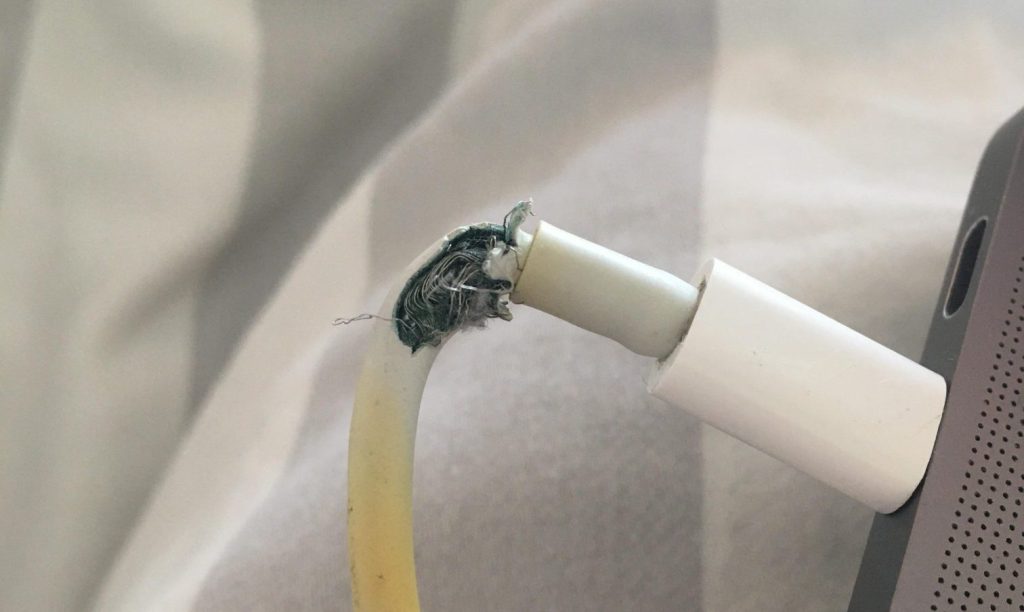
Before assuming something is wrong with your MacBook, always rule out the charger first. This is the first thing we do in our shop, and it saves a lot of people from unnecessary repairs.
With MagSafe chargers, damage is usually visible: frayed cables near the tip, discoloration on the connector, or a flickering or dead LED indicator. Since Apple no longer manufactures MagSafe 1 and 2 adapters for older models, the market is full of aftermarket alternatives — some of which work fine, and others that deliver inconsistent voltage that can actually harm your logic board.
USB-C chargers introduce a different layer of complexity. Unlike a simple power adapter, a USB-C charger has to digitally negotiate voltage and current with your MacBook’s power management system. A cheap or incompatible charger may fail that negotiation entirely — which is exactly why your Mac might show “Not Charging” even though it’s plugged into a working outlet. The cable itself can also be the weak link; some USB-C cables only support data transfer and can’t carry the wattage needed to charge a laptop.
Tip: Always try a known-good Apple charger or a certified USB-C Power Delivery adapter before assuming the issue is with your MacBook.
3. Liquid Damage Near the Charging Area
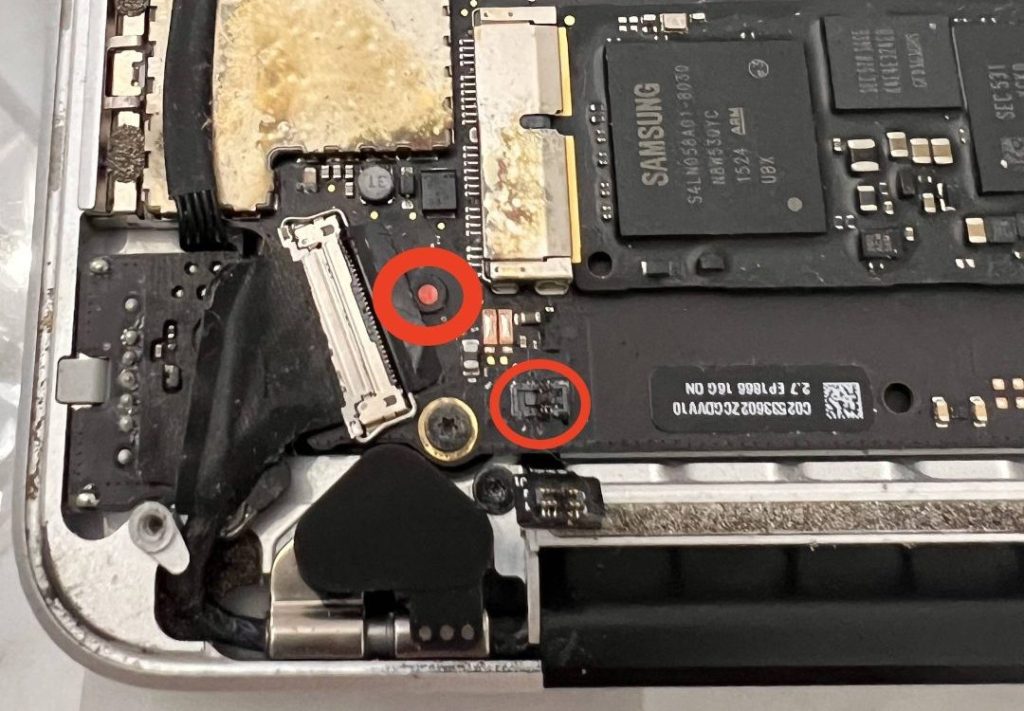
Liquid damage is one of the more serious causes of charging failure, and it’s more common than most people expect. Even a small spill that barely touched your MacBook can cause corrosion on the charging circuitry or battery connector if moisture crept in through a port or keyboard gap.
If liquid damage is involved, charging problems are rarely the only symptom. You might also notice the MacBook refusing to power on, shutting down unexpectedly, or showing keyboard or trackpad issues. However, if the spill was localized near the charging port, the rest of the board may be fine.
The tricky part with liquid damage is that it often isn’t obvious from the outside. Corrosion can develop slowly over days or weeks after a spill, which is why we always recommend bringing your MacBook in for inspection promptly — even if it seems to be working after a spill.
4. An Internal Component Failure (PMIC or Logic Board)
If the port and charger both check out, the issue may be inside the logic board itself. The component most commonly responsible is the Power Management Integrated Circuit (PMIC) — a chip that regulates how power flows from the charger to the battery and the rest of the system.
When the PMIC fails — due to a power surge, corrosion, or general component wear — the MacBook may refuse to charge entirely, even with a perfect port and charger. Diagnosing and repairing this requires micro-soldering and board-level diagnostics, which is specialized work but often more cost-effective than replacing the entire logic board.
5. A Software or SMC Issue
Occasionally, a charging problem isn’t hardware-related at all. macOS relies on the System Management Controller (SMC) to handle power functions, and a corrupted SMC state can cause charging to behave erratically — showing wrong battery percentages, refusing to charge past a certain level, or not registering a charger at all.
On Intel-based MacBooks, the SMC can be reset manually. On Apple Silicon Macs (M1, M2, M3, and newer), the SMC is handled differently and typically resets itself during a shutdown cycle. If software is the cause, a reset or a macOS reinstall usually resolves it. We always check for this early in our diagnostic process because it can rule out a hardware repair entirely.
How We Diagnose MacBook Charging Problems in Our Shop
When a MacBook comes in with a charging issue, we follow a systematic process to identify the true cause before recommending any repair. Here’s exactly what that looks like:
- Inspect the port for visible damage. We look for bent pins, corrosion, debris, or burn marks inside the charging port.
- Test with known-good Apple chargers. If the MacBook charges with our equipment, the problem is likely the client’s charger or cable.
- Test all available ports. On USB-C MacBooks, we test each port individually. If one side works and the other doesn’t, that points to a port-specific failure.
- Check for liquid damage. Even faint corrosion or residue near the port or on the logic board can confirm moisture exposure.
- Reset the SMC and verify software. We check whether a software reset resolves the issue before moving to hardware diagnosis.
- Board-level voltage testing. If needed, we trace voltage through the charging circuitry to identify a fault in the PMIC, battery connector, or related power components.
This approach prevents unnecessary part swaps and keeps repair costs as low as possible.
What MacBook Charging Repairs Actually Look Like
Once we’ve identified the cause, the repair path becomes clear. Here’s what we typically offer:
Charging Port Replacement
If the port itself is damaged or too worn to make a reliable connection, we replace it with an OEM or equivalent part. For MagSafe systems, this resolves the majority of physical charging failures. For USB-C models, we replace the port board or connector assembly as needed.
Charger or Cable Replacement
When the charger or cable is the culprit, we’ll let you know clearly and recommend either an original Apple charger or a verified third-party adapter that meets Apple’s USB Power Delivery (USB-PD) standards. We’ll never push a replacement you don’t need.
Liquid Damage Cleaning and Board Repair
If we find evidence of liquid damage, we perform a thorough board cleaning using ultrasonic or isopropyl alcohol cleaning methods, then assess whether components like the PMIC or charging controller also need to be replaced.
Battery Replacement or Recalibration
Sometimes the charging port and charger are fine, but the battery itself has failed or its readings have drifted out of calibration. After addressing the root cause, we’ll replace or recalibrate the battery and reset system parameters to ensure the charge percentage is accurate.
Board-Level Component Repair
For more advanced failures — like a damaged PMIC or burned power traces on the logic board — we offer component-level repair using micro-soldering. This is labor-intensive, but it’s often significantly more affordable than replacing the entire logic board or buying a new MacBook.
How to Prevent MacBook Charging Problems
No charging system lasts forever, but a few habits can help yours last longer:
- Avoid moving your MacBook while it’s plugged in, especially if the cable is at an angle.
- Keep the charging port clean. Compressed air can help remove dust and lint that builds up in the port over time.
- Use genuine Apple chargers or certified USB-PD adapters. Cheap no-name chargers can damage your power management system.
- Avoid charging near liquids or in humid environments when possible.
- Don’t ignore intermittent charging. If it’s sometimes working and sometimes not, bring it in early — small problems are almost always cheaper to fix than big ones.
Bottom Line: Most MacBook Charging Problems Are Fixable
Whether it’s a worn port, a bad cable, liquid damage, or a failing component on the logic board, the vast majority of MacBook charging issues can be repaired — usually for far less than the cost of a new machine.
At our shop, we’re upfront about what we find and what it’ll cost before any work begins. No unnecessary repairs, no inflated estimates. If we can fix it with a cable swap or a port cleaning, that’s exactly what we’ll tell you. And if it’s something more involved, we’ll walk you through every option so you can make an informed decision.
Have a MacBook that’s not charging? Bring by our shop located in Downtown, Los Angeles or reach out — we’re happy to take a look.
