

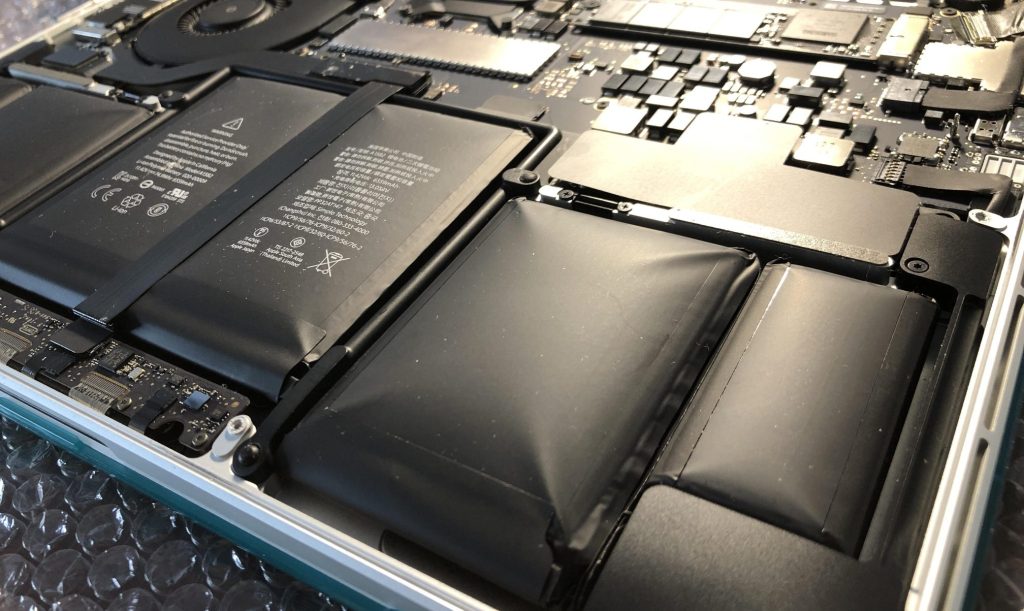
At some point in any laptop or smartphone’s life, the battery starts to lose its edge. It drains faster, takes longer to charge, holds less capacity — that’s normal aging. But there’s one battery problem that goes beyond “normal,” and it’s one I take seriously every time I see it in the shop: a swollen battery.
If your device no longer sits flat on a table, your trackpad feels stiff or elevated, or your phone’s back panel looks slightly bowed — your battery may be swelling. And if it is, you’ll want to act fast.
What Causes a Lithium-Ion Battery to Swell?
Lithium-ion batteries swell when the internal chemical reactions that power them start to break down. As a battery ages — or gets exposed to excessive heat or repeated overcharging — it produces gases as a byproduct. Those gases have nowhere to go, so they build up inside the battery casing, causing it to expand.
The most common causes include:
- Age — batteries naturally degrade over hundreds of charge cycles
- Heat exposure — leaving devices in hot cars, direct sunlight, or poor ventilation
- Overcharging — keeping a device plugged in at 100% for extended periods
- Manufacturing defects — less common, but it happens
Warning Signs of a Swollen Battery
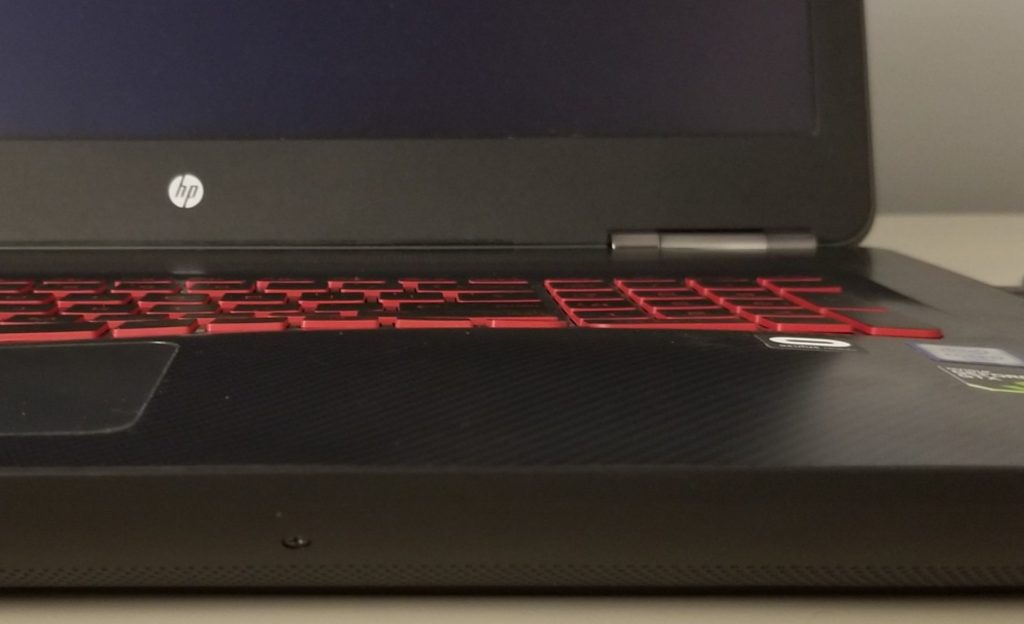
Swelling doesn’t always announce itself dramatically. It often starts subtle. Here’s what to look for:
- Your laptop or phone no longer sits flat on a surface
- The trackpad feels raised, stiff, or unresponsive
- The keyboard appears slightly elevated or “creaks” when pressed
- The back panel or bottom cover is visibly bowed
- A phone’s back glass or cover no longer snaps shut properly
I’ve seen countless devices come through the shop where the owner knew “something felt off” but kept using it anyway. Don’t ignore those signs. Once a battery starts to swell, it doesn’t stop — and the pressure keeps building.
Why a Swollen Battery Is a Safety Hazard
This is the part I want every customer to understand: a swollen battery isn’t just a performance issue. It’s a fire risk.
Lithium-ion batteries are chemically volatile by design. The same properties that make them powerful and rechargeable also make them dangerous when they’re compromised. Once a battery starts swelling, the internal chemistry is already unstable. A puncture, a hard drop, too much heat, or even just continued pressure can cause the battery to rupture, spark, or ignite.
I’ve seen this happen on the workbench. A battery that looked manageable went from slightly puffy to smoking in seconds when someone tried to pry it out the wrong way. It’s not a scare tactic — it’s exactly why I treat every swollen battery call as urgent.
Beyond fire risk, a swelling battery can physically damage your device from the inside. It can:
- Bend or crack the frame
- Crack the screen from internal pressure
- Damage ribbon cables, the trackpad, or the logic board
- Pop off bottom panels or back covers
The longer it goes unaddressed, the more expensive the repair gets — and the more dangerous it becomes.
What to Do If You Have a Swollen Battery
If you suspect your battery is swollen, here’s what I recommend:
- Turn the device off immediately
- Stop charging it
- Don’t press on the bulge or try to flatten it
- Don’t put it in a bag or confined space where heat could build up
- Do not attempt to open the device yourself
The last point is especially important. Many people assume they can just pop the back off and remove the battery themselves. With swollen batteries, that’s a serious risk — especially on iPhones and MacBooks where the battery is glued down and space is tight. A small slip or puncture can cause immediate thermal runaway.
Battery Replacement: Windows Laptops vs. MacBooks
Windows Laptops
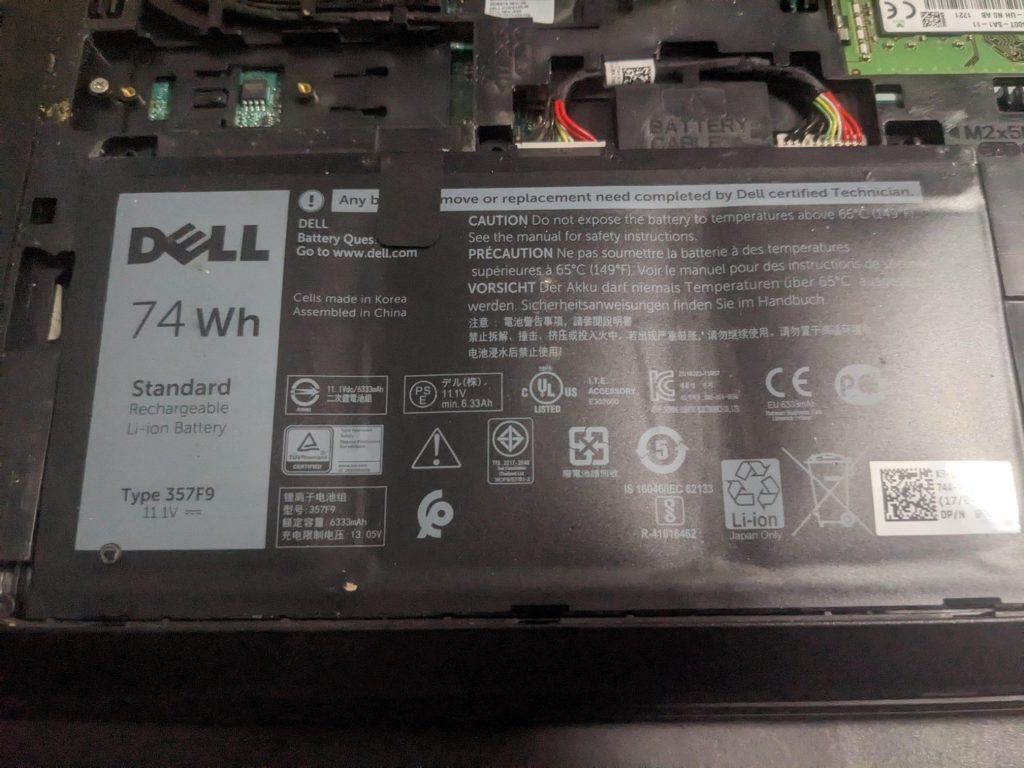
Most Windows laptops are more serviceable when it comes to battery replacement. Once the bottom cover is open, the battery is usually secured with a few screws and a connector — no adhesive. With proper precautions, a swollen battery can be safely disconnected, removed, and replaced without too much trouble.
MacBooks
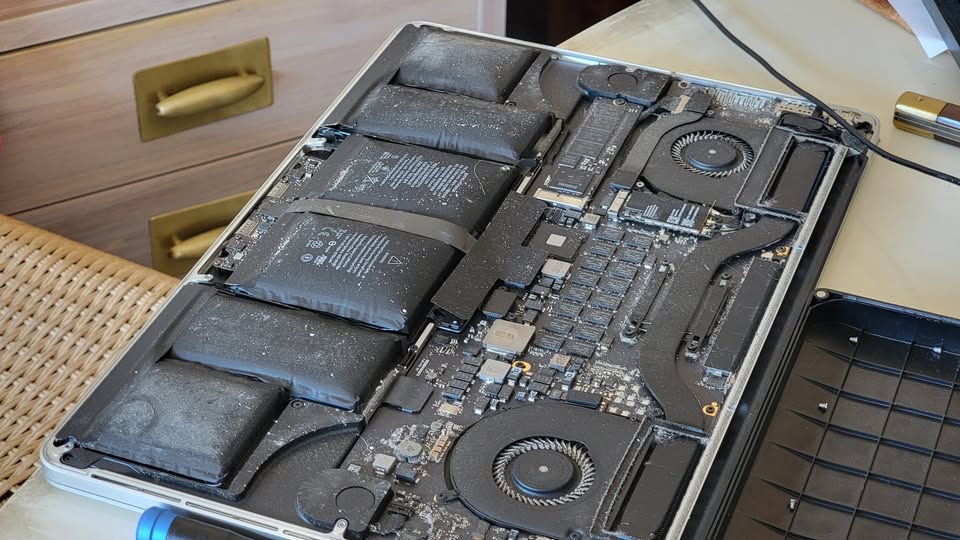
MacBooks are a completely different story. Apple uses strong adhesive to bond the battery cells directly to the bottom plate of the laptop. Even on a healthy battery, removal requires patience, the right tools, and isopropyl alcohol to dissolve the adhesive. When the battery is swollen, there’s even less room to work and the risk is significantly higher.
When I work on a MacBook with a swollen battery, I take it slow — applying small amounts of isopropyl alcohol, carefully sliding a plastic scraper under each cell section, and being deliberate about every movement. It’s one of the more stressful repairs in the shop, and one of the ones where experience matters most. One wrong move can mean smoke on the workbench.
What the Repair Process Looks Like at Our Shop
When a customer brings in a device with a swollen battery, here’s how we approach it:
- Back up your data first or remove drive — before anything is opened, we make sure your files are safe
- Assess the damage — we check whether the battery has caused any harm to surrounding components
- Safe battery removal — carefully removed using proper tools and technique
- Clean and inspect internals — any residue or buildup is cleared out
- Install a quality replacement battery — and test thoroughly before returning
For older laptops, we sometimes recommend a little more — an SSD upgrade or OS reinstall — since the device is already open. It’s a great opportunity to give the whole system a refresh and extend its useful life.
Don’t Wait Until It’s a Crisis
The biggest mistake I see is people waiting. What could have been a straightforward battery replacement turns into a logic board replacement, screen replacement, laptop frame replacement, etc…
If something feels off with your device — if it doesn’t sit flat, if the trackpad clicks differently, if the chassis creaks when you press down — bring it in. Early intervention almost always means a cheaper, faster, and safer repair.
Have a Swollen Battery? Let’s Take a Look.
Lithium-ion batteries are remarkable technology, but they demand respect — especially when they start to fail. If you suspect your laptop or phone has a swollen battery, don’t keep using it and don’t try to fix it yourself.
Bring it in and we’ll assess it, handle the removal safely, and get your device back in working order. The sooner you act, the better the outcome — for your device, and for your peace of mind.
