

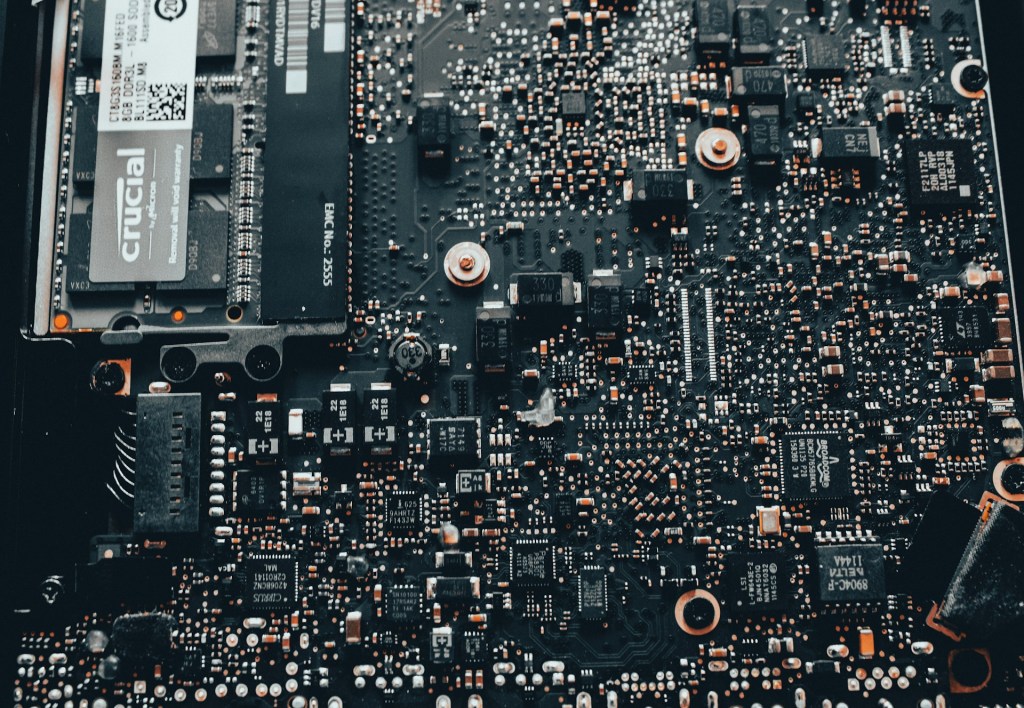
Most people assume that when a laptop or desktop stops working, it’s either a quick fix or time to buy a new one. But there’s a middle ground that often gets overlooked: motherboard repair, also called board-level repair. It’s a service we offer here at the shop, and it can save you a significant amount of money — if the situation calls for it.
In this post, we’ll walk you through what motherboard repair actually involves, why most shops don’t offer it, and the three most common situations where it’s genuinely the better option.
What Is Motherboard Repair (Board-Level Repair)?
Motherboard repair means diagnosing and fixing a fault directly on the circuit board itself — rather than replacing the entire board. This could involve anything from a failed capacitor or a burned power component to a damaged charging circuit.
It’s a service that requires specialized equipment, a steady hand, and a lot of diagnostic experience. That’s exactly why most repair shops don’t offer it. It’s time-intensive and can be difficult to troubleshoot, so many technicians default to recommending a full board replacement instead.
For the shops that do offer it, pricing varies from shop to shop and depends on the complexity of the fault — so it’s always worth calling ahead to get an estimate. What we can say is that in most cases, board-level repair is significantly cheaper than a full motherboard replacement.
The Most Common Symptom: No Power, No Charge
The most frequent issue we see that leads to a motherboard repair conversation is what we call the “no charge, no power” problem. The device shows zero signs of life — no lights, no fan spin, no charging indicator, nothing.
On desktops, this is less of a crisis because replacement motherboards are easier to find and much cheaper. But on laptops — especially modern ones where the CPU and sometimes the GPU are soldered directly onto the board — a full replacement can cost as much as a new machine.
The root cause can be something as simple as a failed capacitor on a power rail (which is quicker to find and fix), or it could require hours of diagnostics across hundreds of tiny components. That’s the reality of board-level repair — you’re paying for expertise and time, not just a part.
3 Situations Where Motherboard Repair Is the Smarter Choice
Not every motherboard failure warrants a repair. But in our experience, there are three situations where it’s almost always worth pursuing:
1. You Have a MacBook

Modern MacBooks are in a category of their own when it comes to repairability — and not in a good way. Apple has progressively designed these machines so that nearly every critical component is soldered directly onto the motherboard, including:
- RAM
- SSD storage
- Charging and power management chips
- The entire M-series chip architecture (M1, M2, M3, and beyond)
If any one of these fails, the machine is essentially a paperweight — there’s no simple part swap. And because Apple doesn’t sell individual board components, a full motherboard replacement often costs more than half the price of a brand-new MacBook.
Board repair is often the most cost-effective path forward. It’s also sometimes the only path forward if your data is on a soldered SSD and you can’t access it (more on that below).
Worth noting: some newer Windows laptops are starting to follow this same design trend, which is making repairs in that space more complex as well.
2. You Have an Expensive Gaming Laptop

Gaming laptops run hot and draw a lot of power — and that combination leads to a surprisingly high rate of motherboard failures. The most common issues we see include:
- Damaged power rails
- Burned MOSFETs (power switching components)
- Failing charging circuits
- Broken DC-in ports
- Shorted capacitors
Replacing the entire motherboard on a gaming laptop can run three to four times the cost of a professional board repair. Original replacement parts are also harder to source, and even used boards can be surprisingly expensive.
If the rest of your laptop is in good shape — the screen, keyboard, GPU, and chassis are fine — board repair is almost always the smarter financial call.
3. Your SSD Is Soldered to the Motherboard
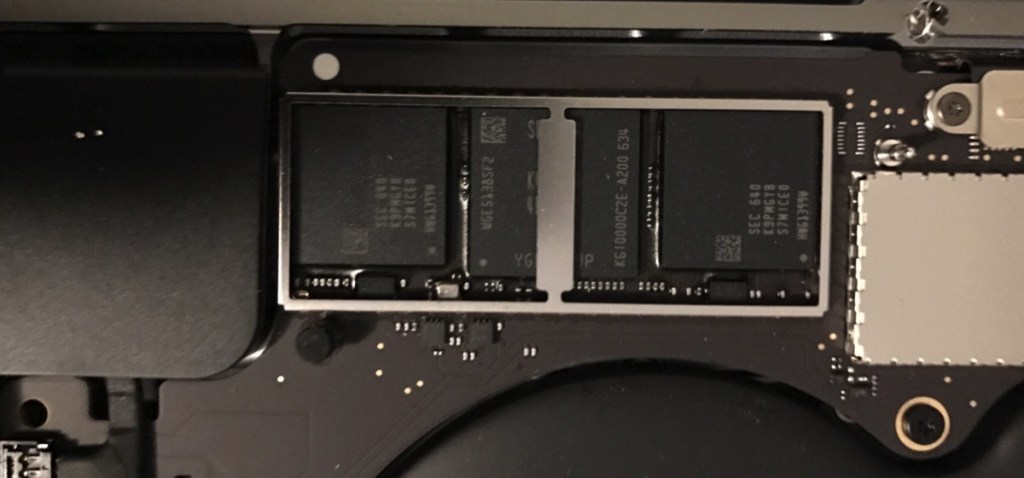
This one catches a lot of people off guard. On many modern laptops — especially slim and lightweight models — the SSD is soldered directly onto the motherboard rather than being a removable module.
If that motherboard dies and you haven’t backed up your data, you’re in a difficult position. You can’t just pull the drive and connect it to another machine. The only way to get your data back is to get that board working again — even partially.
This situation is most common with:
- All modern MacBooks
- Premium Windows ultrabooks (Surface, XPS, Spectre, etc.)
- Some mid-range laptops where you’d least expect it
In these cases, motherboard repair isn’t just a cost-saving option — it’s a data recovery necessity. This is also a good reminder to back up your data regularly. No laptop, regardless of brand or price, is immune to hardware failure.
Is Motherboard Repair Right for Your Situation?
The three scenarios above are the most clear-cut cases for board repair, but they’re not the only ones. Even if your device doesn’t fit neatly into one of those categories, repair can still make sense — especially if you find a reputable shop offering it at a fair price.
The biggest cost driver in motherboard repair is labor. Diagnosing and fixing a fault on a tiny, densely packed circuit board takes time, experience, and equipment. That’s why shops that offer this service charge a premium. But when you stack that against the cost of a replacement board or a brand-new device, it often comes out well ahead.
If you’re on the fence, the best first step is a diagnostic. A good technician will be straight with you about whether repair is practical, cost-effective, and likely to give your device a meaningful second life.
Have questions about your specific device? Feel free to reach out or stop by our shop in Downtown, Los Angeles — we’re happy to take a look and give you an honest assessment.
 ITBrother