

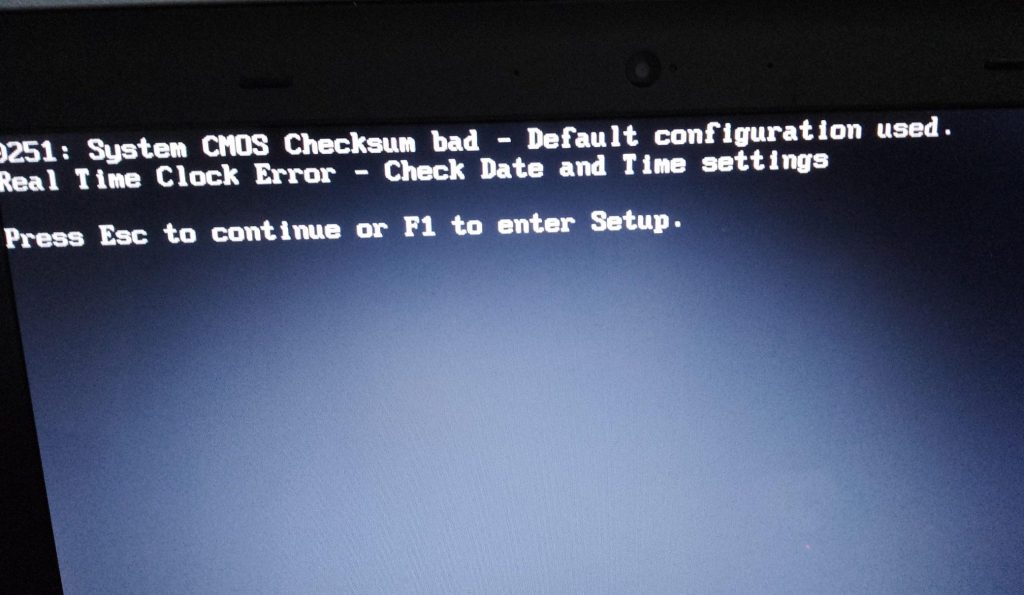
If your PC greets you with the wrong date and time every time you turn it on — or throws up warnings like “System clock has been reset” or “Time and date not set” — it can feel alarming. Websites might refuse to load, security certificates fail, or programs behave strangely. The good news: this problem almost always has one simple, inexpensive cause.
This post explains what’s going on, why it happens, and what the fix looks like — whether you’re comfortable opening a computer yourself or would rather leave it to a technician.
What Causes a Computer Clock to Keep Resetting?
Your computer needs to track time even when it’s fully powered off and unplugged. To do this, it relies on a small battery on the motherboard called the CMOS battery (also called the RTC battery or coin cell battery). This battery powers the real-time clock and preserves your BIOS or UEFI settings — including the current date and time — while the rest of the system is off.
When that battery weakens or dies, your computer loses its memory of the time the moment it shuts down. Every startup, it’s starting from scratch.
The bottom line: a clock that resets after every shutdown is almost always a dead or dying CMOS battery. It’s not malware, not a Windows problem, and not a sign of serious hardware failure.
Common Symptoms of a Failing CMOS Battery
A resetting clock is the most obvious sign, but a weak CMOS battery usually shows up in a few other ways too:
- Date and time reset to a default value (often January 1, 2000 or similar) after every shutdown
- Startup warnings about the system clock, CMOS checksum errors, or “Time not set” messages
- BIOS or UEFI settings reverting to defaults — boot order changes, hardware configurations resetting
- Websites showing certificate errors or refusing to load due to incorrect system time
- Applications behaving unexpectedly because they rely on accurate timestamps
These symptoms are most common on computers five years old or older, though batteries can fail earlier depending on usage and environment.
How Long Does a CMOS Battery Last?
CMOS batteries draw very little power, so they tend to last a long time. Under normal conditions, expect 5 to 10 years of reliable service. Computers that are frequently unplugged or left without power for extended periods may drain the battery faster, since the battery carries the full load without help from the main power supply.
How to Fix It: Replacing the CMOS Battery
On Desktop Computers
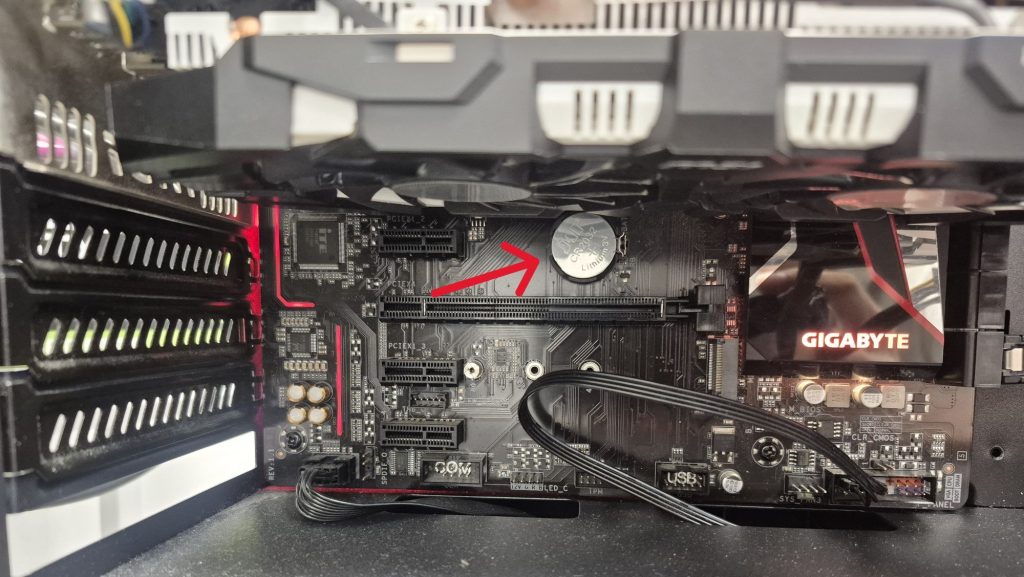
Desktop replacements are usually the easiest hardware repair you can do. Most consumer and custom-built desktops use a standard CR2032 coin-cell battery, which costs under five dollars and is available at any pharmacy, electronics store, or online retailer.
The general process:
- Power off the computer and unplug it from the wall
- Remove the side panel
- Locate the battery on the motherboard — it’s a shiny silver disc, often near the PCIe slots or chipset area
- Pop out the old battery (there’s usually a small clip holding it in place)
- Insert the new CR2032 with the positive (+) side facing up
- Reassemble and power on — you may be prompted to set the time and confirm BIOS settings on the first boot
Note: Some prebuilt systems from Dell, HP, Lenovo, or Acer use a wired battery pack rather than a standard coin cell. These are still inexpensive and easy to replace, but the access method varies by model.
On Older Laptops
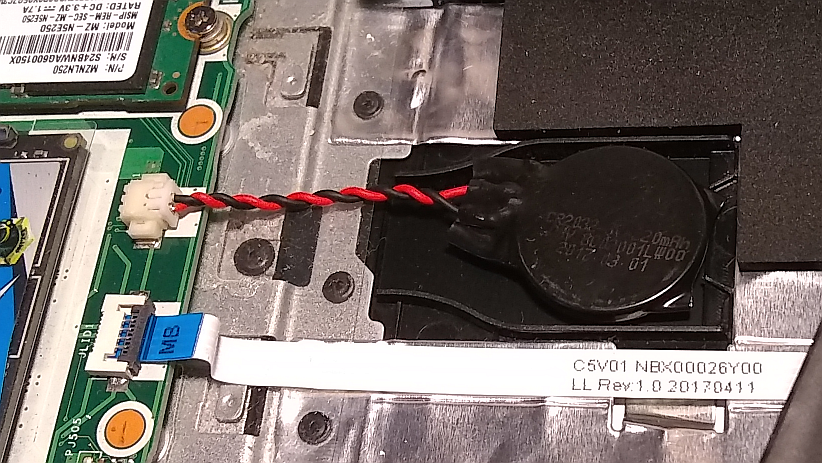
Many older laptops include a dedicated CMOS battery — usually a small pouch-style cell connected by a thin cable. Reaching it typically requires removing the bottom panel and sometimes other components. The repair is more involved than a desktop, but a technician can usually complete it quickly. Replacement batteries are available for most models.
On Newer Laptops (Roughly 2020 and Later)
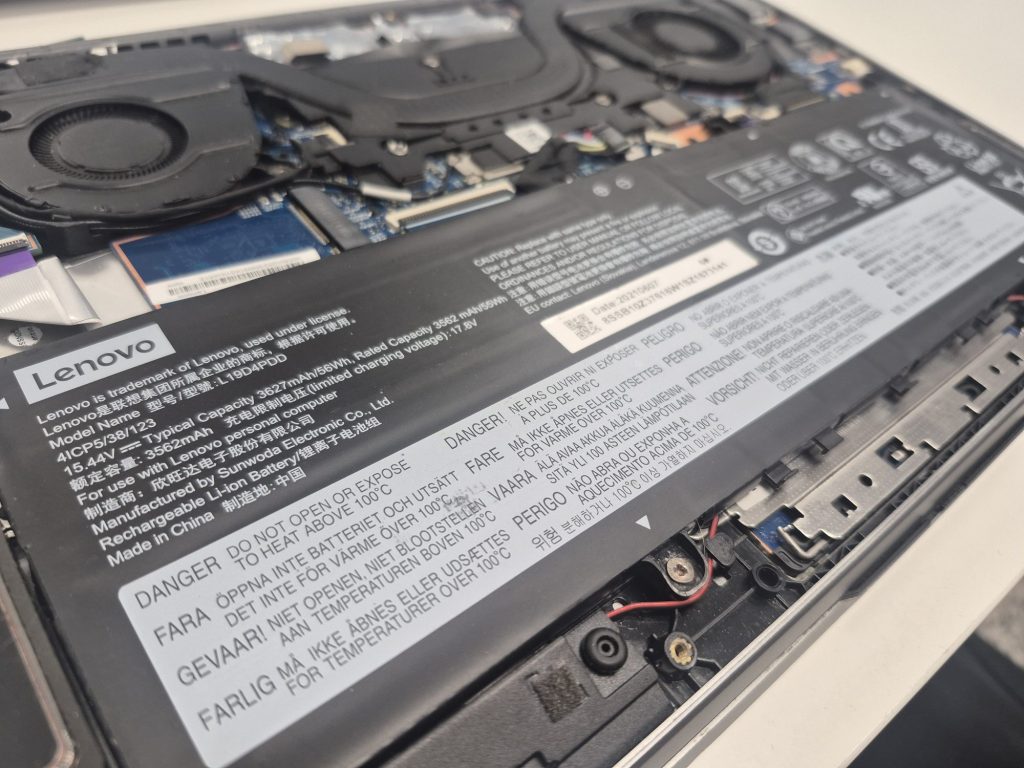
Most modern laptops no longer have a separate CMOS battery. Instead, they use the main laptop battery to power the real-time clock and firmware memory. This simplifies the motherboard design, but it means a completely dead or failing main battery can cause clock resets once power is fully lost.
In practice, the main battery usually shows other signs of failure first — poor runtime, not charging, swelling — well before clock resets become noticeable. Replacing the main battery fixes both problems at once, which is why standalone clock errors are much less common on newer laptops.
Could It Be Something Else?
Occasionally, yes — but rarely. Here’s a quick rundown of less common causes:
- Time sync issues: If the clock drifts slightly over days or weeks (rather than fully resetting after every shutdown), the issue may be with Windows Time Service or your network time sync settings. This is a different problem from a CMOS battery failure.
- Motherboard damage: Physical damage to the motherboard can affect the real-time clock circuit, but this is uncommon and usually comes with other hardware problems.
- Firmware bugs: Very rarely, a BIOS or UEFI bug can affect timekeeping. A firmware update from the manufacturer may resolve it.
If you’ve already replaced the CMOS battery and the problem persists, it’s worth having a technician take a closer look. But in the vast majority of cases, a new battery is all it takes.
Why You Shouldn’t Ignore It
A resetting clock isn’t just an annoyance — it can cause real, practical problems:
- HTTPS websites may fail to load because SSL certificates can’t validate against an incorrect system time
- Software that checks license validity or syncs with online services can malfunction
- Scheduled tasks and automatic backups may run at the wrong times or not at all
- Security software may flag the time discrepancy as suspicious
The fix is inexpensive and straightforward, so there’s no reason to put it off. If your computer is more than five years old and showing any of the symptoms above, a new CMOS battery is a reasonable first step — even as a preventive measure.
The Bottom Line
A computer clock that resets after every shutdown is almost always caused by a dead CMOS battery — a small, inexpensive component that’s essential for system stability. On most desktops it’s one of the simplest hardware replacements you can make. On laptops, the process varies, but it’s a quick diagnosis for any experienced technician.
If you’re seeing repeated clock resets, BIOS warnings, or unexplained website certificate errors on an older machine, this is almost certainly the culprit. It’s a small fix that prevents larger headaches down the road.
Have questions about your specific system? Feel free to bring it to our shop in Downtown, Los Angeles or reach out — we’re happy to take a look.

