

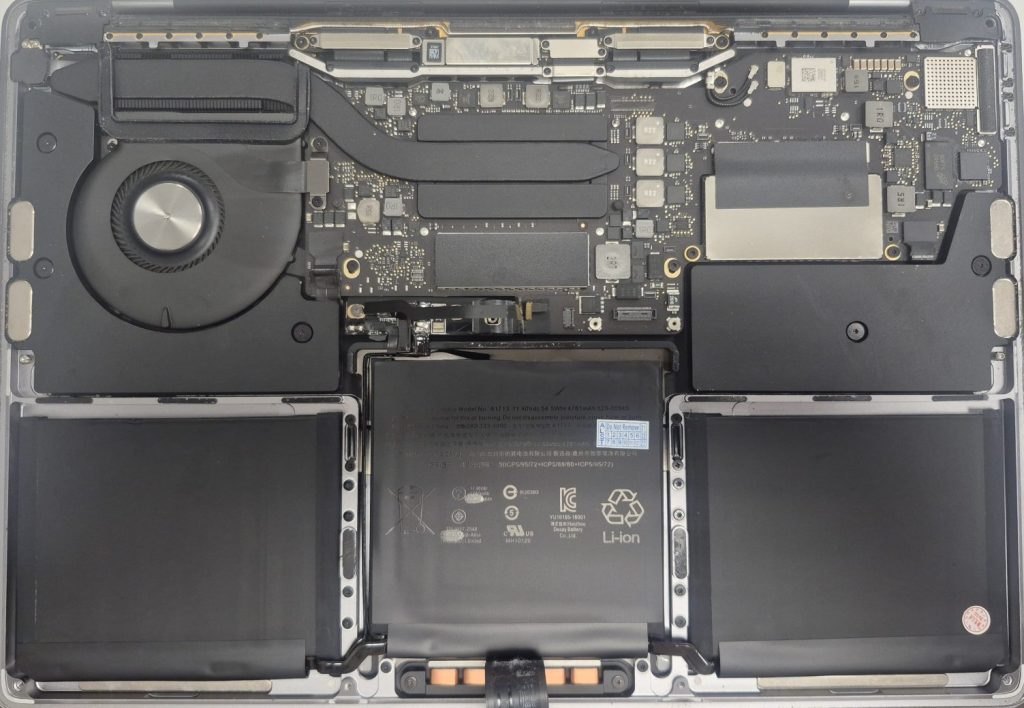
If your laptop has been slowing down, running hot, or making more fan noise than usual, there’s a good chance dust is the culprit. It sounds almost too simple — just dust, right? But after years of use, dust accumulation inside a laptop can cause surprisingly serious and expensive damage. Here’s a straightforward look at what’s actually happening inside your machine when dust takes over, and what you can do about it.
How Does Dust Get Inside a Laptop in the First Place?
Every time your laptop’s fan spins, it pulls in air from the surrounding environment to cool the internal components. That air carries microscopic particles — skin cells, fabric fibers, pet hair, and plain old household dust. Over time, those particles collect on fan blades, heat sinks, and ventilation grilles.
The longer a laptop goes without cleaning, the thicker the buildup gets. Some environments make this worse: homes with pets, carpeted rooms, dusty workshops, or anyone who uses a laptop on a bed or couch (where airflow is already restricted and fabric fibers are everywhere).
The Real Effects of Dust Buildup — Year by Year
Dust damage doesn’t happen overnight. It’s a slow progression that most people don’t notice until something goes wrong. Here’s a general timeline of what to expect:
Year 1–2: Minor Performance Slowdown
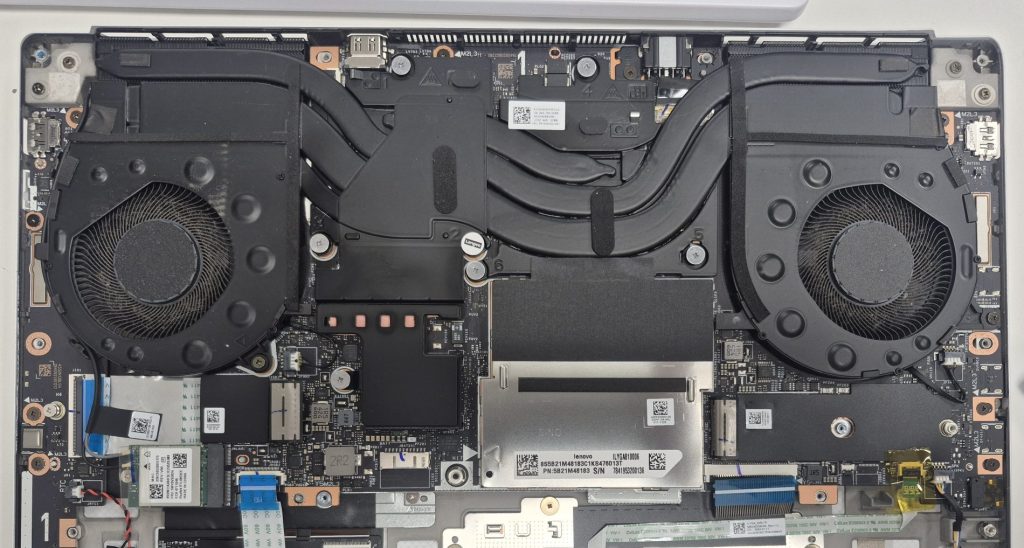
In the first year or two, dust accumulation is light and your laptop likely handles it without obvious issues. You may notice the fan running slightly more often or the bottom of the laptop feeling a little warmer than when it was new. Most users don’t think much of it at this stage.
Year 2–4: Thermal Throttling Kicks In
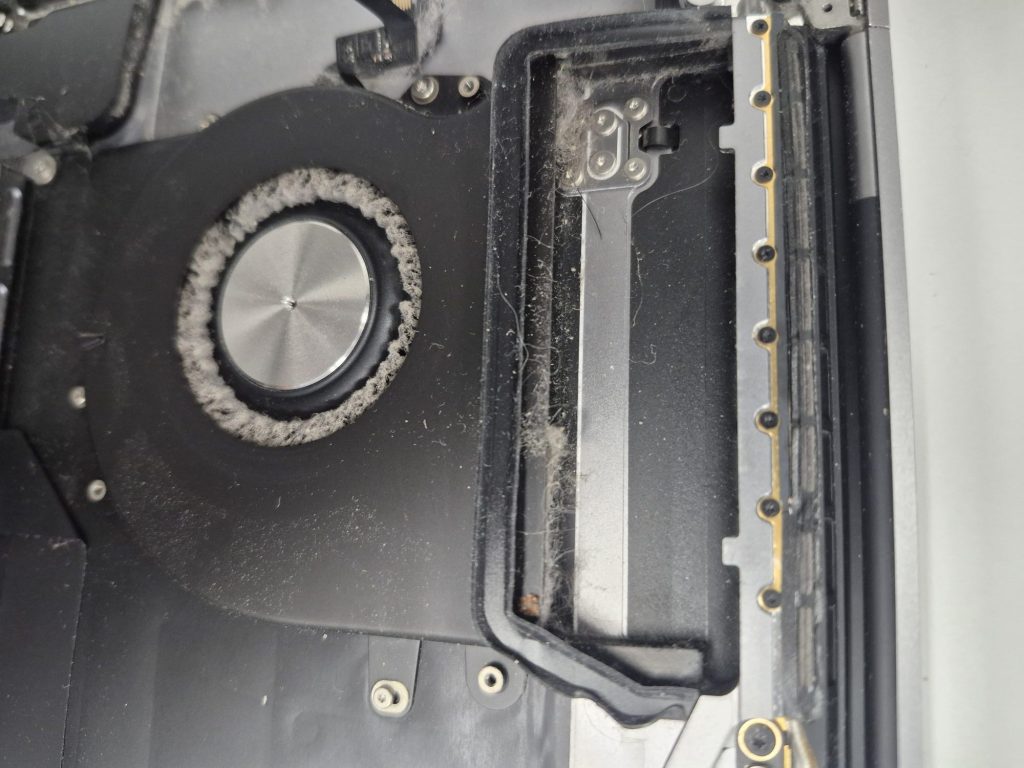
By year two or three, a meaningful layer of dust has often formed over the heat sink — the component responsible for drawing heat away from the CPU and GPU. When heat can’t escape efficiently, the processor gets too hot and automatically slows itself down to avoid damage. This is called thermal throttling. You’ll feel it as lag, freezing, or a laptop that used to run apps smoothly now struggling with everyday tasks. Many people assume it’s a software problem or that their laptop is simply “getting old.” Often, it’s just dust.
Year 4+: Hardware Damage Becomes a Real Risk
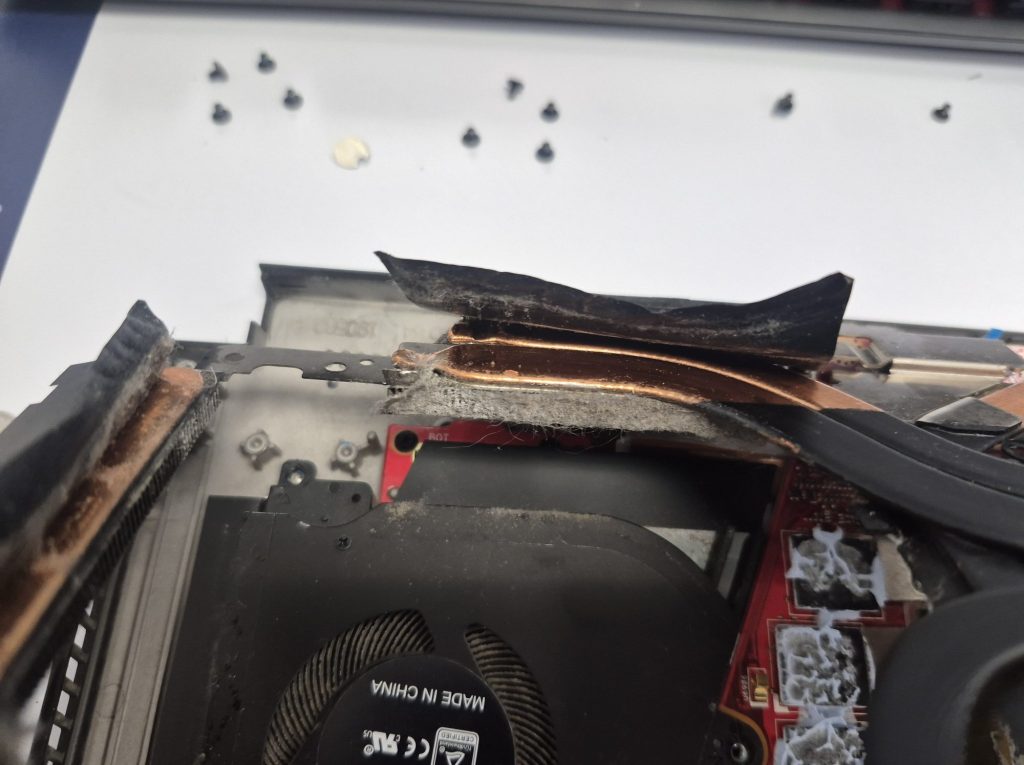
After several years without cleaning, the risks become more serious. A thick mat of dust can block airflow almost entirely, causing components to run at dangerously high temperatures. Sustained overheating can shorten the lifespan of the CPU, GPU, and battery significantly. In worst-case scenarios, it can cause complete hardware failure — a motherboard that burned out not because it was defective, but because it simply couldn’t cool itself.
Warning Signs Your Laptop Needs a Dust Cleaning (Don’t Ignore These)
Watch out for any of these common signs:
• The fan runs constantly or at full speed even when you’re not doing anything demanding
• The laptop feels hot to the touch on the bottom or near the keyboard
• The laptop shuts down unexpectedly — this is a thermal protection mechanism
• Performance has noticeably dropped compared to a year ago
• You can hear the fan struggling or making a grinding/rattling noise
• Battery life has shortened significantly (heat degrades batteries faster)
What Dust Cleaning Actually Involves
A proper laptop cleaning isn’t just blasting a can of compressed air into the vents. While that can help temporarily, it often just pushes dust deeper into the machine.
A thorough cleaning involves opening the laptop, carefully removing dust from the fan blades, heat sink fins, and surrounding components using specialized tools, and in many cases, replacing the thermal paste between the CPU/GPU and the heat sink. Thermal paste dries out over time and becomes less effective — refreshing it alone can drop temperatures by 10–20°C in older laptops, making a noticeable difference in performance and longevity.
How Often Should You Have Your Laptop Cleaned?
Every repair shop will have a different idea of how often a laptop should be cleaned. But personally, I think most laptops would benefit from a professional internal cleaning every 18 to 24 months.
If you have pets, work in a dusty environment, or use your laptop on soft surfaces like beds and couches, every 12 to 15 months is more appropriate. Think of it the same way you think of an oil change for your car — it’s routine, inexpensive maintenance that prevents far more costly repairs down the road.
Can You Clean It Yourself?
It depends on the laptop. Some models are designed with user-accessible panels that make cleaning relatively straightforward. Others require specialized tools and careful disassembly to avoid damaging fragile ribbon cables or stripping small screws.
If you’re not comfortable opening electronics, it’s worth having a technician do it. The cleaning itself is quick and affordable — and it’s a lot cheaper than replacing a motherboard that overheated one too many times.
Frequently Asked Questions
Can dust actually destroy a laptop?
Yes, though it rarely happens overnight. Dust restricts airflow, which causes components to overheat. Sustained high temperatures degrade the CPU, GPU, and battery over time, and in severe cases can cause a complete motherboard failure. It’s one of the most preventable causes of early laptop death we see in the shop.
How do I know if my laptop is overheating from dust?
The most common signs are a fan that runs constantly or at full speed, a laptop that’s hot to the touch on the bottom, unexpected shutdowns, and noticeably slower performance than it had a year or two ago. If your laptop is 2–3 years old and you’ve never had it cleaned, dust is often the first thing worth ruling out.
Is it worth cleaning an older laptop?
Almost always, yes. A cleaning is far less expensive than a repair or replacement. In many cases, a laptop that feels sluggish and overheated runs noticeably better after a dust cleaning and fresh thermal paste — without any hardware upgrades at all. If the laptop otherwise works fine, a cleaning can easily extend its life by another year or two.
Does compressed air really clean a laptop?
It helps, but it’s not a complete fix. Blowing compressed air through the vents can dislodge surface dust, but it often pushes the deeper buildup further into the machine rather than removing it. A proper cleaning requires opening the laptop and clearing dust directly from the fan blades and heat sink fins — that’s what actually makes a lasting difference.
The Bottom Line
Dust is one of the most common and most overlooked causes of laptop slowdowns and early hardware failure. The good news is that it’s also one of the most preventable. A simple cleaning every year or so can add years to your laptop’s life, keep it running at full speed, and protect you from expensive repairs.
If your laptop has been running hot, slowing down, or hasn’t been cleaned in years, stop by our shop located in Downtown, Los Angles and we’ll take a look. In most cases we can have it cleaned and running better the same day.
